

Keep Your Trades Organised. Keep the Context With Them.
Bring synced, imported and manually recorded trades into one journal workspace. Find the records you need, customise your trade list, and add the classifications, notes and chart images that make each trade easier to review.
- Flexible filters and display
- Fast trade classification
- Notes and chart images
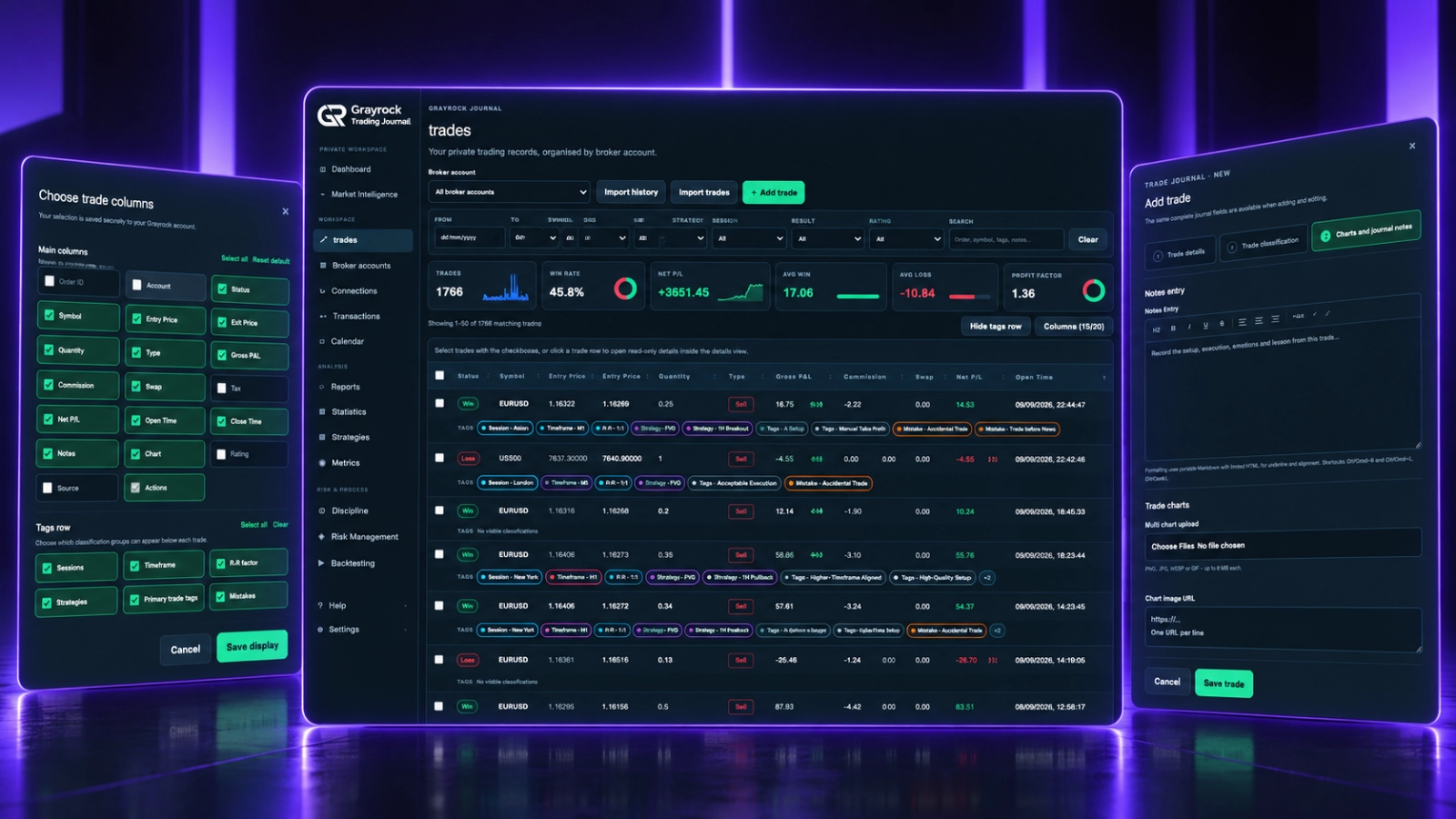
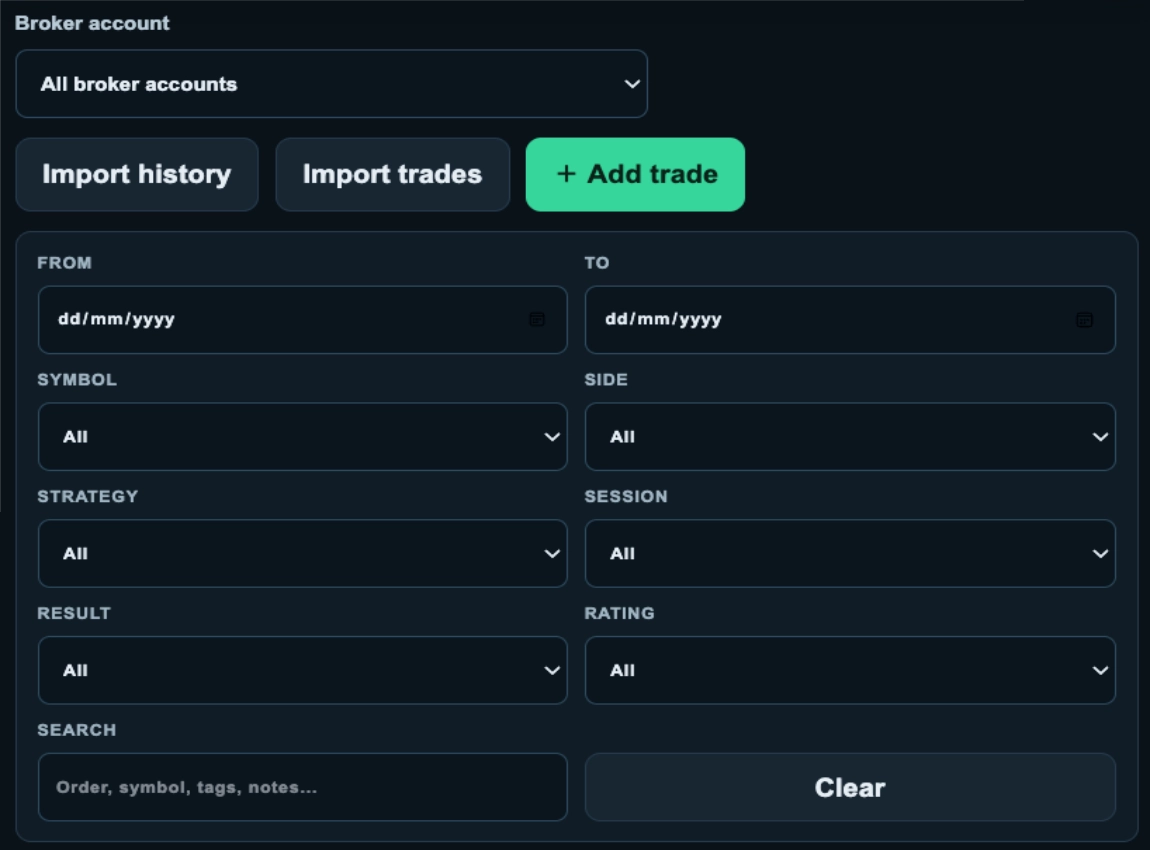
Find the Trades You Want to Understand.
Narrow your journal to a specific account, period or trading context. Combine filters and search to bring the relevant records into view before reviewing or updating them.
Show the Details You Need. Keep Your List Easy to Read.
Choose how much information appears in your trade list. Keep classifications visible for a detailed review, or simplify the display when you want to scan your records.
Switch Between Detailed and Compact Views.
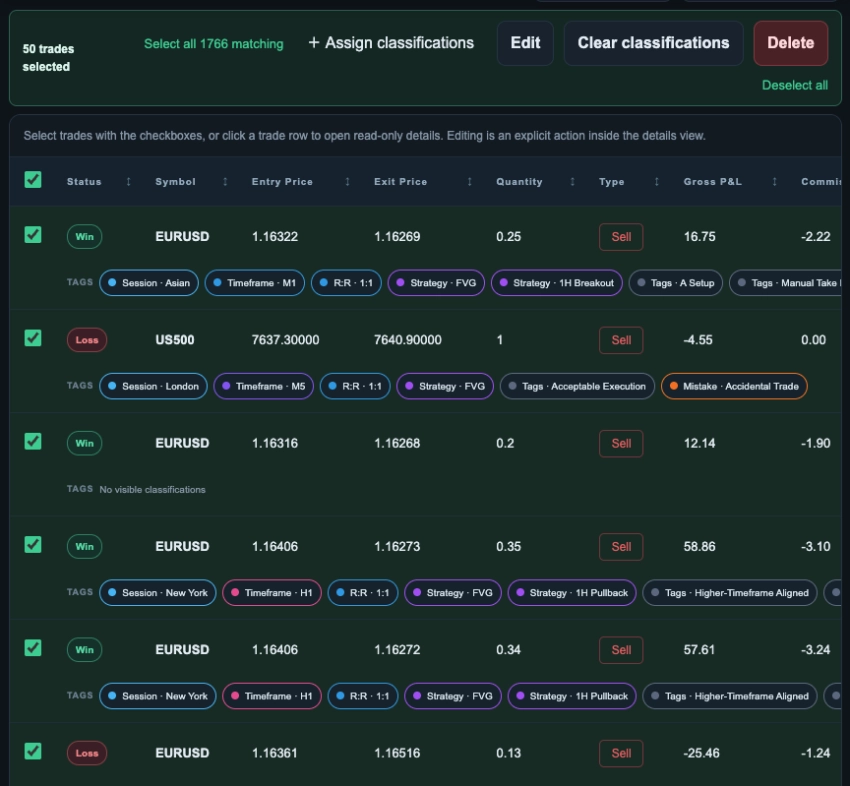
Show the tags row to see classifications beneath each trade, including sessions, timeframes, R:R factors, strategies and mistakes. Hide it whenever you want a tighter list with more trades visible on screen.
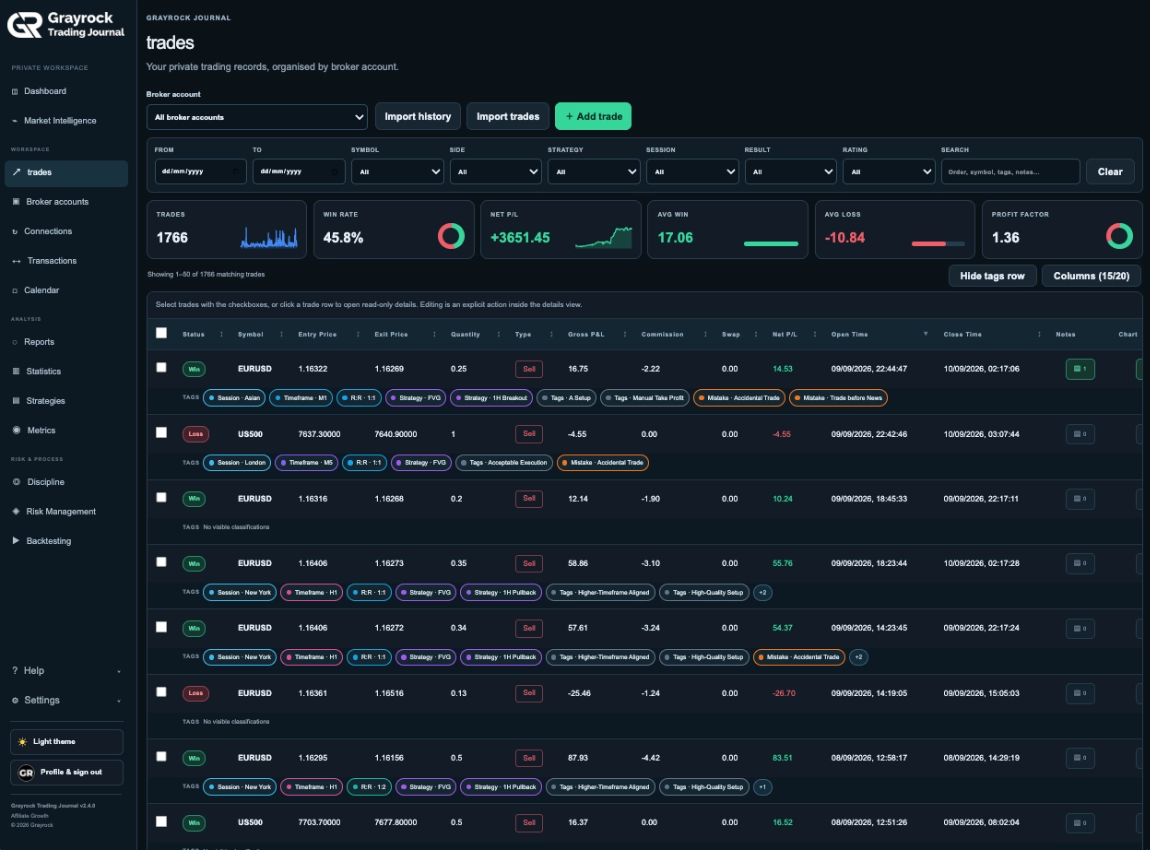
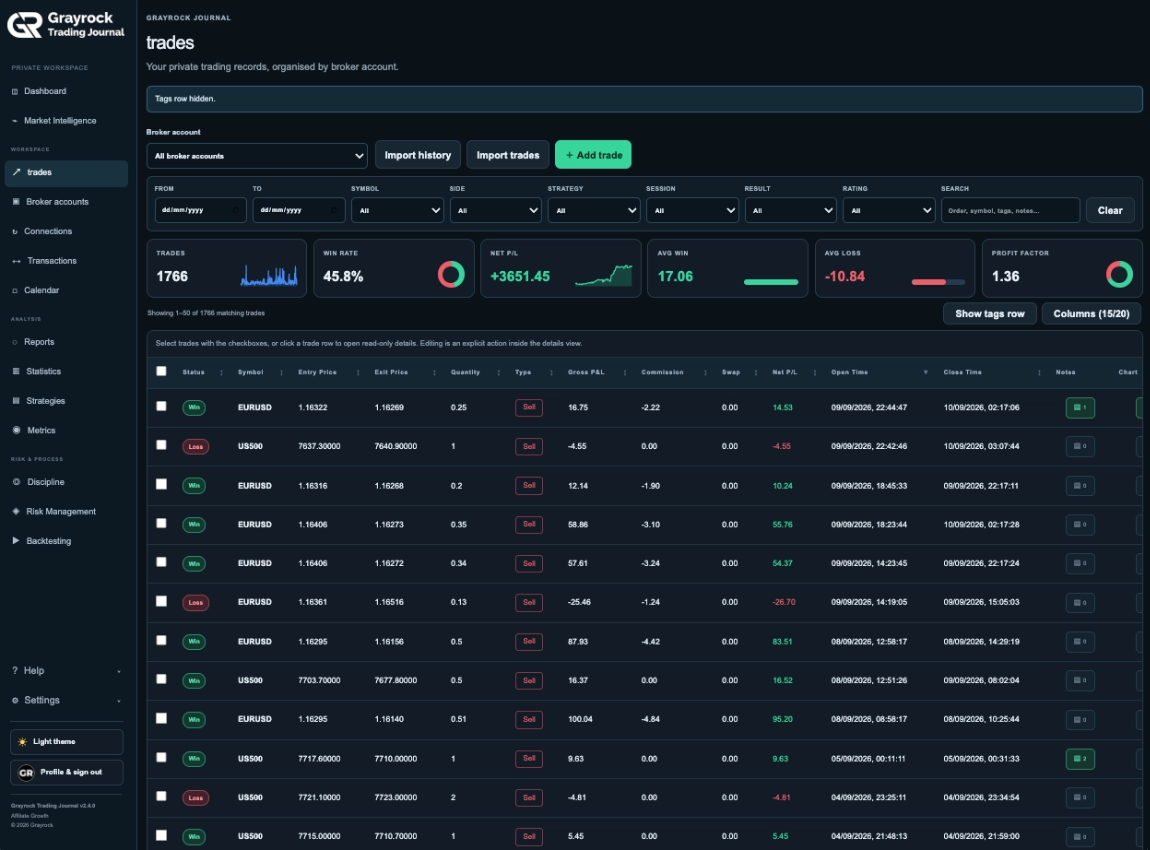
Choose What Appears in Every Row.
Select the columns that matter to your review, including prices, quantity, costs, net P/L, trade times, notes, chart indicators and rating. You can also choose which classification groups appear in the tags row.
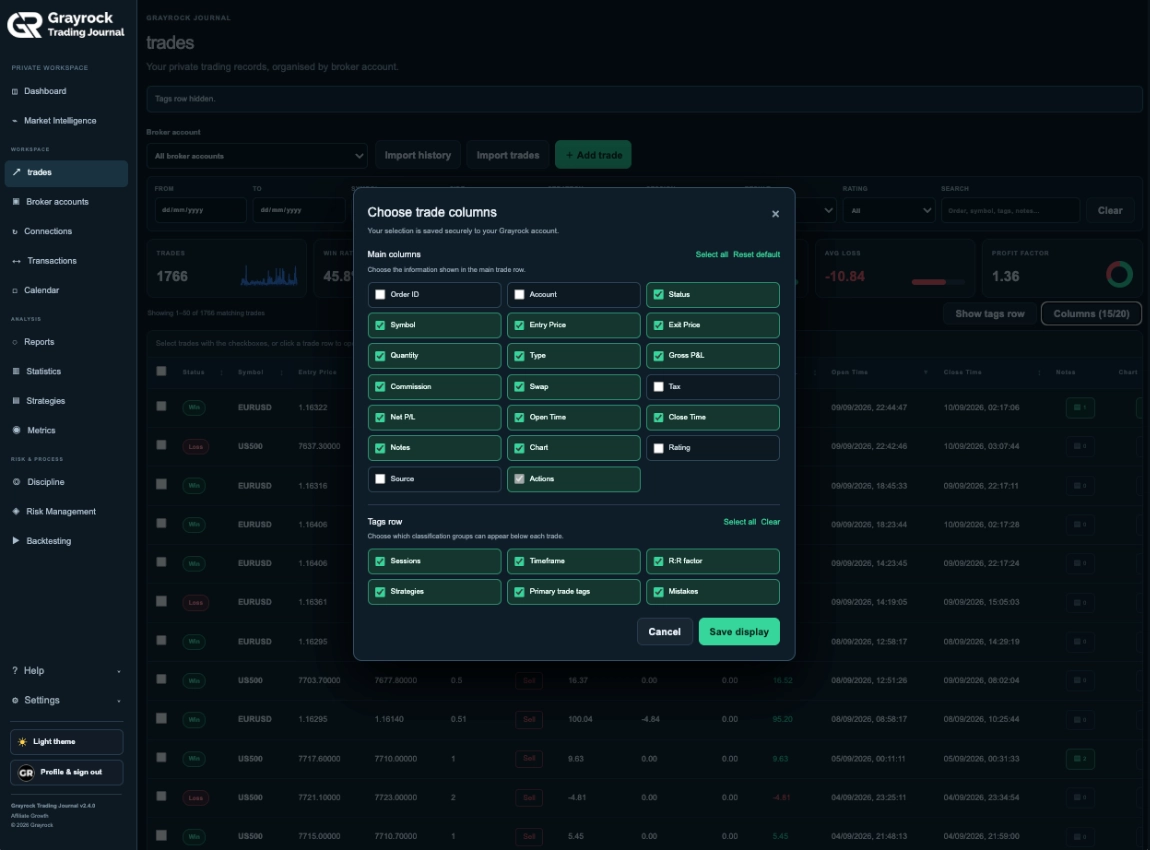
Organise Selected Trades Directly From Your List.
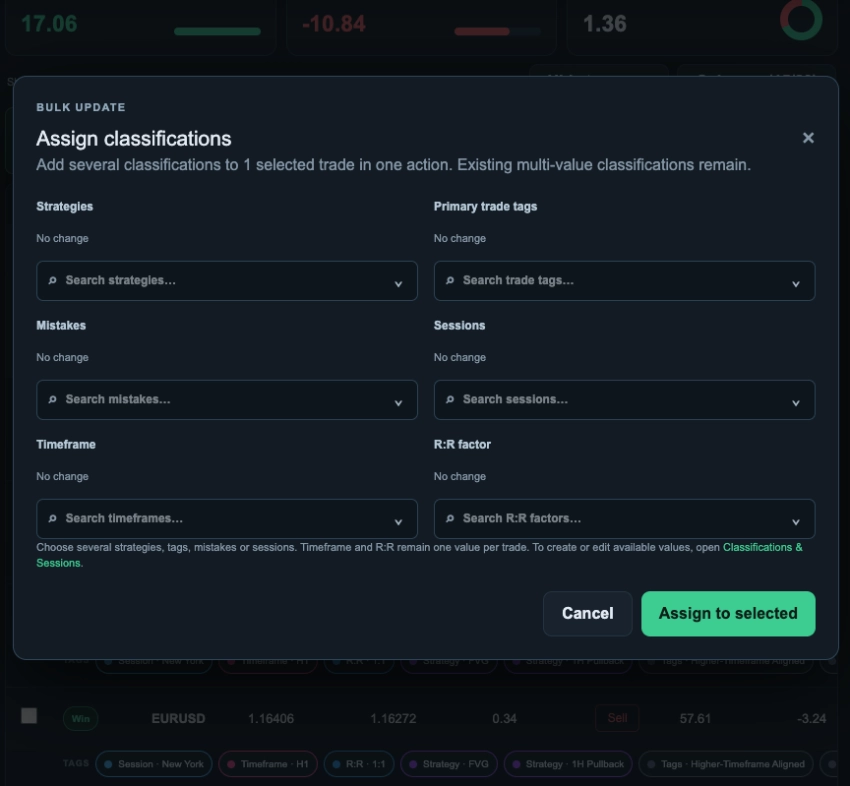
Select a trade or a group of records and assign classifications without opening each trade individually. Keep your journal organised as you work through your trading history.
Add context quickly. Assign strategies, primary trade tags, mistakes, sessions, timeframes and R:R factors from the list.
Work across selected records. Select individual trades, the current page, or all records matching your filters.
Remove records in bulk. Delete selected trades, or select all matching records when you need a broader cleanup.
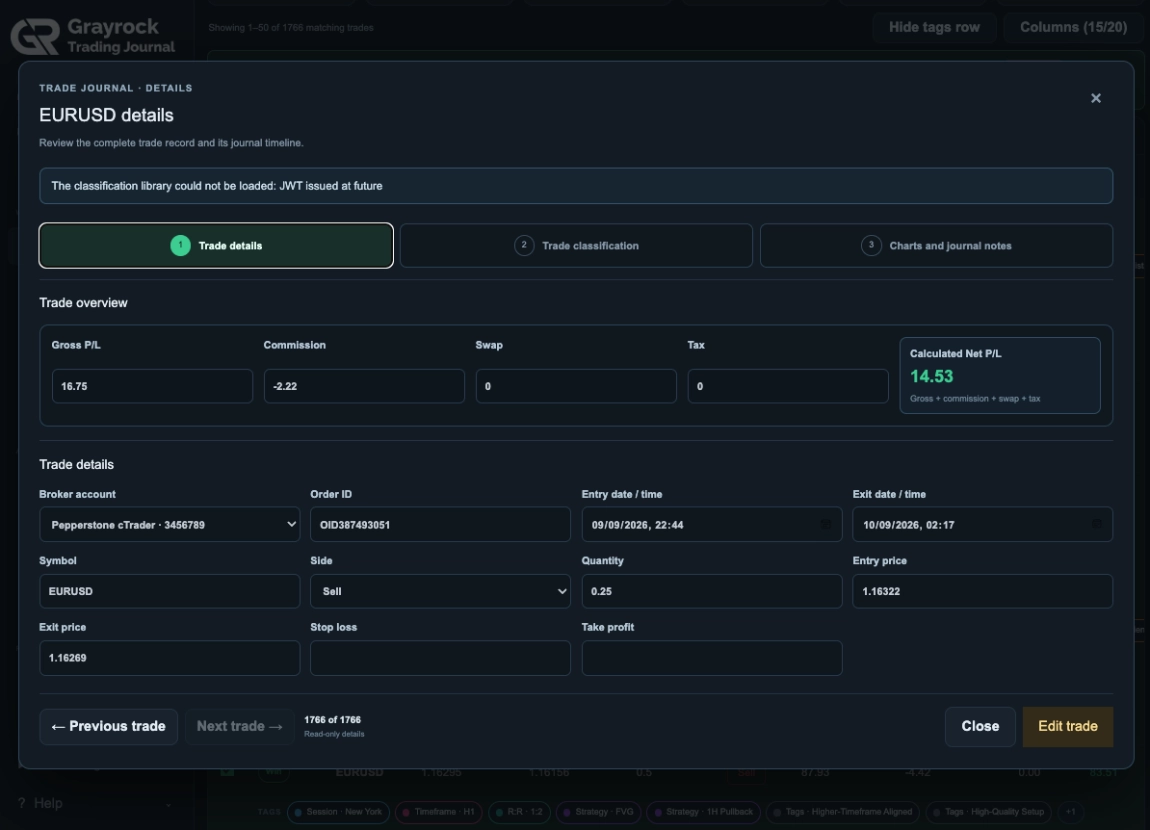
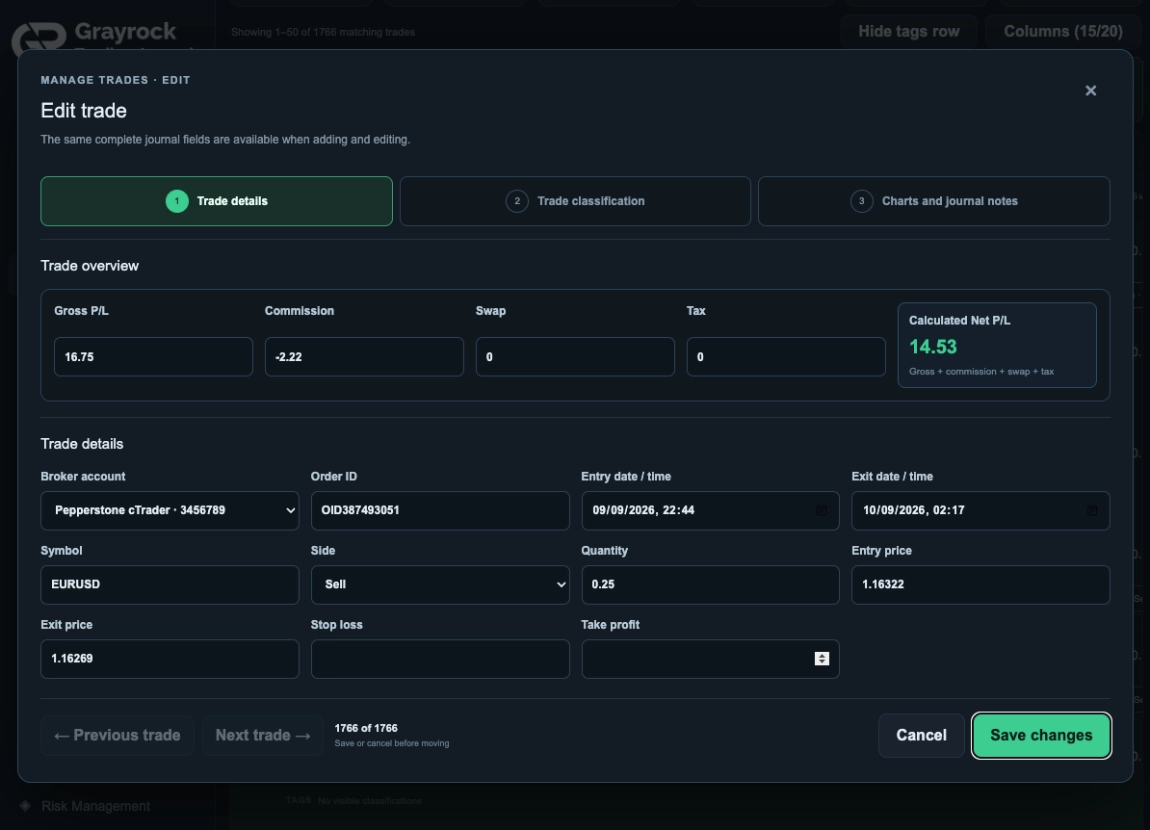
Record the Execution and Its Costs.
Review or enter the broker account, symbol, direction, quantity, entry and exit prices, and trade times. Record gross P/L, commission, swap and tax alongside the calculated net result.
Switch Between Detailed and Compact Views.
Show the tags row to see classifications beneath each trade, including sessions, timeframes, R:R factors, strategies and mistakes. Hide it whenever you want a tighter list with more trades visible on screen.
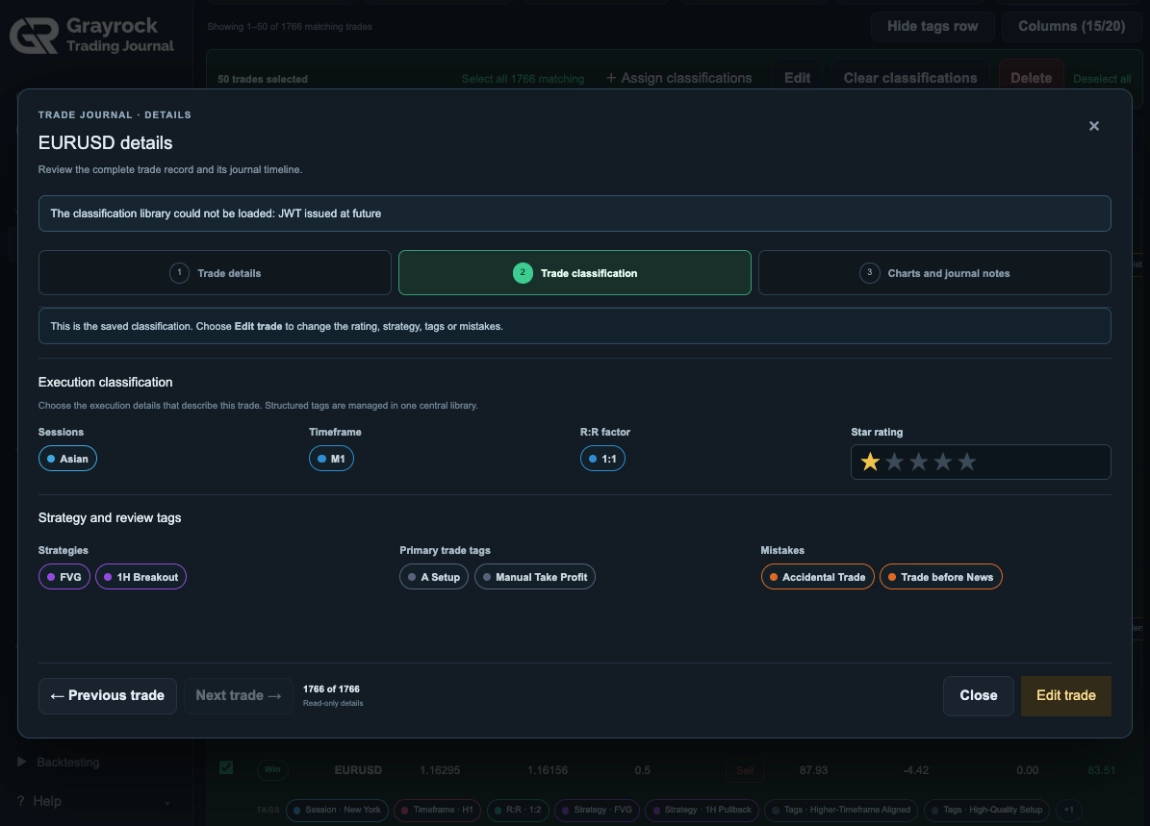
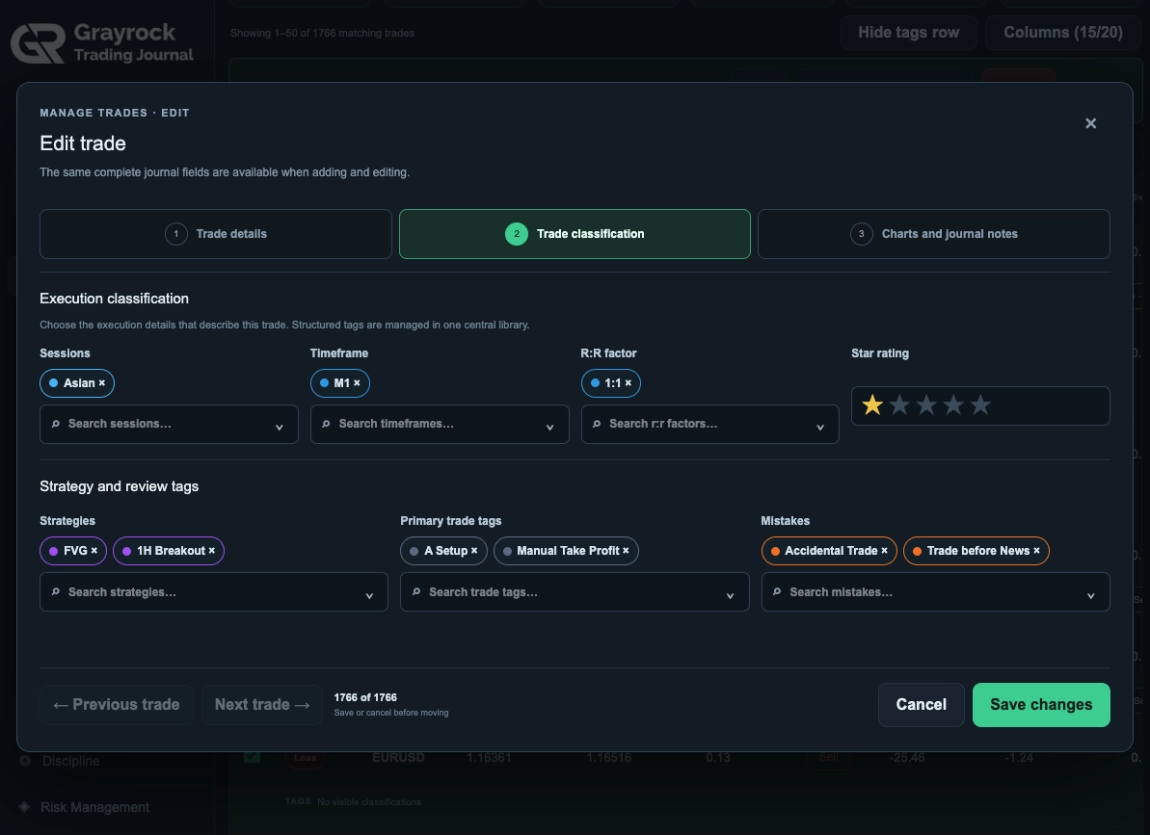
Add the Context You Want to Review Later.
Classify the trade by session, timeframe, R:R factor and strategy. Add primary tags, record mistakes and apply a star rating to capture your assessment alongside the result.
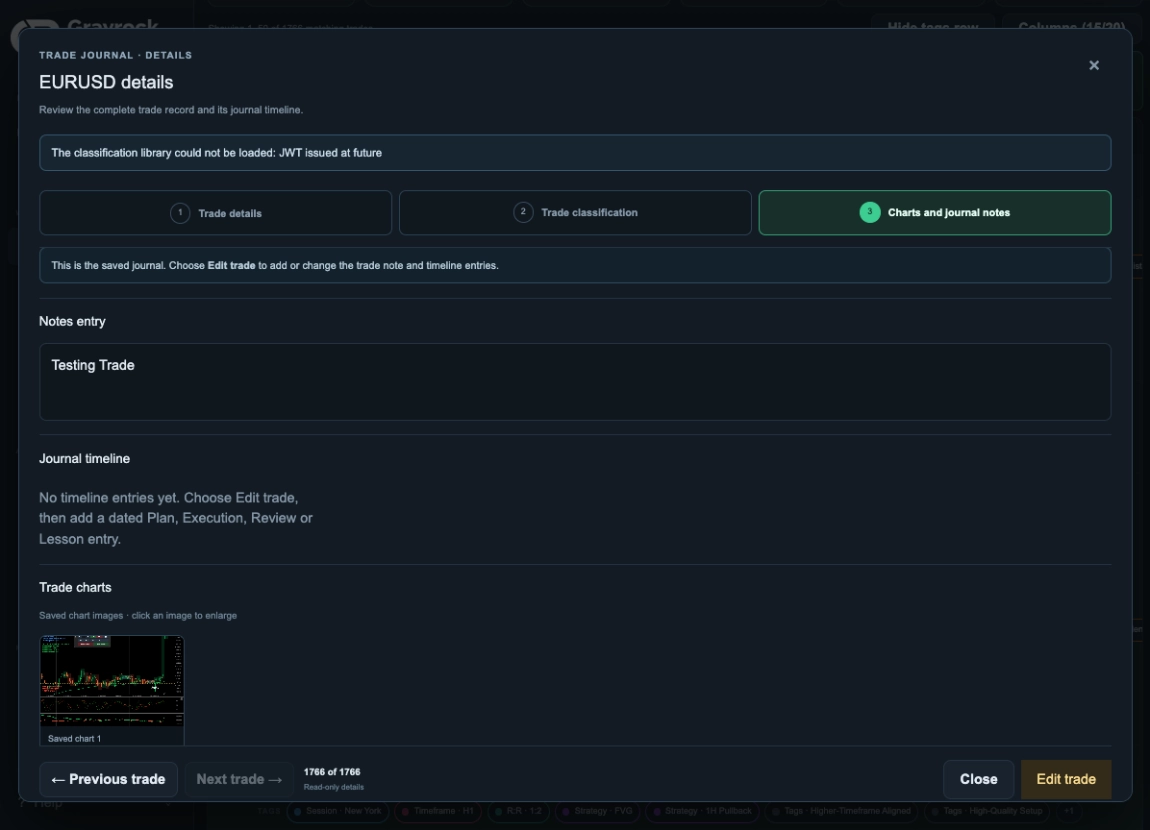
Keep Your Explanation Beside the Numbers.
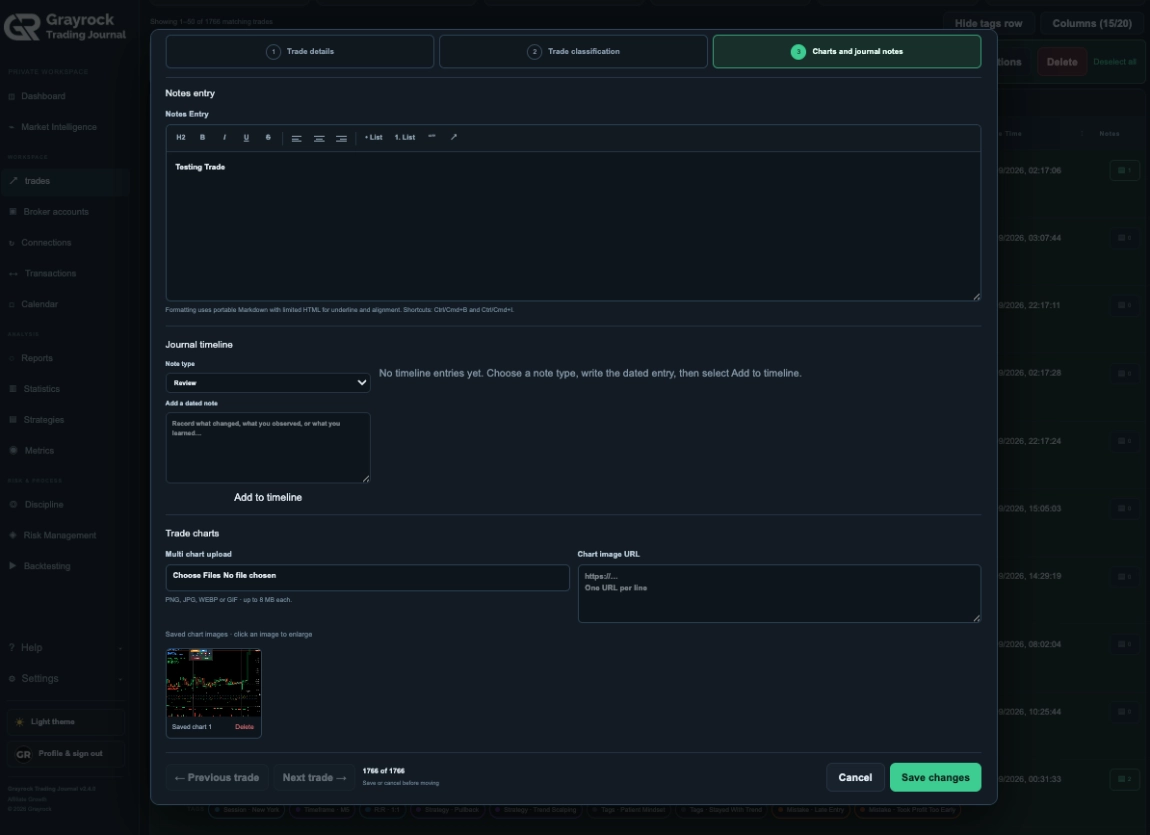
Write about the setup, execution, emotions and lessons from the trade. Attach multiple chart images or add chart-image URLs so you can return to the visual context during your next review.
Keep Incoming Trades Within Reach.
Build your journal through supported broker synchronisation, file import or manual entry. Newly synced trades appear in the trade list as synchronisation completes, ready for your review and classifications.
Broker Sync
Bring records from supported broker connections into your trade list as synchronisation completes.
Trade Import
Import trading records through the supported import workflow, then organise them within your journal.
Manual Entry
Add a trade directly and complete its execution details, classifications, notes and chart images.
About the Trade Journal
Understand how to find, display and maintain the trading records in your Grayrock journal.
Can I combine several trade filters?
Yes. Combine account, date, symbol, direction, strategy, session, result and rating filters. You can also search order information, symbols, tags and notes to narrow your records further.
Can I hide the tags beneath each trade?
Yes. Use the tags-row control to switch between a detailed and compact trade list. Hiding the row does not remove the saved classifications.
Can I choose which columns appear?
Yes. Open Columns to select the trade information shown in the main row and the classification groups shown beneath it. Save the display preferences to your account.
Can I add tags without opening each trade?
Yes. Select records in the list and use Assign classifications to apply the available classification fields without editing each record individually.
How do I edit a trading record?
Click the trade row to open its read-only details, then choose Edit. You can update the journal fields, classifications, notes and chart images.
Can I attach more than one chart image?
Yes. The Charts & Notes area supports multiple chart-image uploads and chart-image URLs alongside your written notes.
Can I delete several trades or all records?
Yes. You can delete selected trades or select all matching records for bulk deletion. Filters define which records match, so clear them first if you intend to select the entire journal.
When do synced trades appear in the list?
Newly synced trades appear as synchronisation completes. The time between broker activity and its arrival in your journal depends on the connection and sync process.
Does editing a journal record change my broker trade?
No. Journal editing updates your Grayrock record. Manage trading orders and positions through your broker platform.
How is the Trade Journal different from Reports?
The Trade Journal is where you organise and maintain individual trading records. Reports brings those recorded results together to examine performance, outcomes, drawdown and trading patterns.
Give Every Trade the Context It Deserves.
Keep your records organised, your classifications consistent and your notes close to the trades they explain.