

Turn Your Trading Limits Into Measurable Evidence.
Create personal risk plans, define the limits that matter to your trading process and compare them with completed trades recorded in your journal—so you can see where historical behaviour stayed within your plan and where it moved outside it.
- Personal risk plans
- Historical warnings
- Account-level review
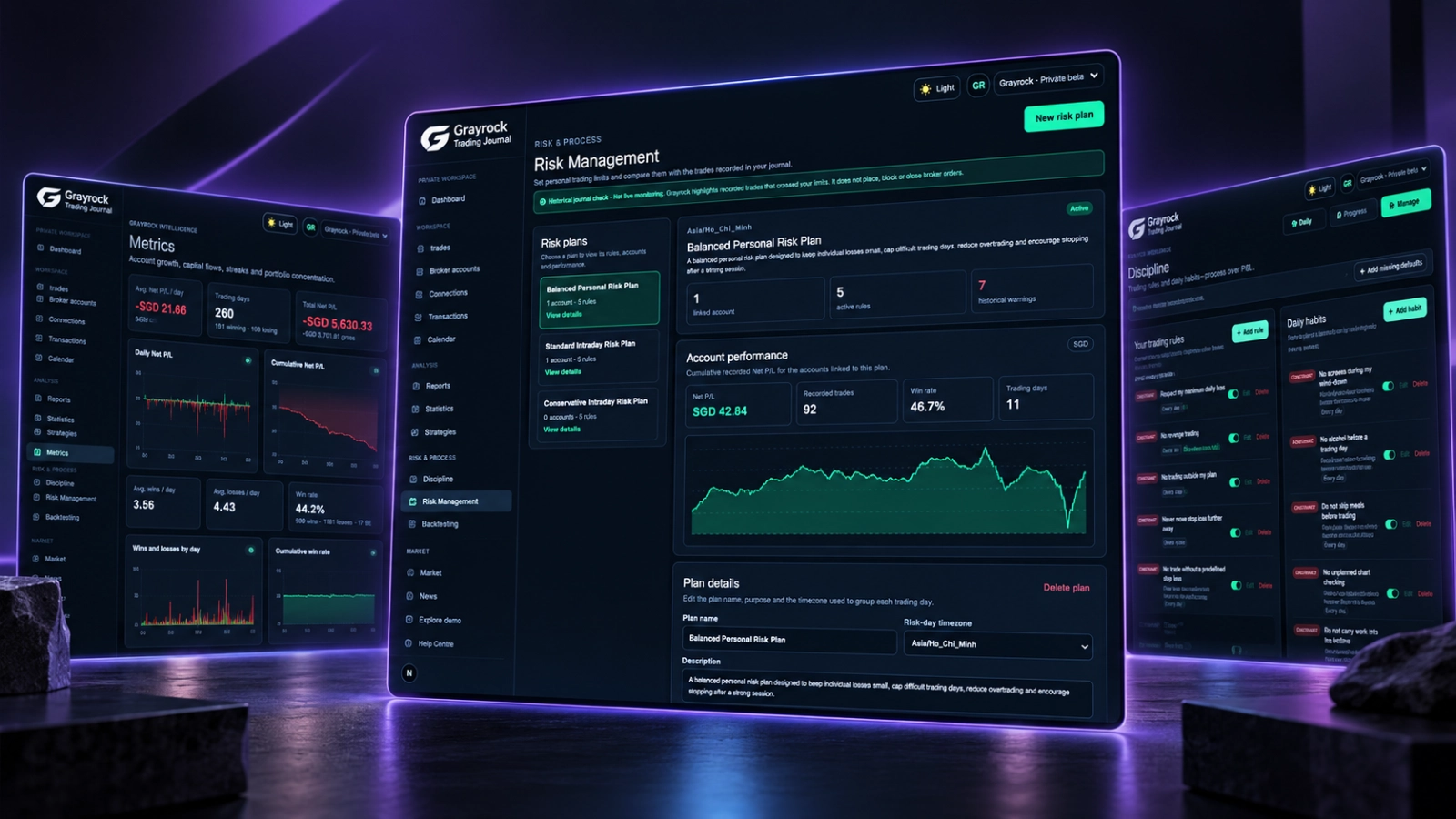
Build a Risk Plan Around the Way You Trade.
Create separate risk plans for different trading approaches or accounts. Give each plan a clear purpose, choose its risk-day timezone and select the journal accounts you want to review.
Save the numerical limits that reflect your trading process, then examine completed trading records against those limits. Keep the plan, linked-account results and historical warnings together in one workspace.
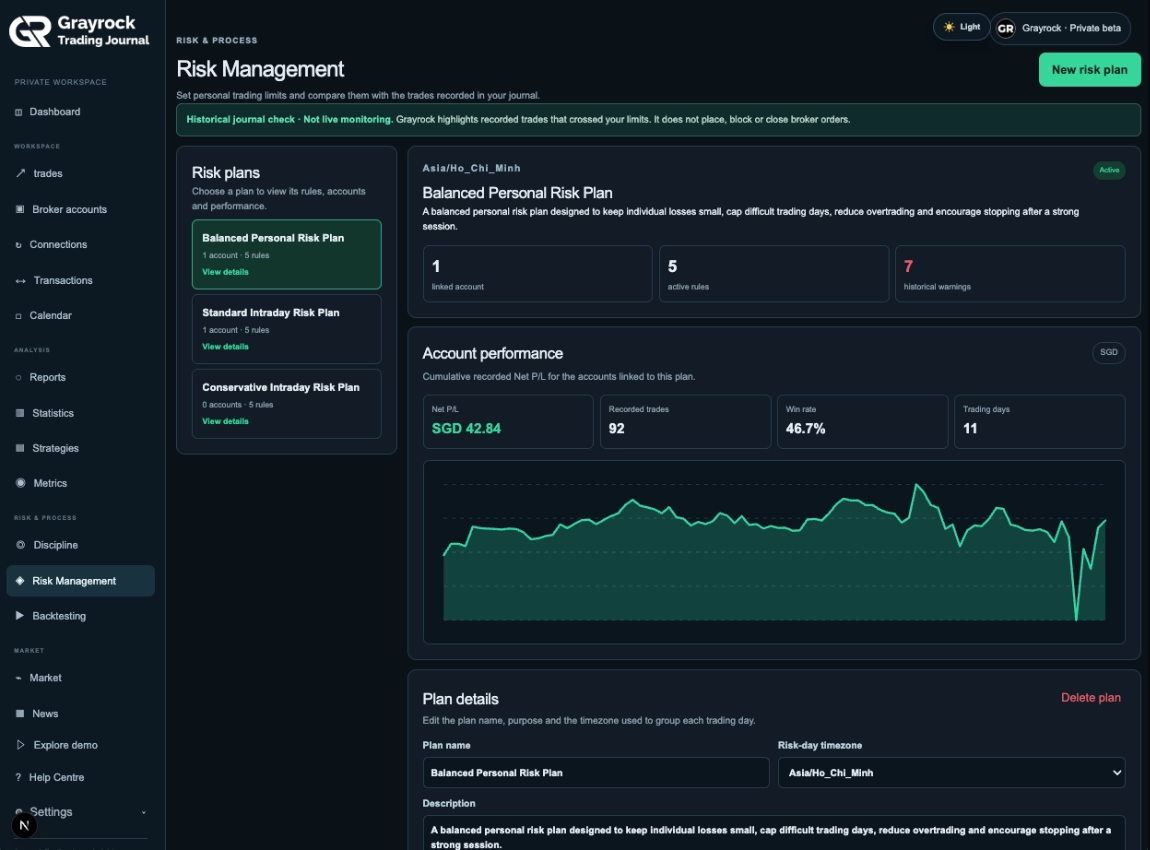
One Plan. The Accounts, Limits and Evidence Behind It.
A Grayrock Risk Plan brings the key parts of historical risk review together. Define the purpose of the plan, choose the accounts it applies to, set your own numerical limits and review the recorded evidence in one place.
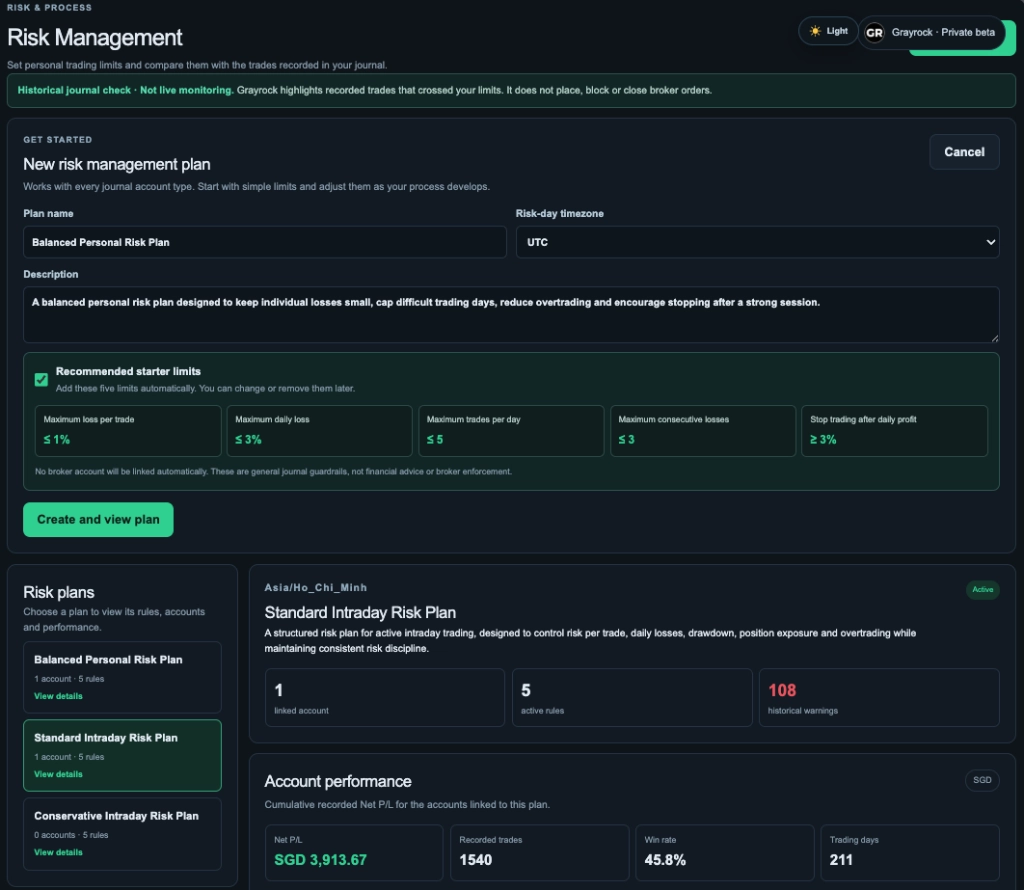
Start With the Risk Framework You Want to Review.
Create a Risk Plan for a trading approach or group of accounts, give it a clear purpose and choose the timezone Grayrock should use to group completed trades into Risk days.
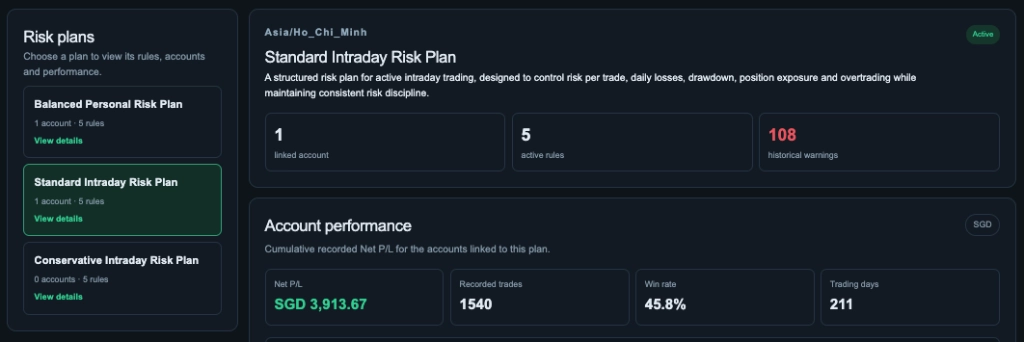
See the Scope of Your Selected Plan.
Move between saved risk plans and review the selected plan’s linked-account count, active rules and historical warnings. See the recorded performance figures alongside the plan they relate to.
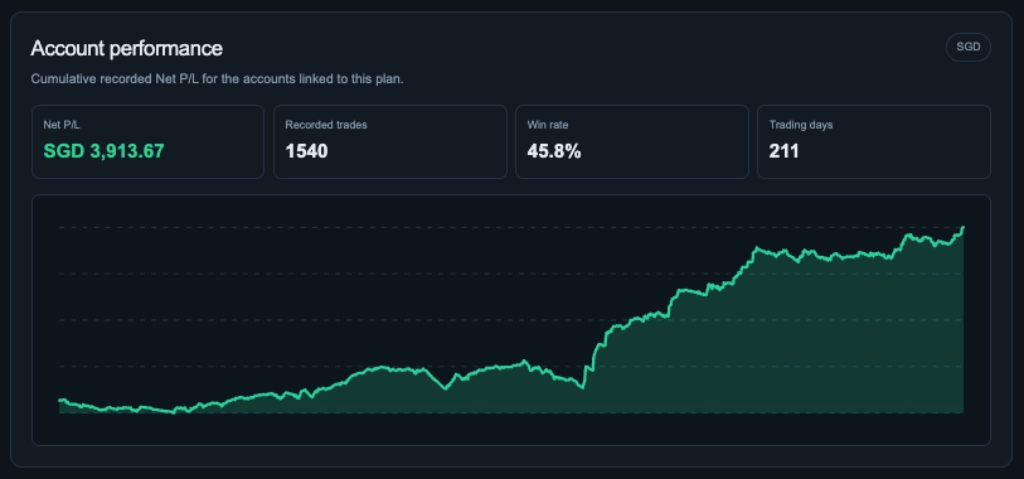
Review the Results Behind the Plan.
See recorded net P/L, trade count, win rate and trading days for the accounts linked to your plan. Follow cumulative recorded net P/L alongside these figures to give your historical risk review more context.
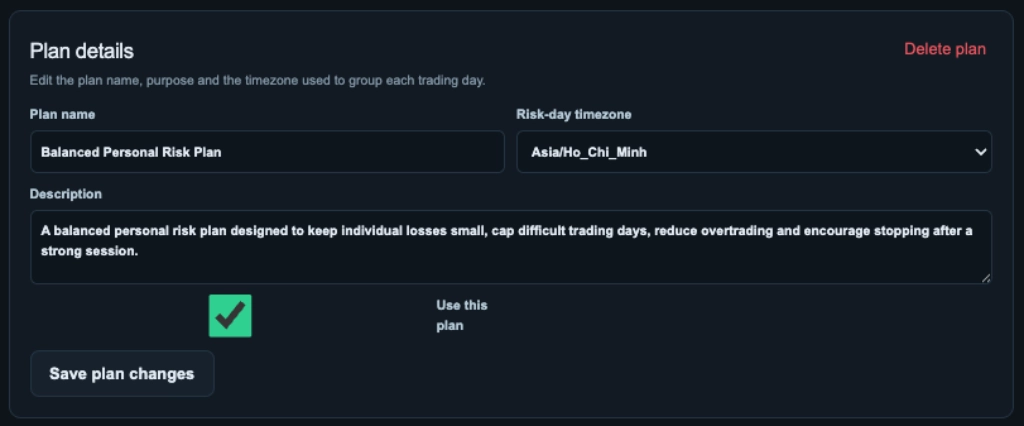
Keep the Plan’s Purpose Clear.
Edit the plan name, description and risk-day timezone as your review needs change. Use the plan’s activation setting to manage whether it is in use, and save your changes in the same view.
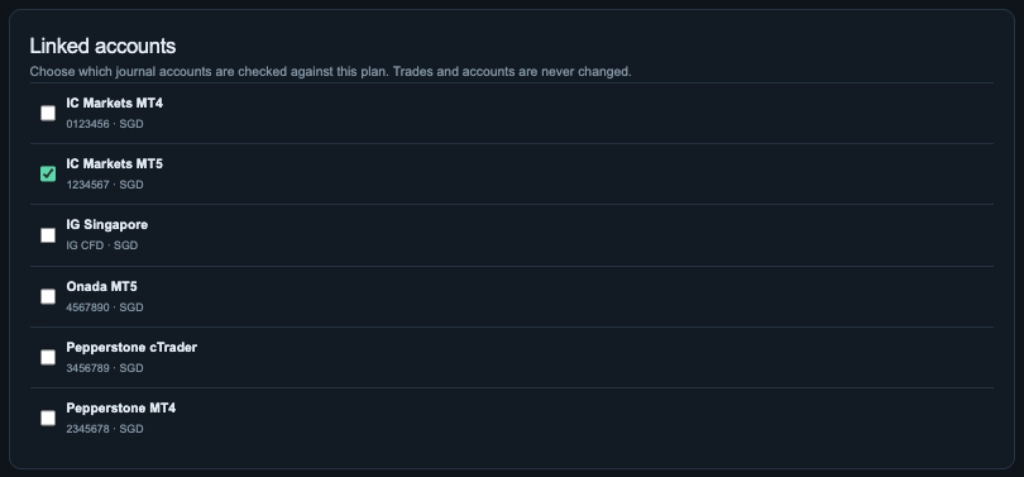
Choose Which Accounts the Plan Reviews.
Select the journal broker accounts whose completed trading records should be checked against this plan. Linking an account defines the scope of the review; it does not change the account or its trades.
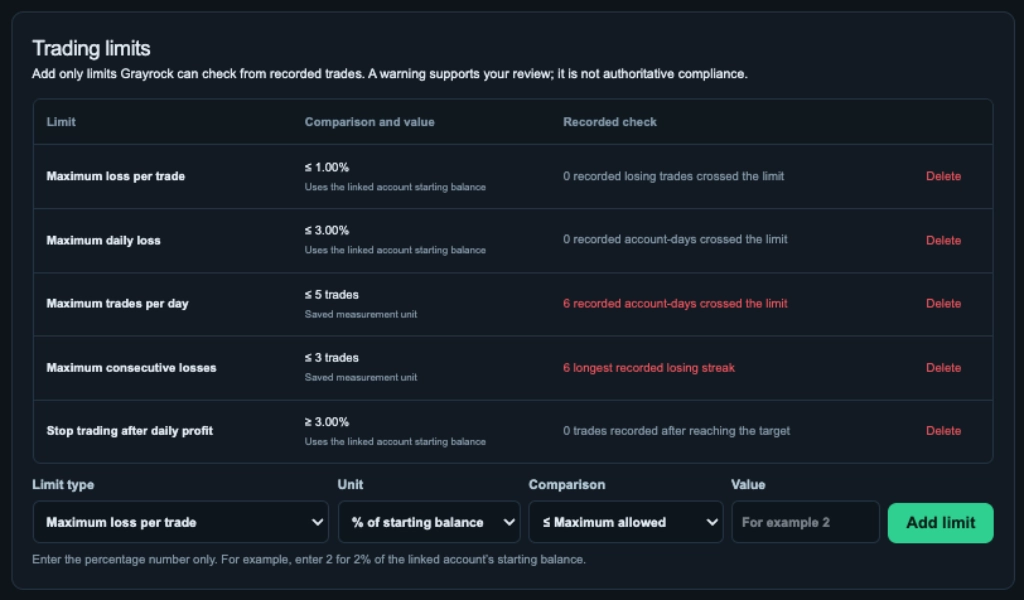
Compare Your Saved Limits With Recorded Activity.
Review each limit’s comparison, unit and value alongside its recorded check. Add limits that match your process and examine historical warnings where completed journal activity crossed a saved threshold.
Review the Limits That Matter to Your Trading Process.
Grayrock supports several types of numerical limits so you can compare completed journal activity with the risk rules you intended to follow.
Maximum Loss per Trade
Review whether an individual completed losing trade exceeded the maximum loss saved in your Risk Plan.
Maximum Daily Loss
Compare completed trading results for each Risk-day with the daily loss limit you defined.
Maximum Position Size
Check recorded trade quantity or lot size against the maximum position size in your plan.
Maximum Trades per Day
Identify trading days where the number of completed trades moved beyond your saved limit.
Maximum Consecutive Losses
Review recorded losing streaks against the maximum consecutive losses in your plan.
Stop Trading After Daily Profit
See whether additional completed trades were recorded after your saved daily profit trigger was reached.
Grayrock Reviews the Evidence. Your Broker Controls the Trade.
Grayrock Risk Management reviews completed trading records against the limits saved in your Risk Plan. It helps you identify historical warnings without taking control of live trading.
Reviews the Evidence
- Completed journal trades
- Recorded Net P/L
- Position size and trade count
- Consecutive losses
- Saved risk limits
- Historical warnings
Historical review
Controls the Trade
- Order placement
- Live position sizing
- Stop-loss execution
- Position management
- Margin controls
- Trade execution
Live execution
Risk Management and Discipline Answer Different Questions.
Both help you review how you trade, but they examine different evidence. Risk Management compares recorded activity with numerical limits. Discipline helps you review the rules, tasks and habits behind your trading process.
NUMERICAL RISK
Did My Trading Cross the Limits I Set?
Compare completed journal activity with the numerical limits saved in your risk plan. Review where recorded losses, trade sizes, trade counts or losing streaks crossed those limits.
- Loss per trade
- Daily loss
- Position size
- Trades per day
- Consecutive losses
- Daily profit stop
PROCESS & BEHAVIOUR
Did I Follow the Process I Intended to Follow?
Review whether the rules, tasks and habits in your discipline process were followed. Keep daily reflections alongside that process to record the context behind your decisions.
- Trading constraints
- Trading tasks
- Habit avoidances
- Habit tasks
- Daily reflection
- Consistency
About Risk Management
Risk Management turns your personal trading limits into historical journal checks. Here are answers to common questions about plans, limits, accounts and warnings.
What is Grayrock Risk Management?
Risk Management stores personal numerical limits and compares them with completed trades already recorded in your journal.
Does Grayrock stop me from breaking a risk rule?
No. Risk Management is a historical journal check. It does not block orders, change position sizes, close positions or control your broker account.
What trading limits can I create?
Grayrock supports maximum loss per trade, maximum daily loss, maximum position size, maximum trades per day, maximum consecutive losses and stop trading after daily profit.
Can I create more than one risk plan?
Yes. Risk plans can be created separately and associated with the journal broker accounts you want each plan to review.
Can one risk plan review multiple broker accounts?
Yes. You can link multiple journal accounts to a risk plan.
How do percentage limits work?
Percentage-based limits use the recorded starting balance of the linked broker account. Confirm that value before relying on percentage warnings.
What is a historical warning?
A warning means completed journal evidence crossed one of the limits saved in the risk plan. It does not mean Grayrock intervened in the live trade.
What is the Risk-day timezone?
It determines how Grayrock groups completed trades into trading dates when evaluating daily limits.
Does Risk Management change my trades?
No. Linking an account or evaluating its history does not alter the broker account or its journal trades.
What happens if I unlink an account?
The account is no longer evaluated by that risk plan. Unlinking it does not delete the account or its trading history.
Can I use different currencies?
Linked accounts retain their own account context. When the performance view contains different currencies, Grayrock identifies the result as Mixed currencies rather than presenting the values as one combined currency.
Turn Your Risk Rules Into Evidence You Can Review.
Define your own trading limits, connect them to the accounts you want to review and use completed journal records to see where your historical trading stayed within—or moved beyond—your plan.