

A Clearer View of Your Money.
Bring your bank, cash, savings and credit accounts into one organised workspace. Review recorded balances, explore account activity and manage personal, business or mixed-use accounts with their context intact.
- Organised account groups
- Balance history
- Personal, business & mixed

Keep Different Accounts in One Clear View.
Give every account a place, retain its original currency and review the balances behind your financial picture.
Group Your Accounts
Organise bank accounts, cash, credit and other accounts into groups that reflect how you manage your money.
Review Assets & Liabilities
See recorded assets and amounts owed, with summaries for the currency you are reviewing.
Keep Currency Context
Each account keeps its own currency. Different currencies remain separate, without automatic conversion into a combined total.
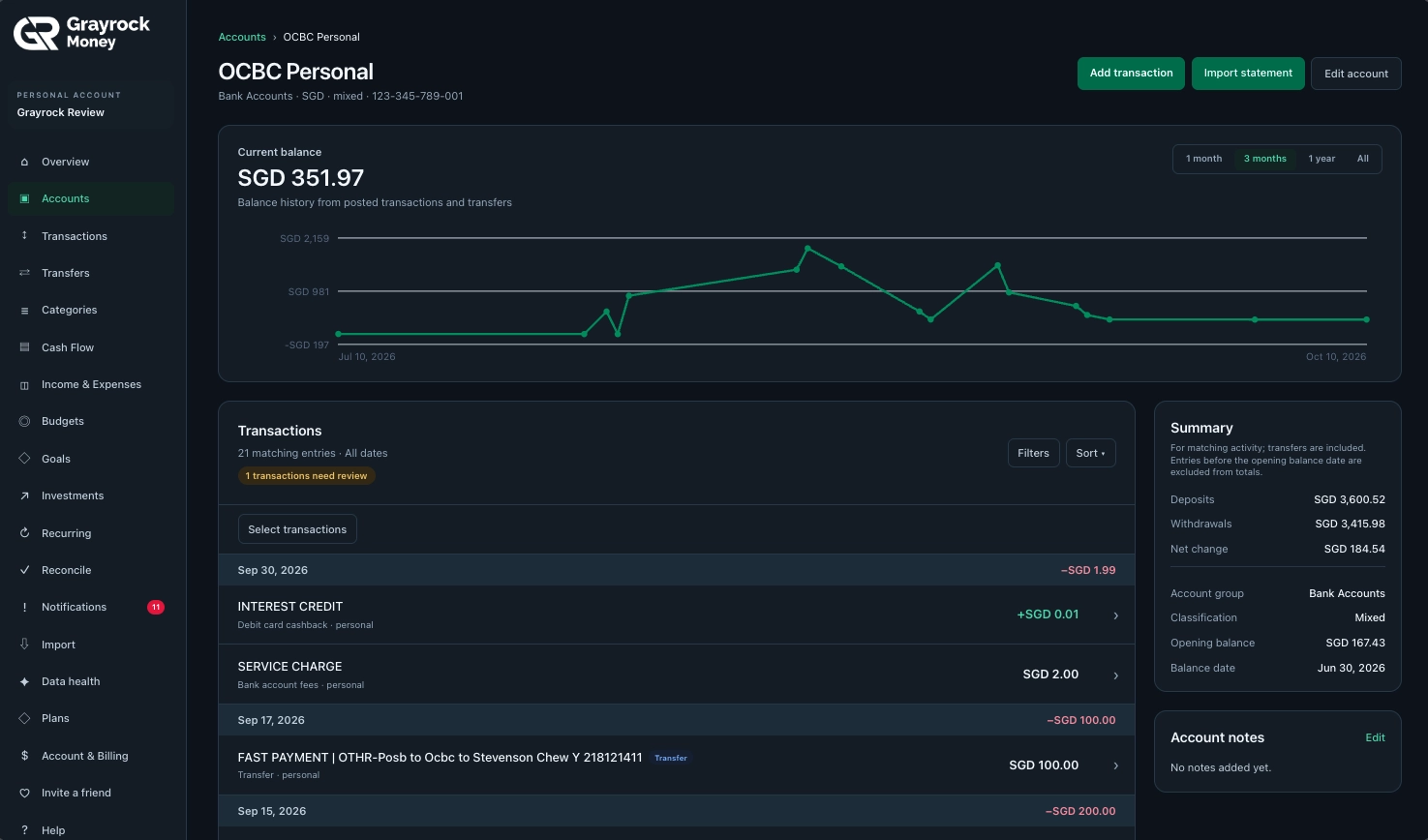
Open the Account Detail
Move from your account list to the balance history and transactions behind an individual account.
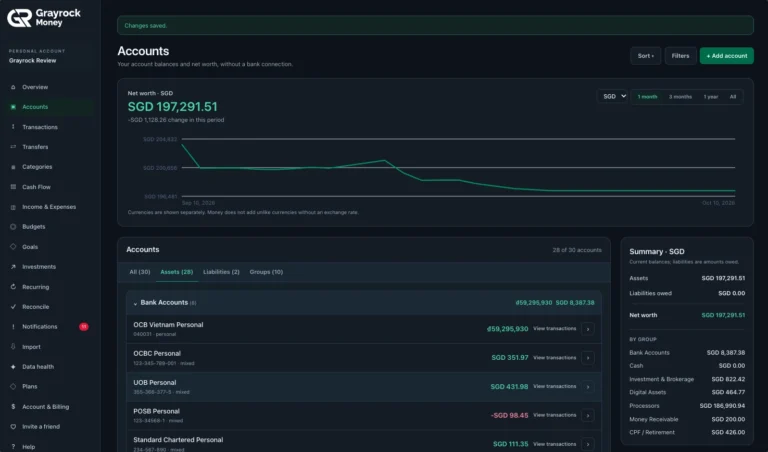
Accounts and Balances Overview
Review your accounts and recorded balances in one organised view.
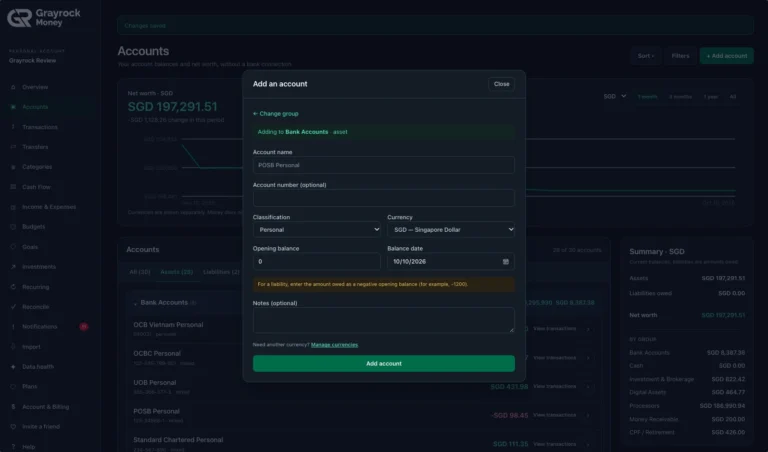
Add an Account
Set up an account with its currency, classification and starting balance.
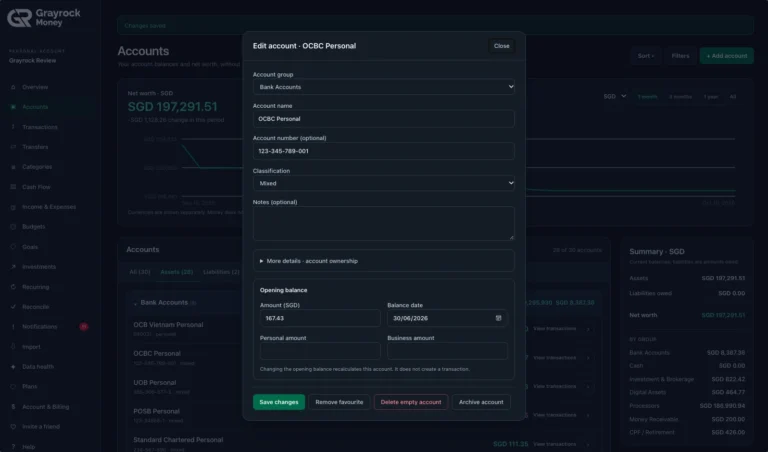
Edit Account Details
Manage account details and keep personal and business context clear.
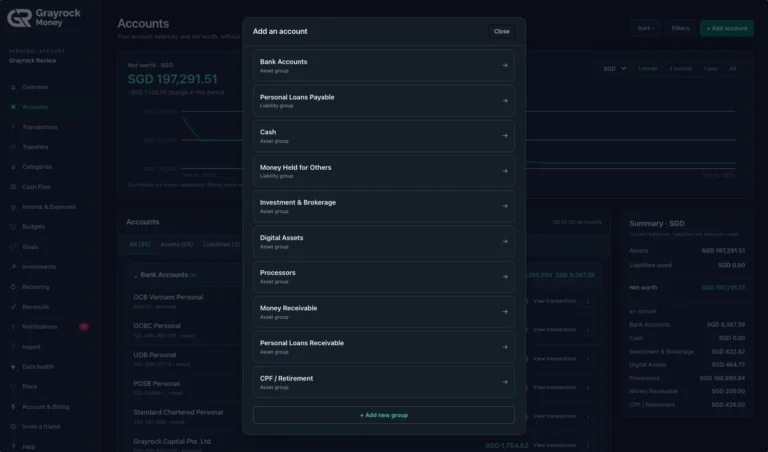
Choose an Account Group
Choose the right group for each account you add.
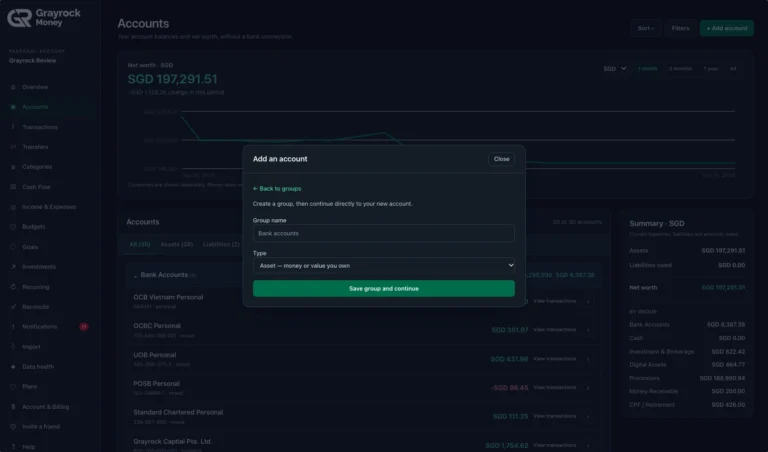
Create an Account Group
Create account groups that fit how you organise your money.
See the Activity Behind Each Account.
A balance tells you where an account stands. Its history helps you understand how it got there. Open an account to review its recorded balance, transactions and transfers together.
Follow Balance Changes
Find Relevant Activity
Keep Account Details Together
One Account Balance. Clearer Personal and Business Context.
Choose Personal, Business or Mixed to reflect how you use an account. When one account serves both purposes, keep one recorded balance while classifying its transactions as personal or business.
Personal Accounts
Organise accounts used for everyday spending, savings and other personal financial activity.
Business Accounts
Keep accounts used for business income, expenses and related activity clearly identified.
Mixed Accounts
Record personal and business activity within the same account, with transaction classifications that preserve the distinction.
Build Your Account View in Three Steps.
About Accounts & Balances
Understand how account balances, classifications and currencies work in Grayrock Money.
What types of accounts can I organise?
You can organise bank, cash, savings, credit and other financial accounts. Account groups help you arrange assets and liabilities in a way that fits your records.
Does adding an account connect Grayrock Money to my bank?
No. You create an account record in Grayrock Money and add activity manually or through supported imports. Adding an account does not establish an automatic bank connection.
What is a Mixed account?
A Mixed account is used for both personal and business activity. It retains one account balance, while individual transactions can be classified as personal or business.
How is an account balance calculated?
The account starts from its recorded opening balance and balance date. Posted transactions and transfers then contribute to its balance history. The result depends on the records you have entered or imported.
Can I keep accounts in different currencies?
Yes. Each account has its own currency. Grayrock Money shows currencies separately rather than automatically converting them into one combined balance.
Can I review the transactions behind a balance?
Yes. Open an account to view its balance history and transaction list. You can filter and sort the activity to find the records you need.
What happens if I change an opening balance?
Changing an opening balance recalculates the account. It does not create a new transaction, so use it to correct the account’s starting position rather than record new activity.
Bring Your Accounts into Focus.
Organise your accounts, review their balances and keep the activity behind your money close at hand.