

Give Your Savings a Purpose. Keep Your Progress in View.
Set a financial target, choose its currency and record progress as you set money aside. Keep updates, withdrawals and supporting notes together so you can review how far you have come.
- Personal & business targets
- Recorded progress
- Optional target dates
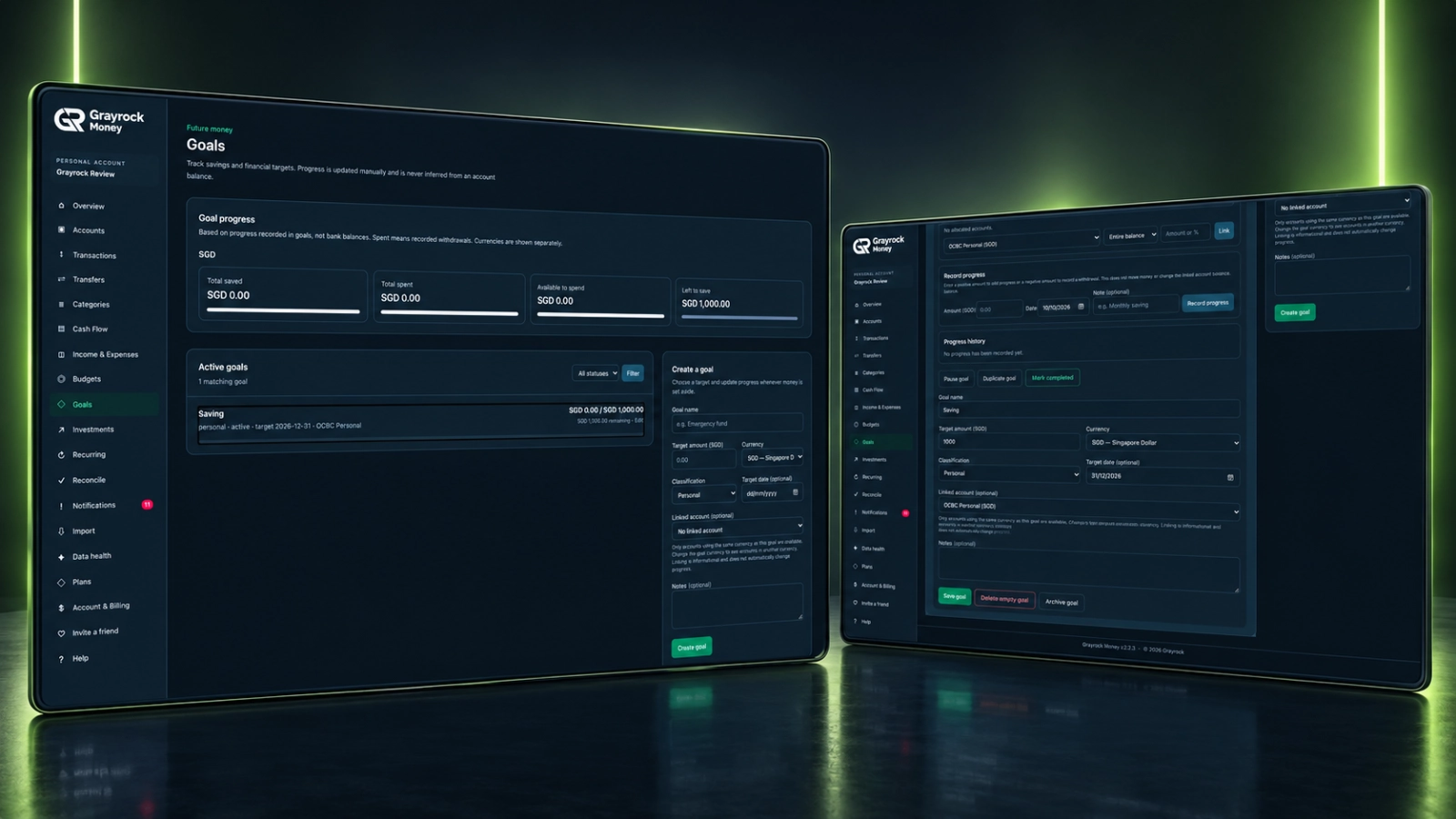
Give Each Goal a Clear Starting Point.
Define what you are working towards and keep the details needed to review it over time.
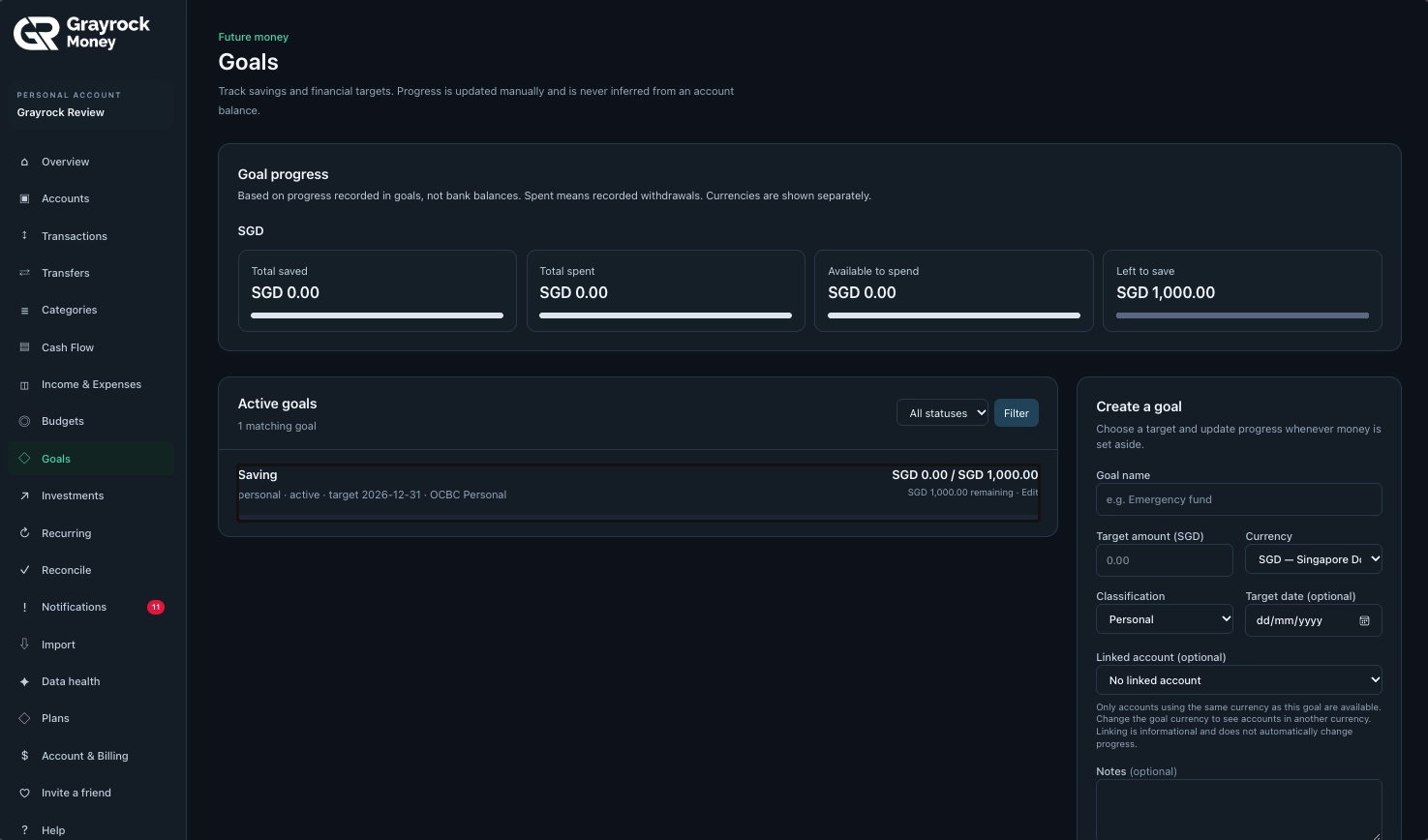
Set Your Target
Give the goal a name, target amount, currency and Personal or Business classification.
Choose a Target Date
Add an optional date when your goal has a timeframe, or leave it open-ended.
Record Your Progress
Add dated progress entries with optional notes, including withdrawals when money is used.
Review What Remains
See recorded savings, withdrawals and the amount still needed towards your target, with currencies shown separately.
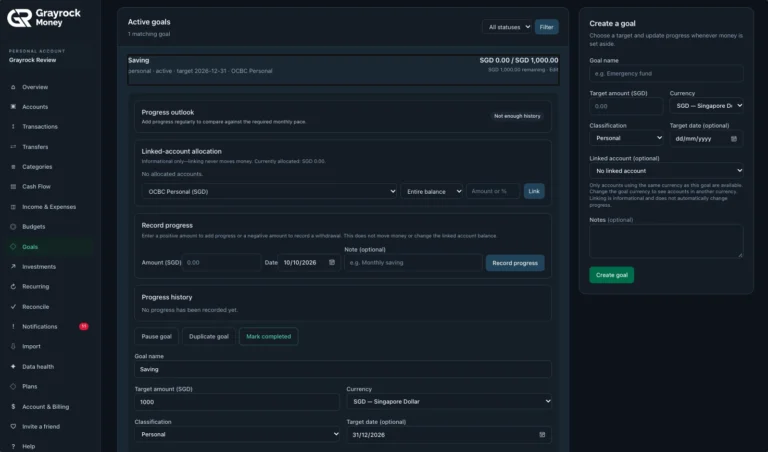
Record Goal Progress
Record progress and withdrawals with dates and optional notes.
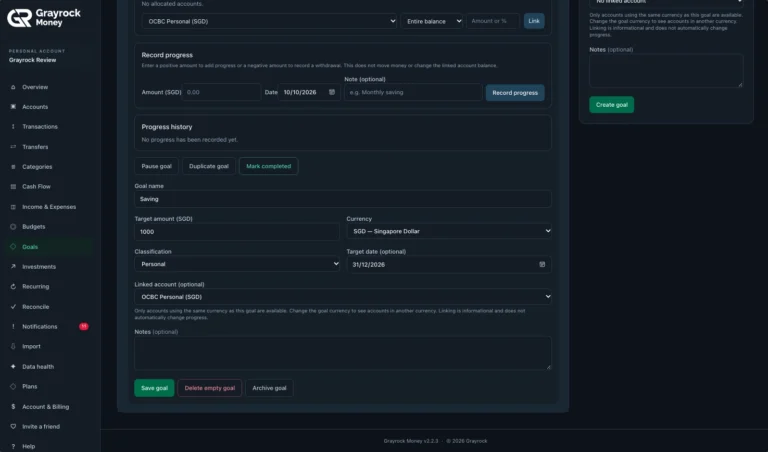
Manage Goal Settings
Adjust your target and keep the supporting details together.
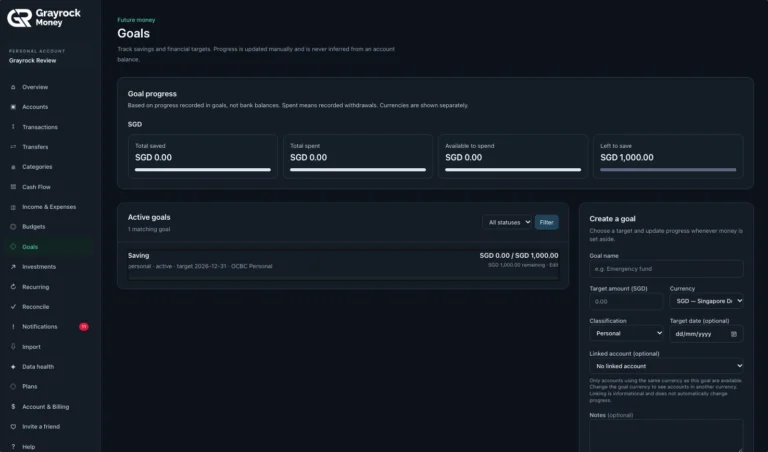
Savings and Financial Goals
Set a target and review the progress recorded towards it.
Follow Your Progress. Keep the Context.
Open a goal to record an update, review its history and adjust its details. Keep the reason behind each change alongside the amount.
Add Dated Updates
Review Progress History
Manage the Goal
A Goal Record Is Different from an Account Balance.
Your target, progress entries and account links each serve a different purpose. Keeping them separate makes the goal easier to interpret.
Your Target
The amount you want to work towards, recorded in the goal’s chosen currency.
Your Recorded Progress
The updates and withdrawals you enter for the goal. Progress is not automatically inferred from bank balances.
Your Account Link
An optional connection to an account in the same currency, providing context without automatically funding the goal.
Create and Review a Goal in Three Steps.
About Goals
Understand how targets, progress entries and linked accounts work in Grayrock Money.
What can I create a goal for?
Create a goal for a savings or financial target, such as an emergency fund, a planned purchase or a business reserve. Give it a name, amount, currency and classification.
Is goal progress updated automatically from my account balance?
No. Progress is updated manually through the entries you record. A linked account’s balance does not automatically become goal progress.
How do I record progress or a withdrawal?
Open the goal and enter a positive amount to add progress or a negative amount to record a withdrawal. Add the date and an optional note, then record the update.
Does recording progress move money?
No. It updates the goal record only. It does not transfer money or change the linked account’s balance.
Do I need to link an account?
No. Linking an account is optional. If you choose one, it must use the same currency as the goal. The link provides context without automatically changing progress.
Do I need a target date?
No. The target date is optional. Add one when you have a timeframe in mind or leave the goal open-ended.
Can I keep goals in different currencies?
Yes. Each goal has its own currency, and the progress summary keeps currencies separate rather than combining them into one total.
What does “spent” mean in the goal summary?
It refers to withdrawals recorded within goals. It is not automatically taken from bank transactions or all spending in your accounts.
Can I change or pause a goal?
Yes. You can edit goal details, pause or duplicate a goal, mark it completed or archive it.
Make Room for What You Are Working Towards.
Give your financial goals a clear target and keep your recorded progress organised with Grayrock Money.