

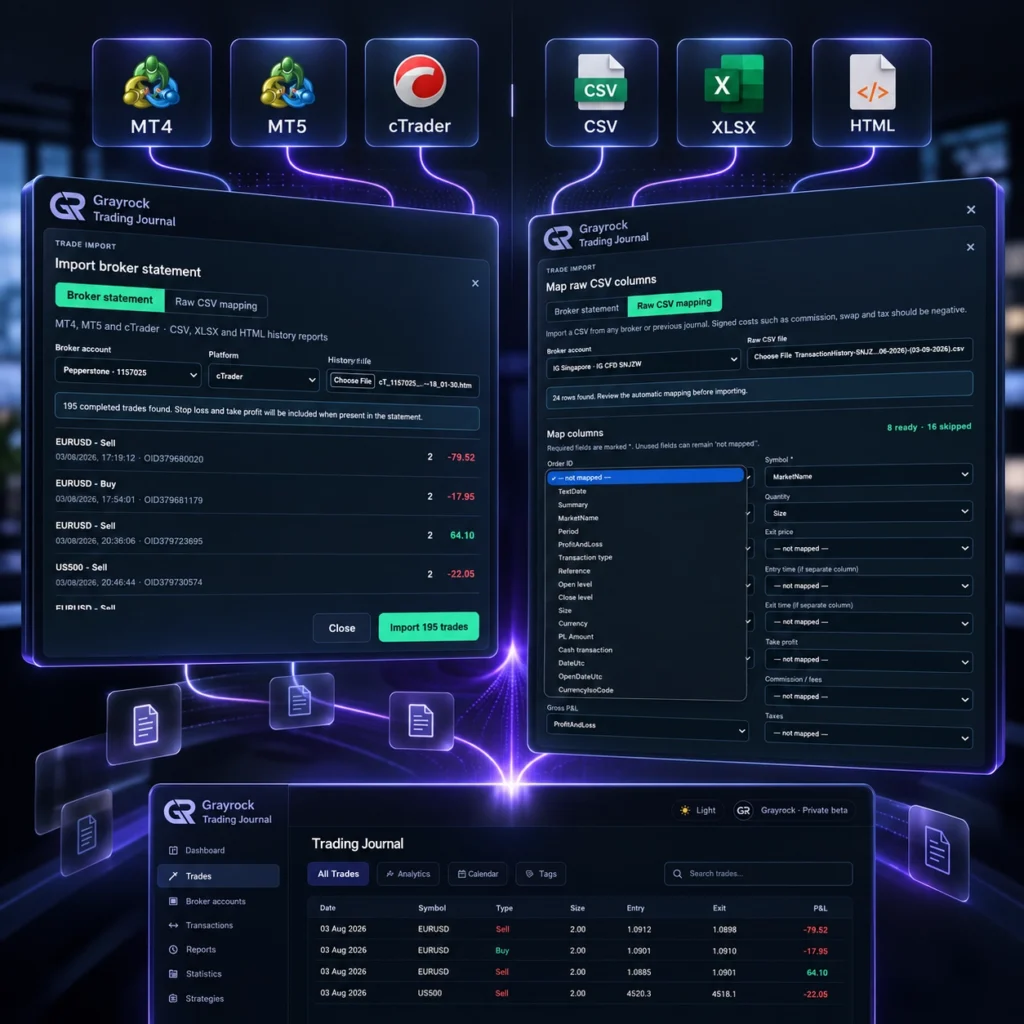
Bring Your Trading History With You.
Move existing trading records into Grayrock without rebuilding your journal by hand. Import supported broker reports, spreadsheets and structured files, or map custom CSV data into a journal ready for review.
- Broker report import
- Custom CSV mapping
- Review before saving
Choose the Import Method That Fits Your Trading History.
Whether you’re moving from a broker platform, spreadsheet or another journal, Grayrock gives you several ways to bring existing records into one structured trading history.
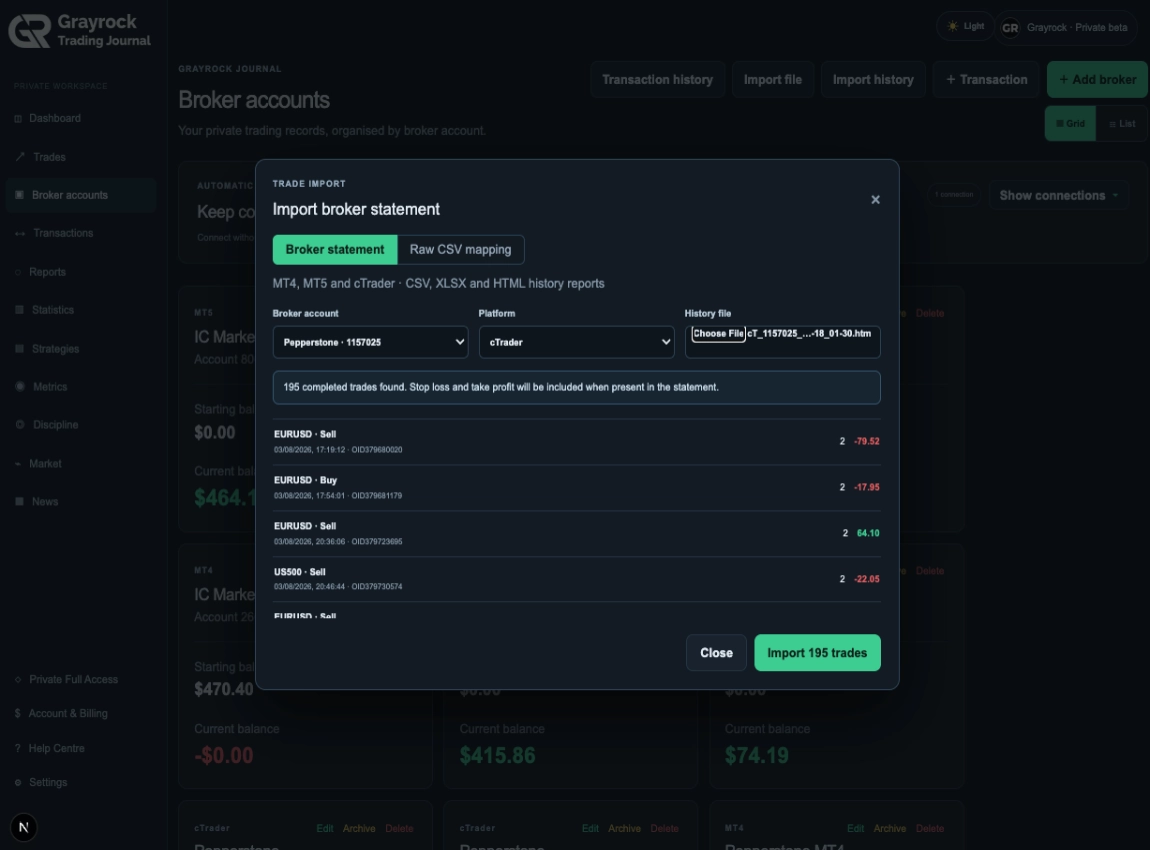
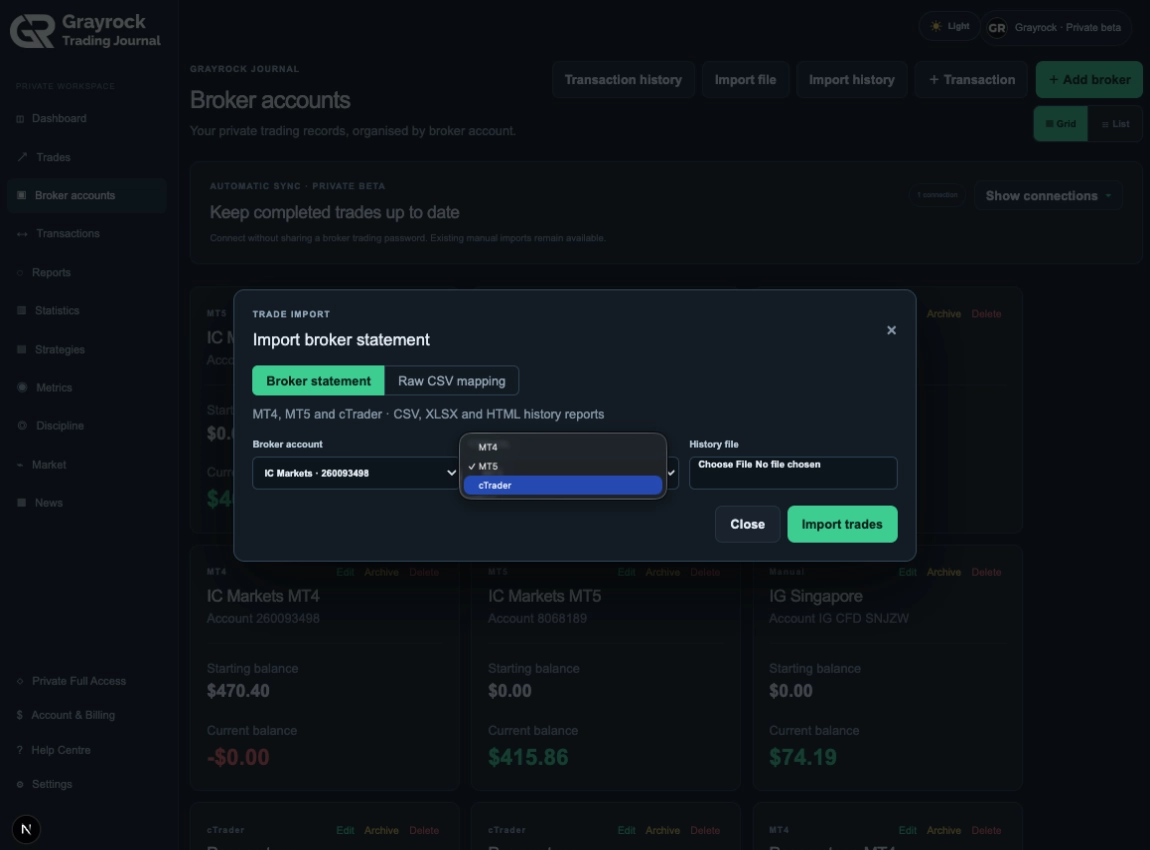
Recognized Platform Import
MT4 · MT5 · cTrader
Import supported history reports from MT4, MT5 or cTrader and let Grayrock recognise the available trading fields.
Flexible File Import
CSV · XLSX · HTML
Import supported CSV, XLS, XLSX, HTML or HTM files and review the detected data before saving.
Custom CSV Mapping
No Broker Password
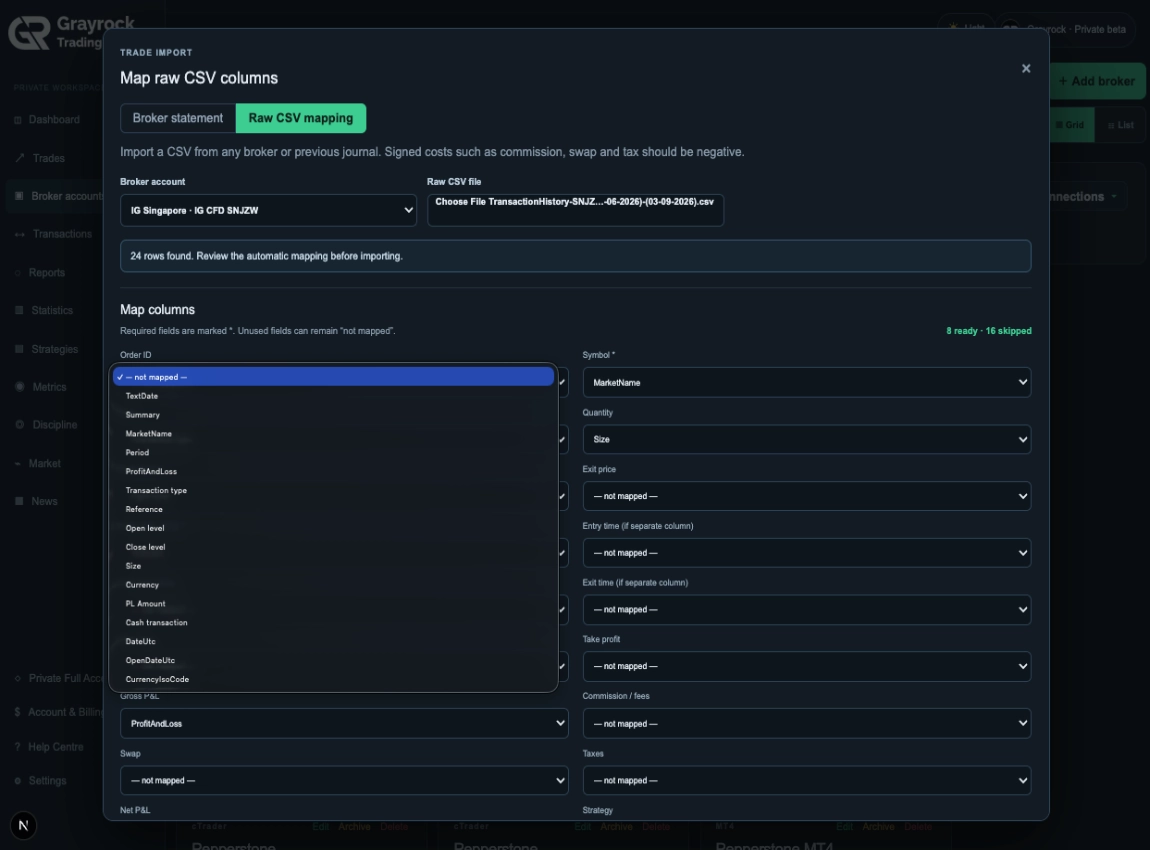
Map columns from other brokers, exports or older journals when the source does not match a recognised format.
Familiar Trading History. Less Setup.
Start with common broker reports and file formats, then use flexible mapping when your trading history needs a more customised import.
MetaTrader 4
Import available MT4 trading-history reports into your Grayrock journal.
MetaTrader 5
Bring supported MT5 history into Grayrock while retaining available trade and cost information.
cTrader
Import existing cTrader trading history from supported report formats.
Other Platforms
Use CSV, XLS, XLSX, HTML, HTM or custom CSV mapping for supported trading records from other sources.
Different Files. One Structured Journal.
Broker reports and spreadsheets rarely use the same structure. Grayrock turns supported source data into consistent journal records while preserving the information available in the original file.
Your File Doesn't Have to Match Our Column Names.
Custom CSV mapping lets you tell Grayrock what each source column represents. Map the fields you need, review the detected structure and turn unfamiliar exports into consistent journal records.
- Date and time
- Symbol / instrument
- Buy or sell direction
- Quantity / lot size
- Entry and exit information
- Profit and loss
- Commission and fees
- Strategy or setup fields where available
- Notes and compatible custom information Callout
Spend Less Time Fixing Dates Before You Import.
Trading exports often use different date and time formats. Grayrock’s import workflow helps interpret supported formats so you can focus on reviewing the records rather than rebuilding the source file.
Recognize
Normalize
Review
Know What You're Bringing Into Your Journal.
Importing years of trading history should not be a blind operation. Grayrock lets you review and validate supported records before they become part of your Trading Journal.
Recognized Records
Validation Checks
Duplicate Protection
Structured Results
Importing the Trades Is Only the Beginning.
Once your trading history is inside Grayrock, turn raw broker records into a structured journal by adding context, reviewing performance and building a clearer record of your trading process.
Classify
Add strategies, sessions, timeframe, R:R factors, tags and mistakes.
Review
Use reports, statistics and calendar views to understand performance.
Add Context
Attach screenshots and structured notes covering planning, execution, review and lessons.
Improve
Use Discipline and historical Risk Management tools to review the process behind the results.
Historical Import or Automatic Sync?
Both bring trading records into Grayrock, but they solve different problems.
File Import
Best for existing trading history
- Import records you already have
- MT4, MT5 and cTrader reports
- CSV / XLS / XLSX
- HTML / HTM
- Custom CSV mapping
- Preview before saving
- Useful for migration and older records
Grayrock Sync
Best for keeping supported accounts current
- Connect an eligible trading account
- Completed trade synchronization
- Supported open-position visibility
- Balance and equity snapshots
- Connection health
- Read-only architecture
- No authority to place or manage trades
Frequently Asked Questions
Find answers about trading-platform exports, supported file formats, historical imports, data mapping and moving existing trading history into Grayrock.
What trading history can I import into Grayrock?
Grayrock supports MT4, MT5 and cTrader history reports as well as supported CSV, XLS, XLSX, HTML and HTM files. Custom CSV mapping can also be used for compatible data from other brokers or older journals.
Can I import from another trading journal?
If the journal can export compatible tabular trading data, custom CSV mapping may allow you to map its fields into Grayrock.
Can I review an import before saving it?
Yes. Grayrock provides import preview and validation before supported records are saved.
How does Grayrock prevent duplicate trades?
Grayrock uses the broker account and available external trade identity to help prevent the same trading record from being imported repeatedly. GRAYROCK-WEBSITE-CONTENT-AGENT-…
Will commissions and swap be imported?
When those values are present and supported in the source data, Grayrock can record commissions, swap and other available trading costs.
Can I import stop loss and take profit?
Where those fields are present and supported in the source, they can be included with the imported trade.
Do I need to rename all my CSV columns?
Not necessarily. Custom CSV mapping lets you tell Grayrock what supported source columns represent.
What is the difference between Trade Import and Grayrock Sync?
Trade Import is designed primarily for bringing existing trading history into Grayrock. Grayrock Sync is designed to keep eligible connected accounts updated through a read-only connection.
Does importing trades give Grayrock access to my broker account?
No. Uploading a trading-history file does not provide Grayrock with broker login credentials or trading authority.
What happens after I import my trades?
You can classify trades, add screenshots and journal notes, analyse performance, review Discipline and use other Grayrock review tools.
Your Trading History Belongs in Your Review Process.
Bring existing records into Grayrock and turn them into a structured journal you can continue reviewing, classifying and learning from.