

Turn Your Test Results Into Evidence You Can Review.
Record or import completed test trades, review performance and drawdown, and compare strategy versions. Keep your testing evidence organised and separate from your live trading journal.
- Separate test records
- Manual entry and imports
- Strategy-version comparison
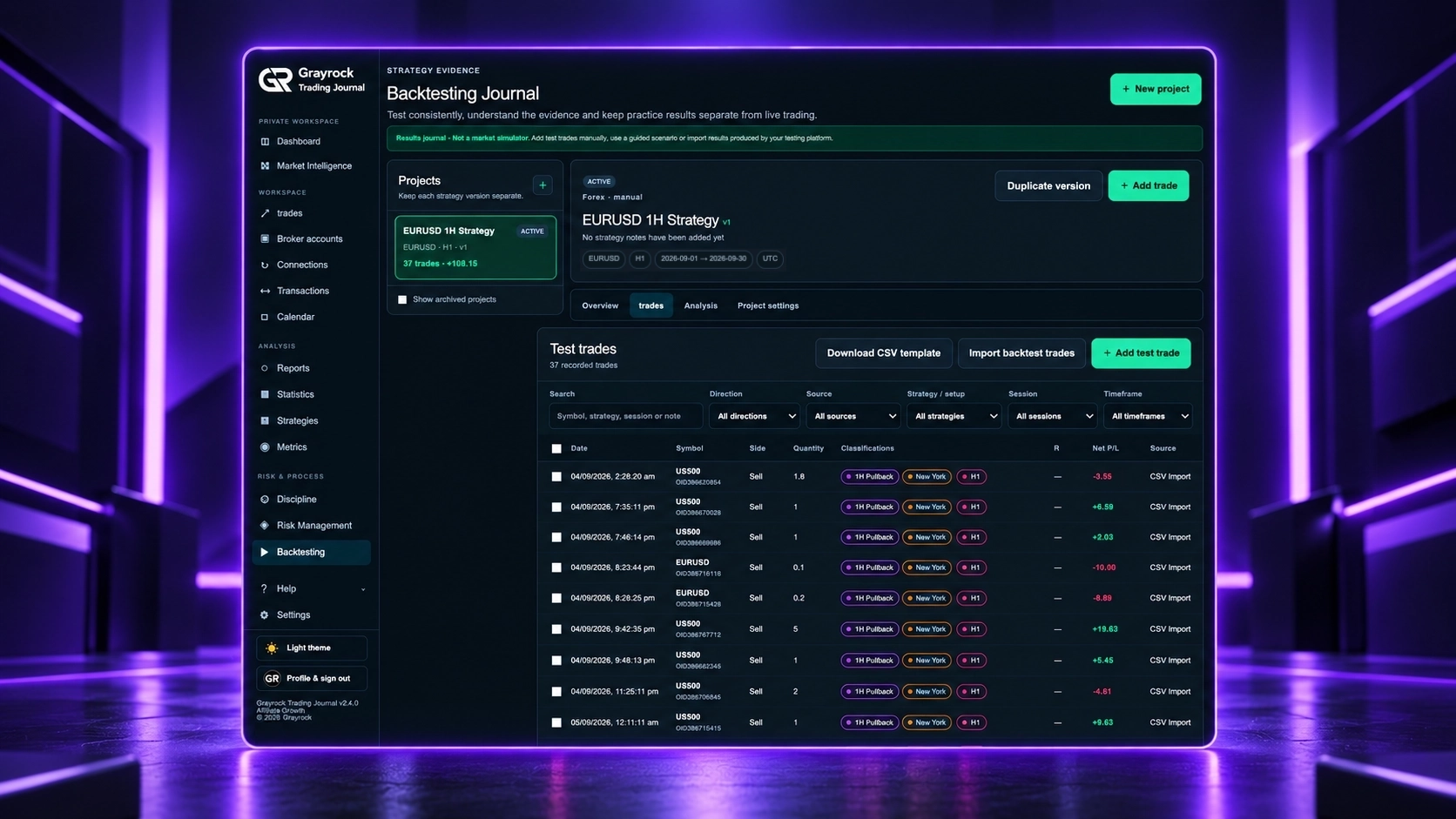
Start With Guidance, Your Own Rules or Existing Results.
Choose the approach that fits your testing process. Each route leads to a separate project where your recorded test trades become evidence for review.
Guided Test
Start with a prepared testing question and example rules. Define the project, collect results using your chosen testing method, and record the evidence consistently.
Manual Test Journal
Define your own strategy rules and project settings. Add completed historical or paper-trading results one trade at a time, with costs, classifications and review notes.
Import Completed Results
Bring completed test results from another platform or spreadsheet into a project. Review the file mapping and validation before confirming the import.
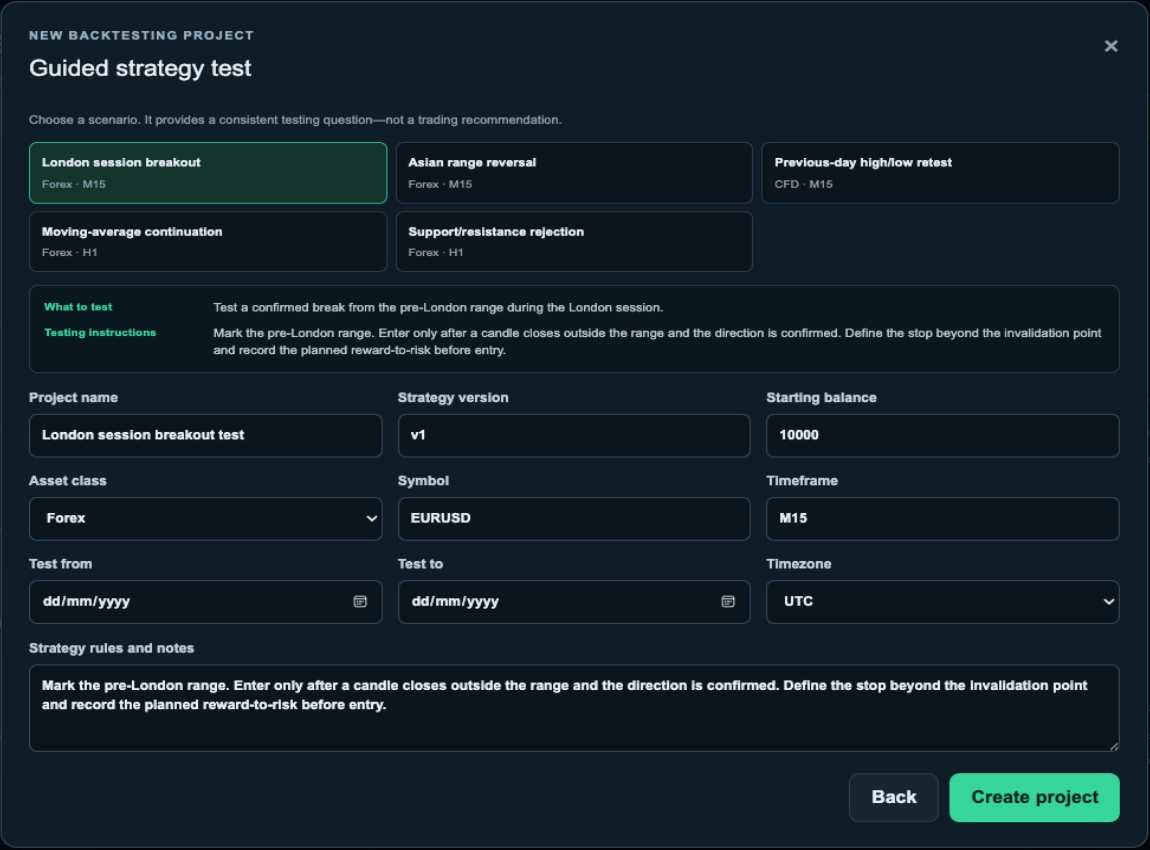
Give Every Strategy Version a Clear Starting Point.
Record what you intend to test before collecting results. Keep the strategy version, starting balance, market, timeframe and test period together with the rules you want to evaluate.
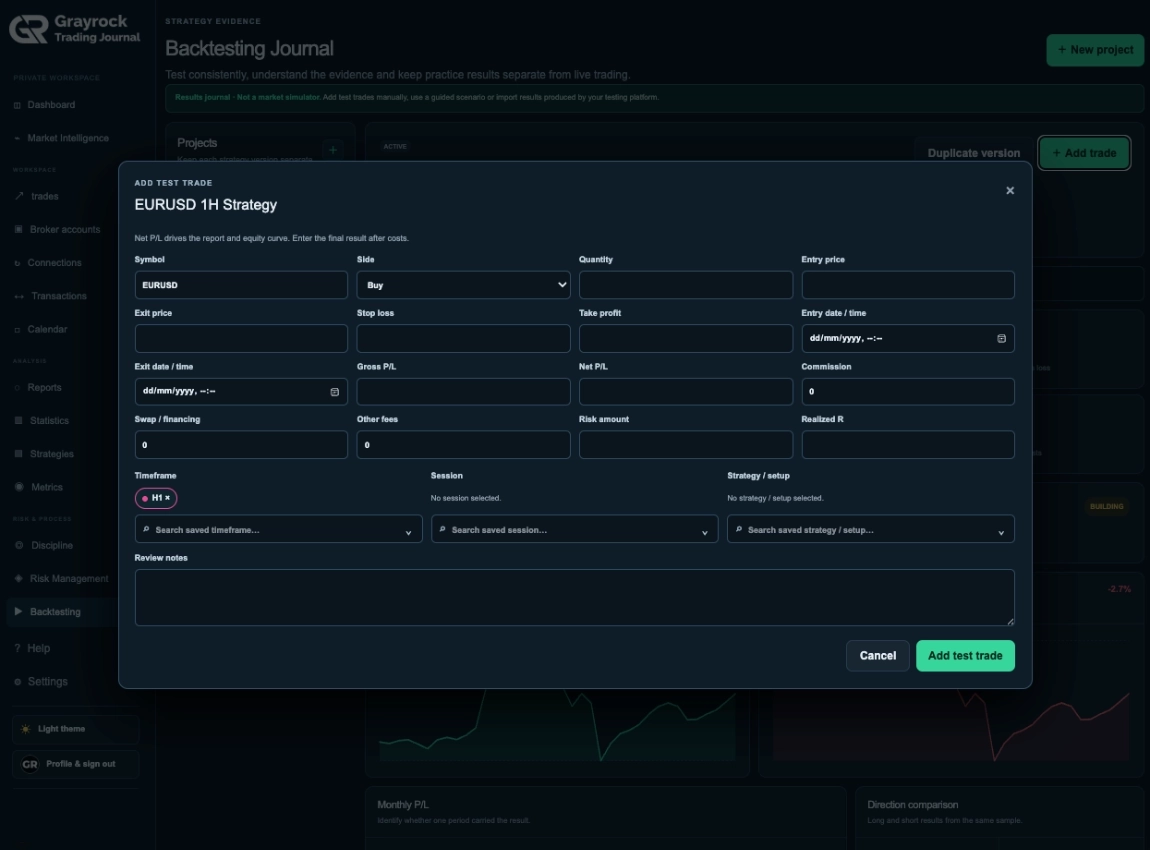
Bring Completed Test Trades Into One Structured Record.
Capture the result and the context behind each test trade. Add records manually or import completed results, then organise them with saved classifications.
Record More Than the Final Result.
Enter the trade’s outcome alongside its prices, timing, costs and review notes. Add a saved strategy/setup, session and timeframe so you can identify the context behind the sample.
Record direction, quantity, entry and exit details.
Include Net P/L after costs, commission, swap and other fees.
Add risk amount and realised R when available.
Preserve classifications and review notes.
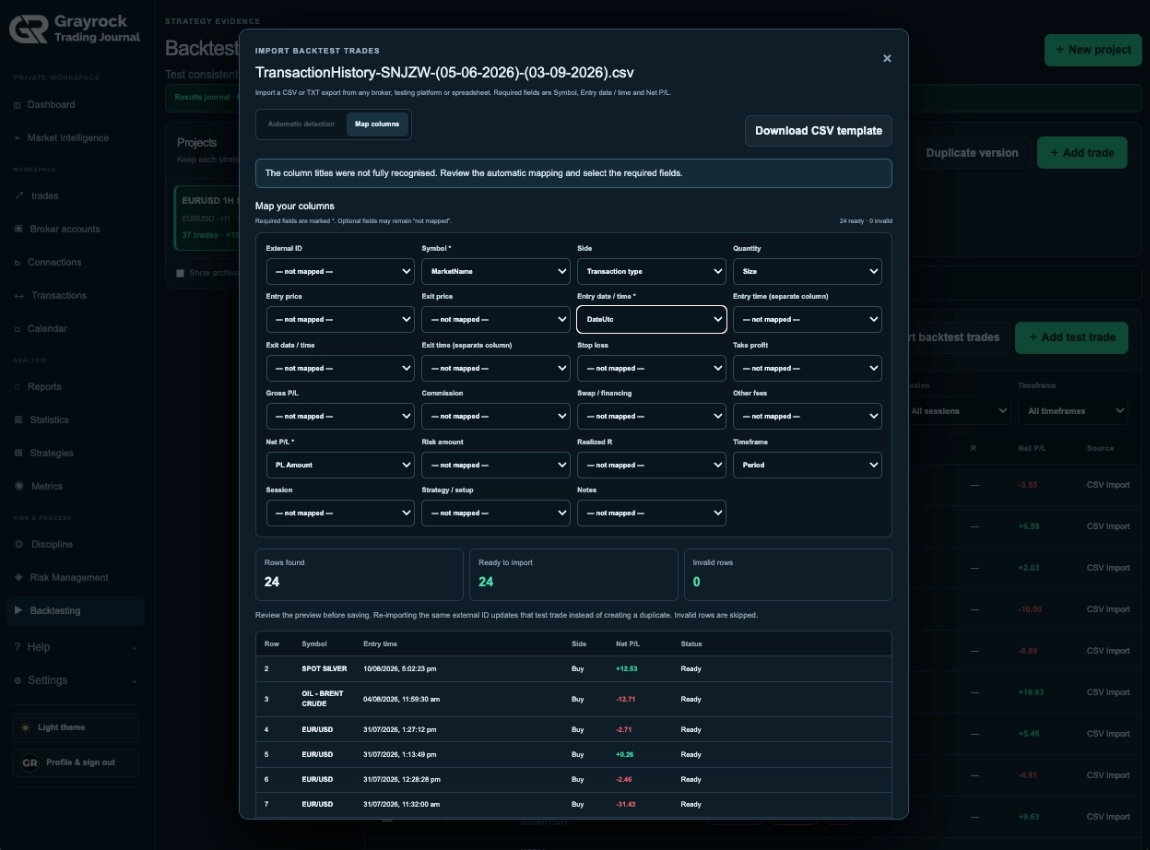
Review Your Results Before Importing.
Upload a CSV or supported broker-style results file. Review recognised columns, map unfamiliar fields and inspect valid and invalid rows before confirming the import.
Map the file’s columns to the correct trade fields.
Review validation feedback before importing valid records.
Use duplicate protection when importing completed results.
Edit imported trades or apply strategy, session and timeframe classifications in bulk.
Understand the Sample Behind the Result.
Move from headline performance to individual trades, detailed analysis and project settings. Review sample size, expectancy and drawdown together to understand what your recorded results show.
See Performance and Drawdown Together.
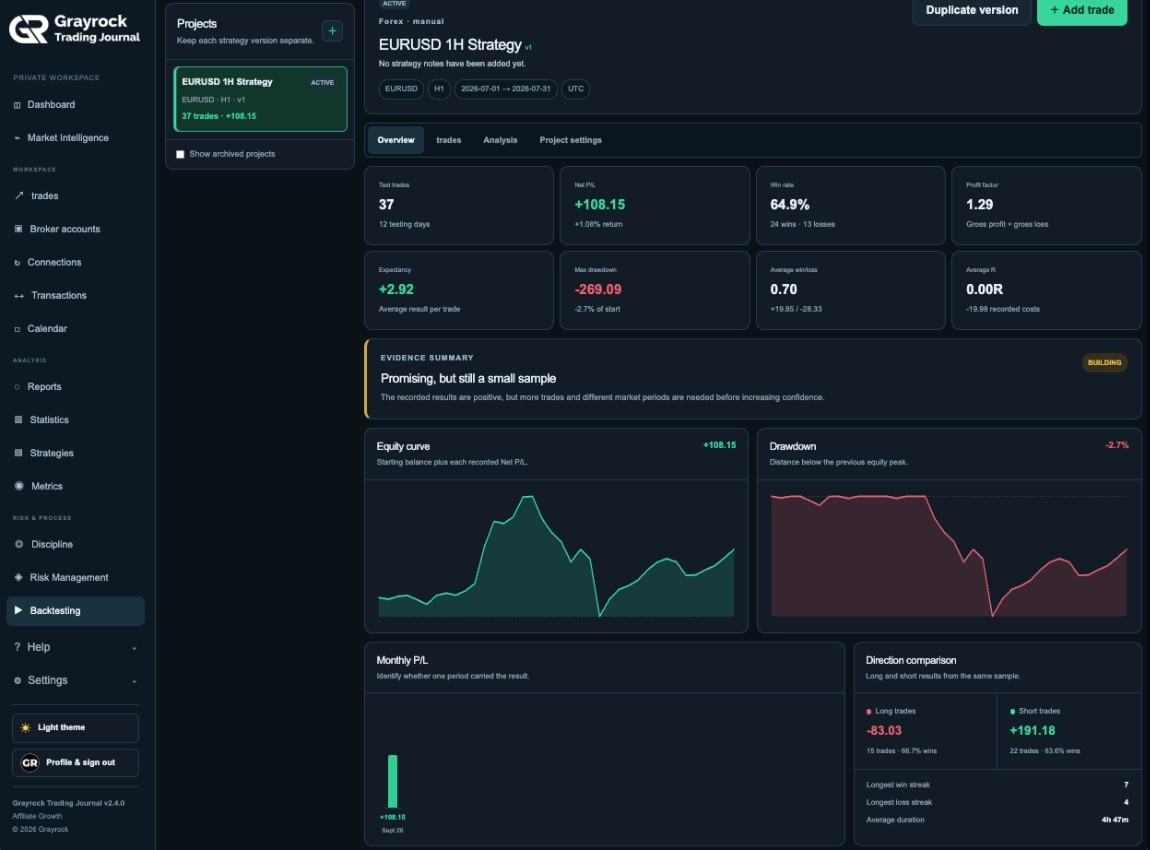
Review test-trade counts, Net P/L, win rate, profit factor and expectancy alongside equity and drawdown charts. Monthly results and direction comparisons provide additional context.
Keep the Records Behind Every Figure Accessible.
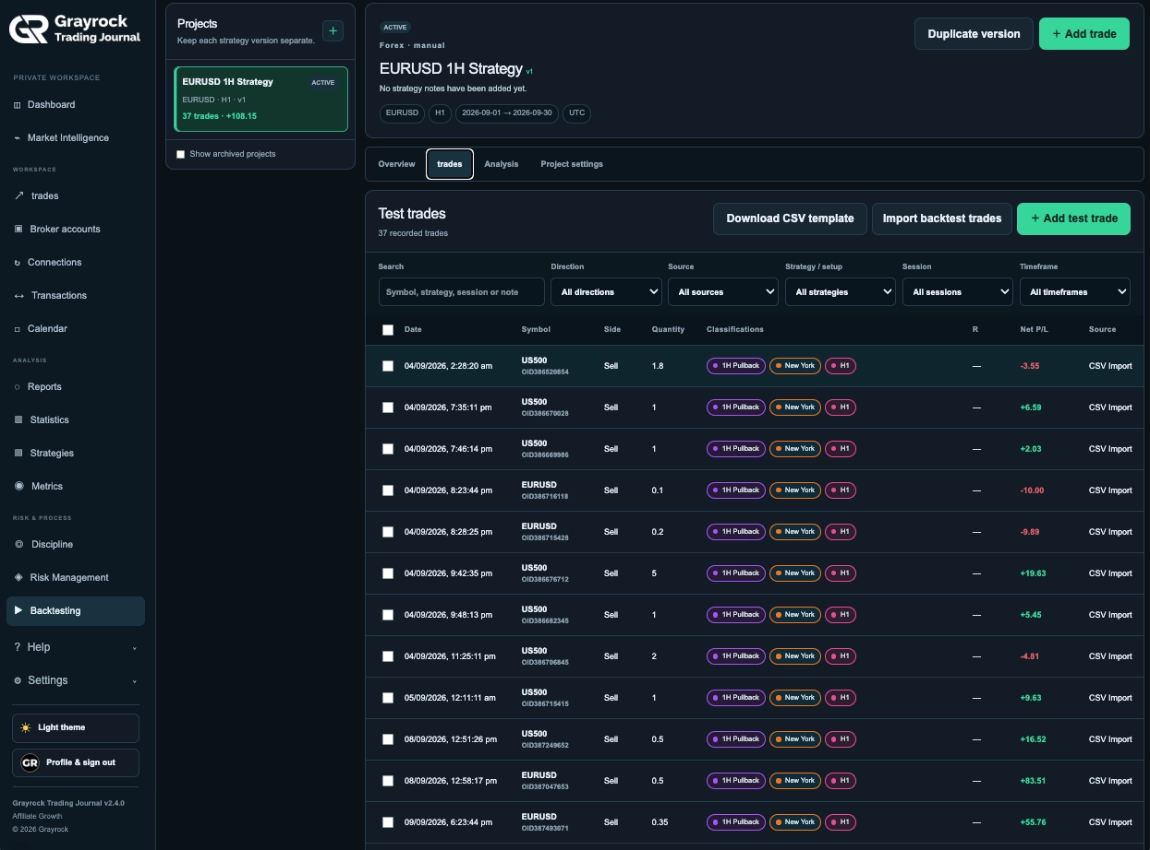
Search and filter the test-trade list by direction, source, strategy/setup, session and timeframe. Review individual results and their classifications without mixing them into your live journal.
Compare Strategy Versions With More Than Net P/L.
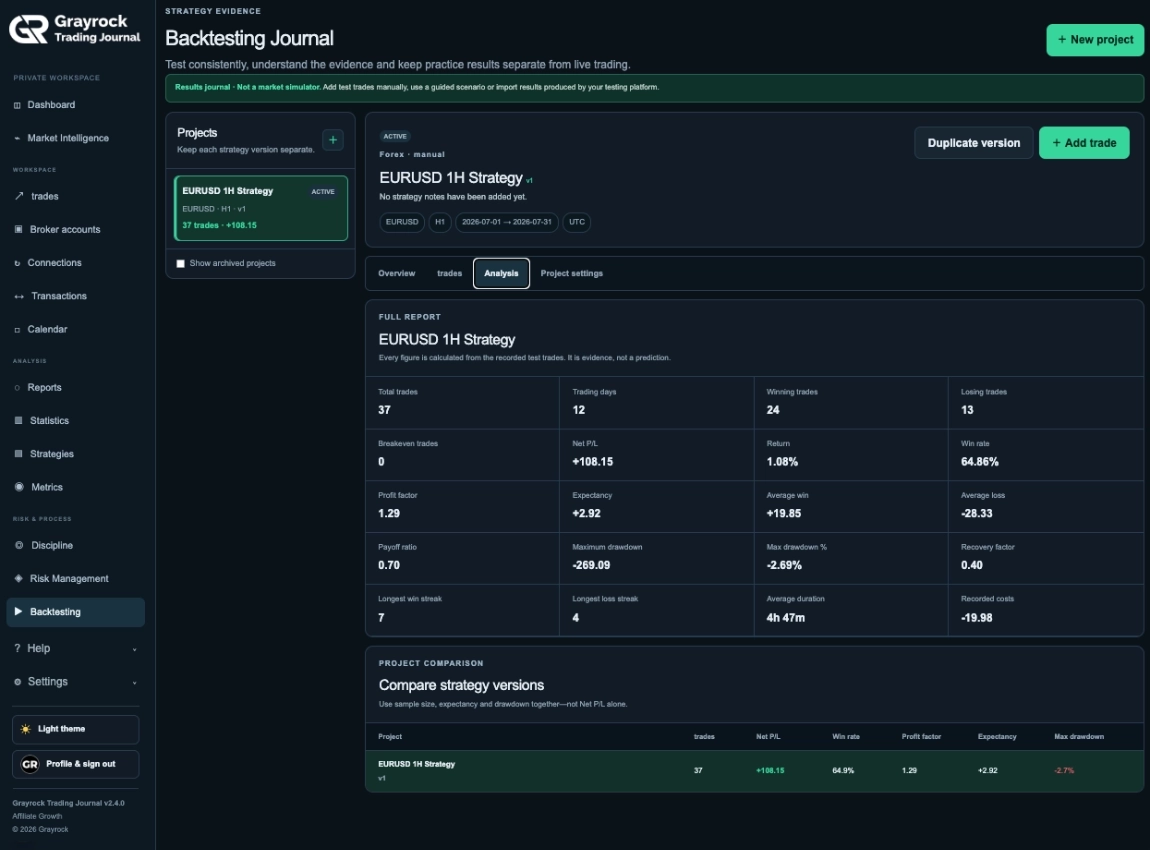
Examine expectancy, profit factor, payoff ratio, drawdown, streaks, duration and recorded costs. Compare project versions using the size and quality of the sample alongside the final result.
Keep Each Test Clearly Defined.
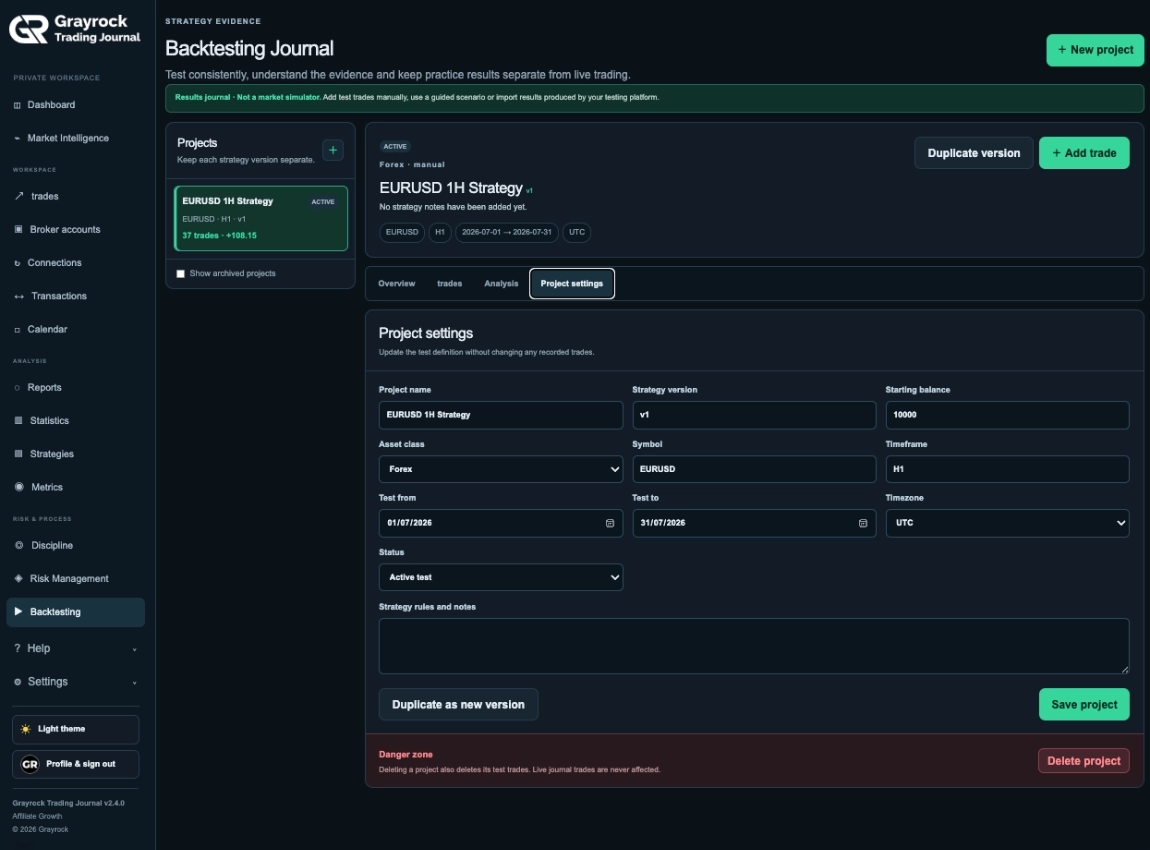
Maintain the project’s rules, strategy version, starting balance, dates and status. Duplicate the project definition when you want to test a changed approach with a fresh set of results.
A Results Journal for Testing You Perform.
Use your preferred chart-replay, historical-testing or paper-trading method to produce completed results. Bring those records into Grayrock to organise and review the evidence.
Grayrock Records and Analyses
Your Testing Method Produces the Results
About Backtesting Journal
Understand how to create projects, record completed test trades and review results separately from live trading.
Does Grayrock run backtests or replay historical charts?
No. Backtesting Journal records and analyses completed test results. Use your chosen testing platform or manual process to produce those results, then enter or import them into Grayrock.
What is a guided test?
A guided test provides a prepared testing question and example rules to help you collect consistent evidence. It does not execute the strategy or recommend a trade.
Can I import results from another platform?
Yes. You can import completed results from CSV or supported broker-style files. The import workflow includes column mapping, validation and a preview before you confirm valid records.
Can I organise imported trades after importing?
Yes. Imported test trades can be edited individually. You can also select trades in bulk to apply a saved strategy/setup, session and timeframe.
Should I record results before or after costs?
Record the final Net P/L after costs because it drives the report and equity curve. Commission, swap and other fee fields help preserve the cost details behind the result.
How do I compare a changed strategy?
Duplicate the project as a new version, update the rules and record a fresh sample. The project definition is copied, but its trades are not. Use Analysis to compare the recorded results across versions.
Will test trades affect my live journal?
No. Backtesting records remain separate from live journal trades. Editing or deleting a test project does not change your live trading records.
Does a positive backtest prove that a strategy will work?
No. Review sample size, market periods, costs and drawdown alongside profitability. The report describes recorded results and cannot guarantee future performance.
Make Your Next Strategy Review Start With Evidence.
Keep test records organised, examine the results behind each strategy version and build a clearer record of what you tested.