

Different Currencies.
A Clear View of Each.
Organise accounts and records in the currencies you use. Set your default, choose the currencies you need and review amounts in their original currency, with separate totals.
- Your choice of currencies
- Original amounts preserved
- Separate currency totals

Keep the Currency Behind Every Amount Clear.
Choose the currencies you work with and keep their context across your accounts, spending plans and financial records.
Enable Your Currencies
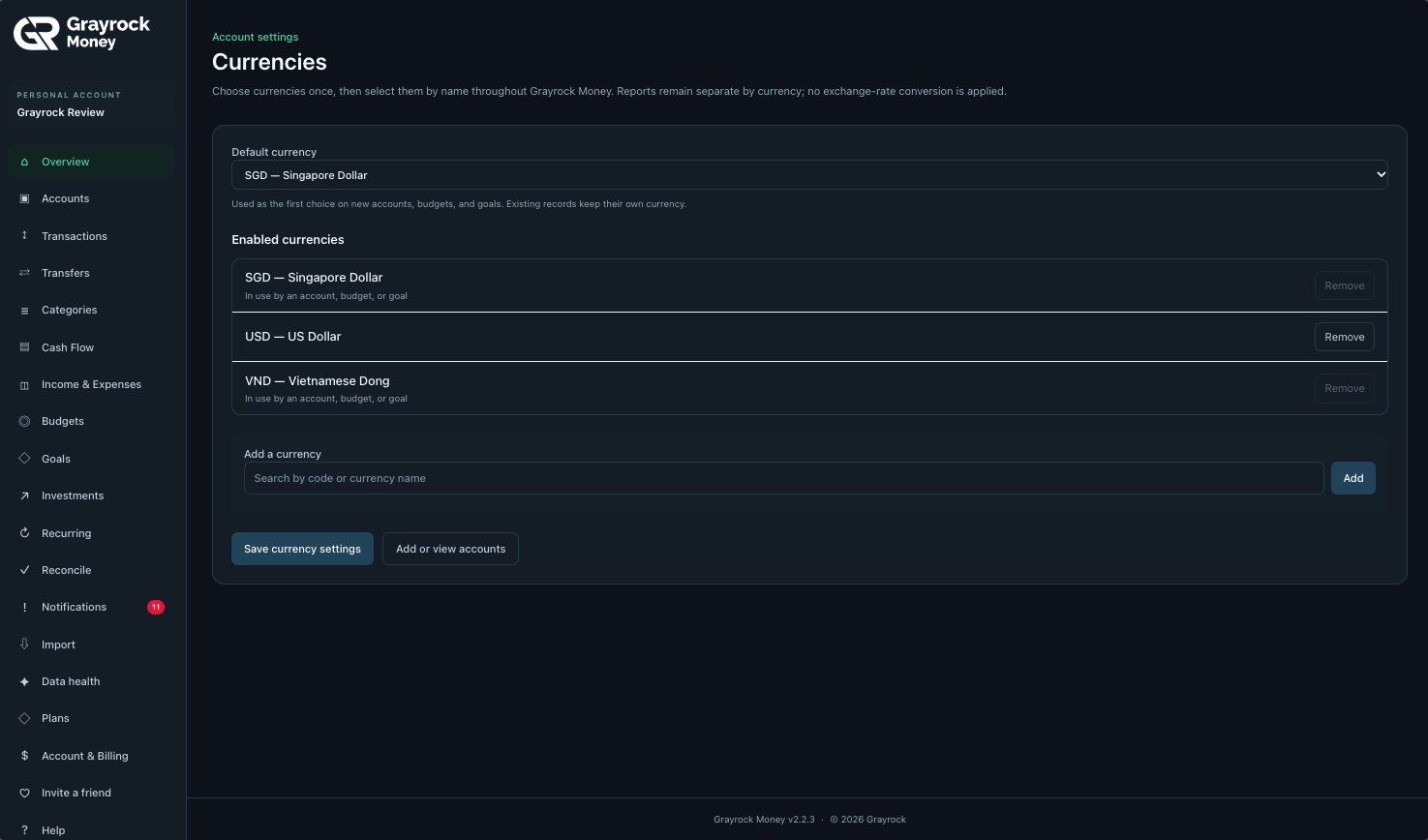
Find a currency by its code or name and add it to the currencies available in your workspace.
Set Your Default
Choose the currency offered first when creating new accounts, budgets and goals.
Preserve Existing Records
Existing records keep their own currency when you change your default setting.
Review Separate Totals
Read reports by currency, with no automatic exchange-rate conversion or combined total across currencies.
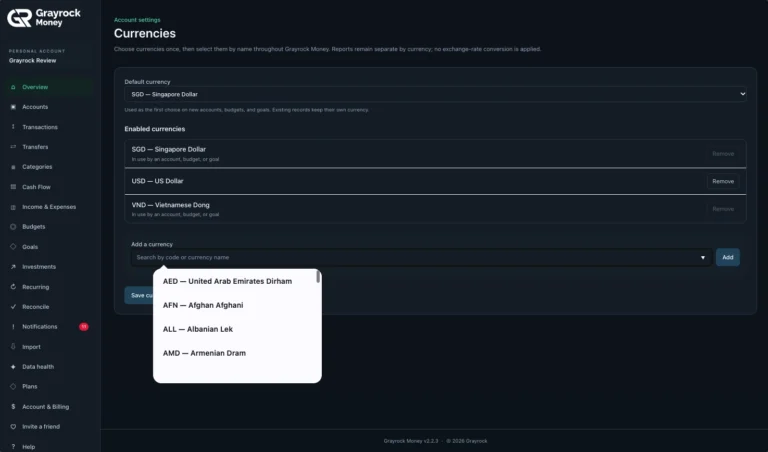
Find a Currency by Code or Name
Select another currency and add it to your available choices.

Choose the Currencies You Use
Set your default and review the currencies available for your accounts, budgets and goals.
Set Your Preferences. Keep Your Records Consistent.
Manage your available currencies in one place. Add the currencies you need, choose your default and save the settings for future use.
Search by Code or Name
Choose the First Selection
See What Is Already in Use
Understand What Your Currency Choices Change.
Your default currency, a record’s currency and a currency filter each serve a different purpose.
Default Currency
The first currency offered when you create a new account, budget or goal. Existing records remain unchanged.
Record Currency
The currency attached to an account or record, giving its amounts their meaning.
Currency View
A way to focus supported transaction views on all currencies, your base currency or selected currencies.
Organise Your Currency Settings in Three Steps.
About Multiple Currencies
Understand default settings, original currencies and how to review records without automatic conversion.
Can I manage accounts in different currencies?
Yes. You can enable multiple currencies and use the appropriate currency for each account. Amounts and reports retain their currency context.
What does the default currency do?
It is used as the first choice when creating new accounts, budgets and goals. You can choose the appropriate currency when setting up each item.
Will changing my default currency change existing records?
No. Existing records keep their own currency. Changing the default does not convert previous amounts.
Does Grayrock Money convert amounts using exchange rates?
No automatic exchange-rate conversion is applied to these reports. Amounts remain in their recorded currencies.
Can I combine different currencies into one total?
Grayrock Money keeps currency totals separate. It does not provide a converted combined total across different currencies.
What happens when I select my base currency in a transaction view?
The view shows matching records in that currency. Records in other currencies are filtered out rather than converted.
How do I add another currency?
Open the currency settings, search by currency code or name, add the currency and save your settings.
Why is the Remove button disabled for some currencies?
The settings prevent removal when a currency is in use by an account, budget or goal. These entries are labelled so you can see why they remain available.
Can I create budgets and goals in different currencies?
Yes. Choose the appropriate currency for each budget or goal. Their amounts stay in that currency rather than being converted into a shared total.
Bring Clarity to Money in Different Currencies.
Choose the currencies you use and keep your accounts, records and plans organised with Grayrock Money.