Book your free demo

Discover how our product can simplify your workflow. Schedule a free, no-obligation demo today.

[contact-form-7 id="eed60bd" title="Get a demo - Side Panel"]

Social Media:

GRAYROCK MONEY

Understand Your Money. Stay in Control.

Organise your accounts, income, expenses and financial plans in one workspace. Grayrock Money helps you understand everyday finances and keep personal and business activity clearly classified.

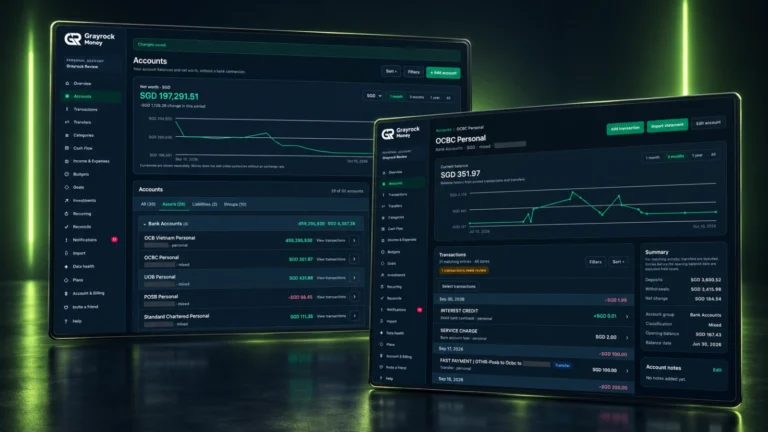
Grayrock Money dashboard for managing accounts, transactions, cash flow and financial activity in one workspace.
All Your Accounts in One Place

Organise bank accounts, cash, credit cards, savings, e-wallets and other accounts in one clear view.


Plan What Comes Next

Create budgets and financial goals to help manage spending and stay focused on what you want to achieve.

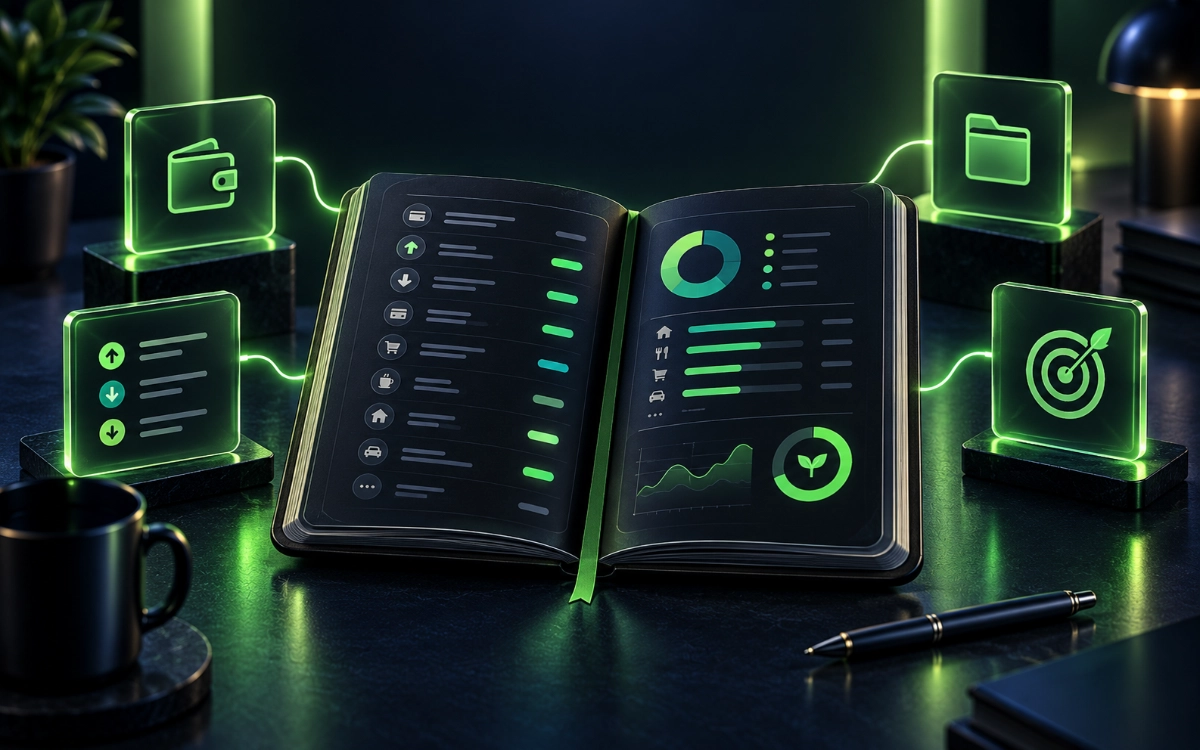
Open financial organiser with transaction rows, budget indicators and account and savings-goal symbols in green lighting.

MONEY MANAGEMENT MADE CLEAR

Your Money, Without the Accounting Complexity.

Bring accounts, transactions, budgets and goals into one organised workspace. Understand everyday activity, review your records and keep personal and business finances clearly classified.

  • Track
  • Organise
  • Review
  • Plan
Know Where Your Money Goes

Track income and expenses to understand what comes in, what goes out and where your money is being spent.

Stay Ahead of Commitments

Keep track of upcoming bills and recurring transactions so you can see what is coming before it affects your available money.

EXPLORE GRAYROCK MONEY

One Workspace. Different Ways to Understand Your Money.


Explore the tools for recording activity, organising your records, reviewing your money and planning what comes next.

Grayrock Money Accounts overview and account-detail screens with balance history and transactions.
Explore
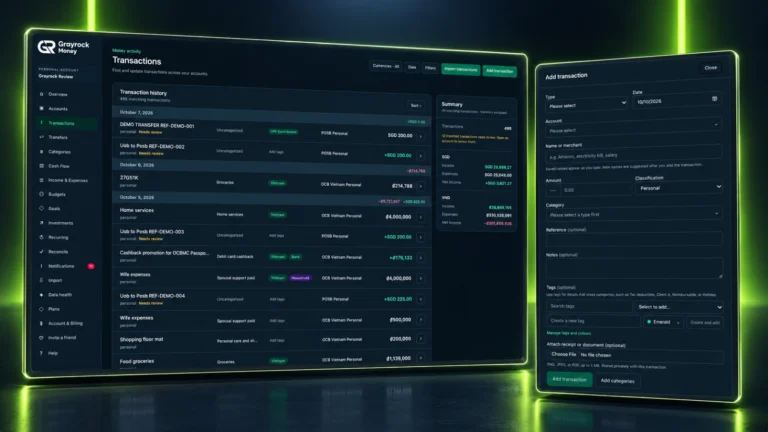
Grayrock Money transaction tracking history and Add transaction form with categories, classifications and supporting details.
Explore
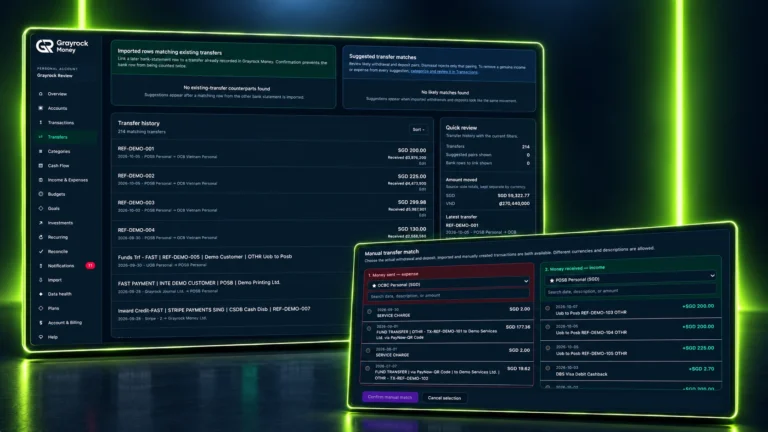
Grayrock Money transfer history and manual matching screens showing records of movement between accounts.
Explore
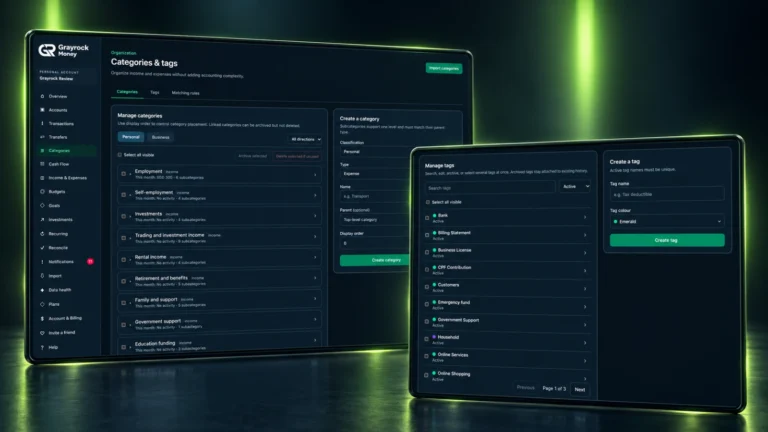
Grayrock Money category and tag management screens showing category organisation and coloured tags.
Explore
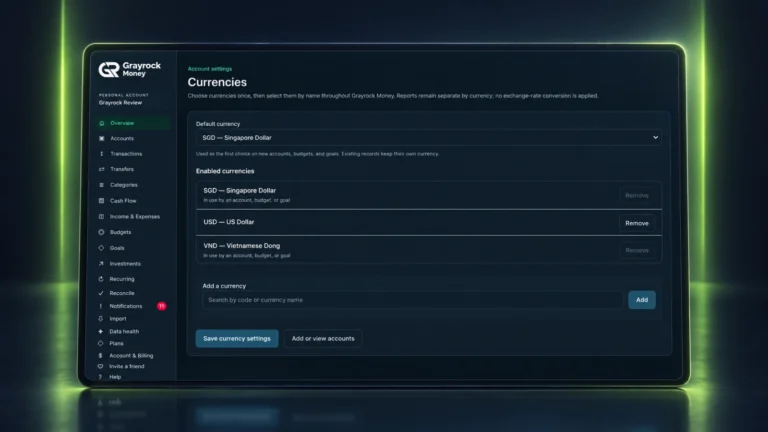
Grayrock Money Multi Currency Hero
Explore
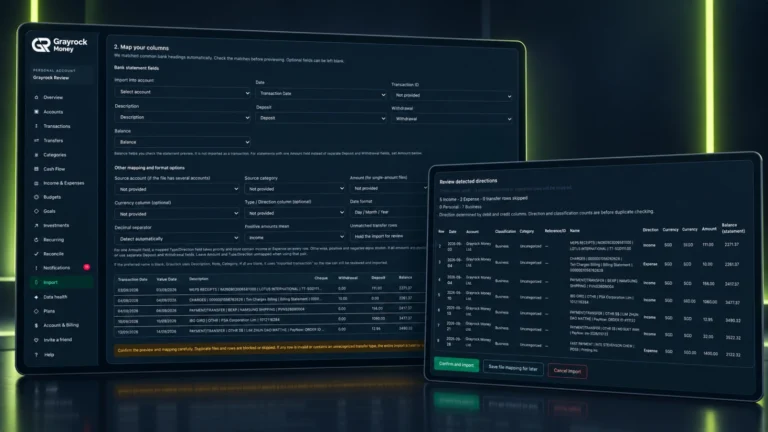
Grayrock Money Import Migration Hero
Explore
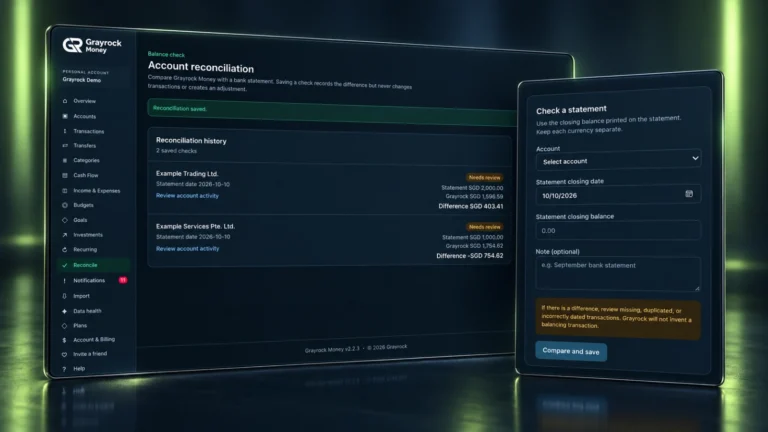
Grayrock Money reconciliation history and statement check form showing recorded balance differences.
Explore
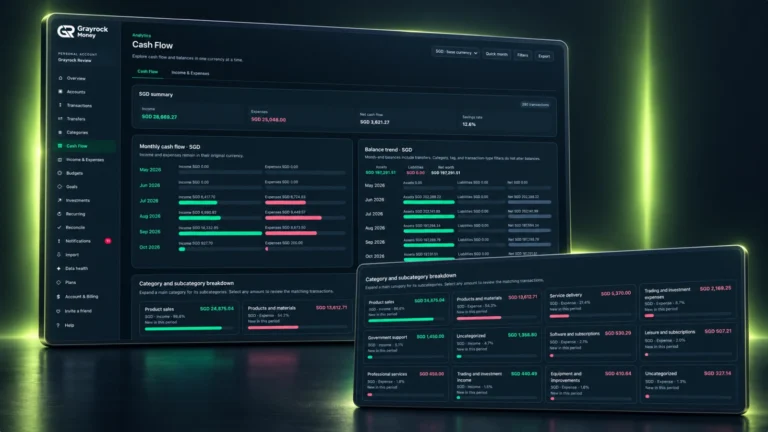
Grayrock Money Cash Flow overview and category breakdown showing monthly income, expenses and balance trends.
Explore
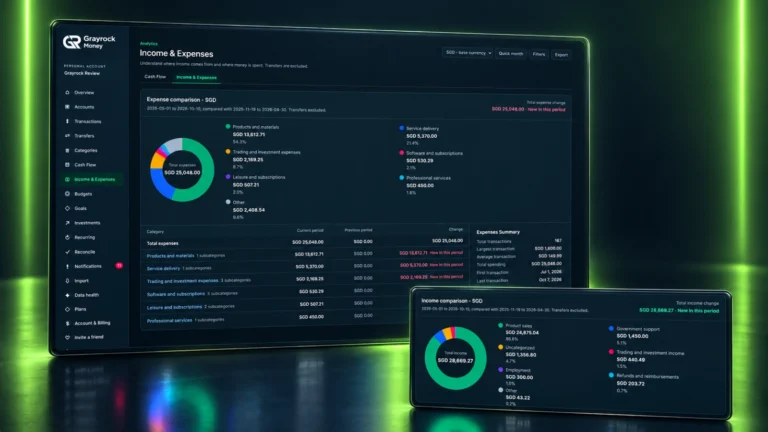
Grayrock Money income and expense comparison screens with category charts, period totals and transaction summaries.
Explore
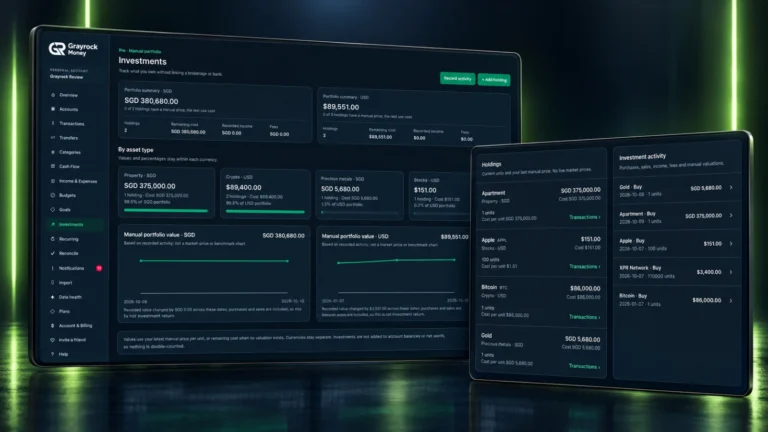
Grayrock Money manual portfolio overview and holdings list with separate currency summaries and recorded investment activity.
Explore
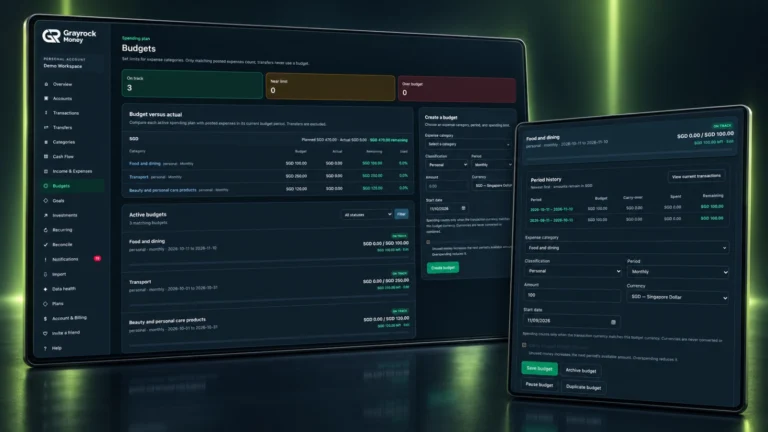
Grayrock Money budget overview and expanded budget detail showing spending plans, actual expenses and period history.
Explore
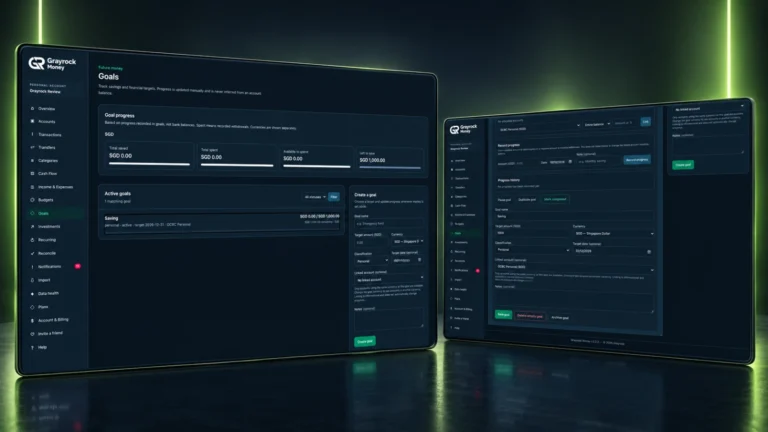
Grayrock Money Goals overview and progress-entry screens showing a savings target and manual progress controls.
Explore
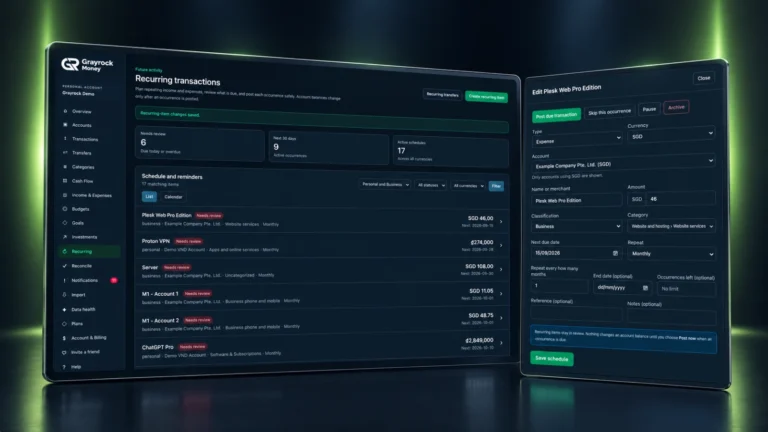
Grayrock Money recurring schedule and item-review form showing due activity and posting controls.
Explore
PERSONAL + BUSINESS

One Place for the Different Sides of Your Money

Use Personal, Business or Mixed accounts to reflect how you manage your money. Mixed accounts keep one recorded balance while transactions retain their Personal or Business classification.

Personal

Organise accounts used for everyday spending, savings and other personal financial activity.

Business

Keep accounts used for business income, expenses and related activity clearly identified.

Mixed

Record personal and business activity within the same account, with transaction classifications that preserve the distinction.

One Account. One Recorded Balance.
A Mixed account keeps one account balance. Its transactions can be classified as Personal or Business without creating two separate balances.
SIMPLE BY DESIGN

Get Started Without the Complexity

Add Your Accounts

Set up the accounts you want to manage and organise them as Personal, Business or Mixed.

Add or Import Transactions

Start recording activity or bring existing financial history from CSV or Excel.

Understand Your Money

Use the dashboard, budgets, goals and reports to see where your money stands and what needs attention.

SEE THE BIGGER PICTURE

Know Where Your Money Stands.

Review your recorded balances alongside income, expenses and upcoming items. Understand your current position and recent activity, with amounts kept in their own currency.

Net Worth

Review recorded assets and liabilities in the selected currency.

Cash Flow

Compare recorded income and expenses to see the difference over the selected period.

Saving Rate

See the saving-rate figure alongside the income and expenses behind it.

Upcoming Commitments

Review scheduled income and expenses that may need your attention next.
Separate Currencies. Clearer Totals.
Amounts remain in their recorded currency. Selecting a currency shows the relevant figures without converting other currencies into one combined total.
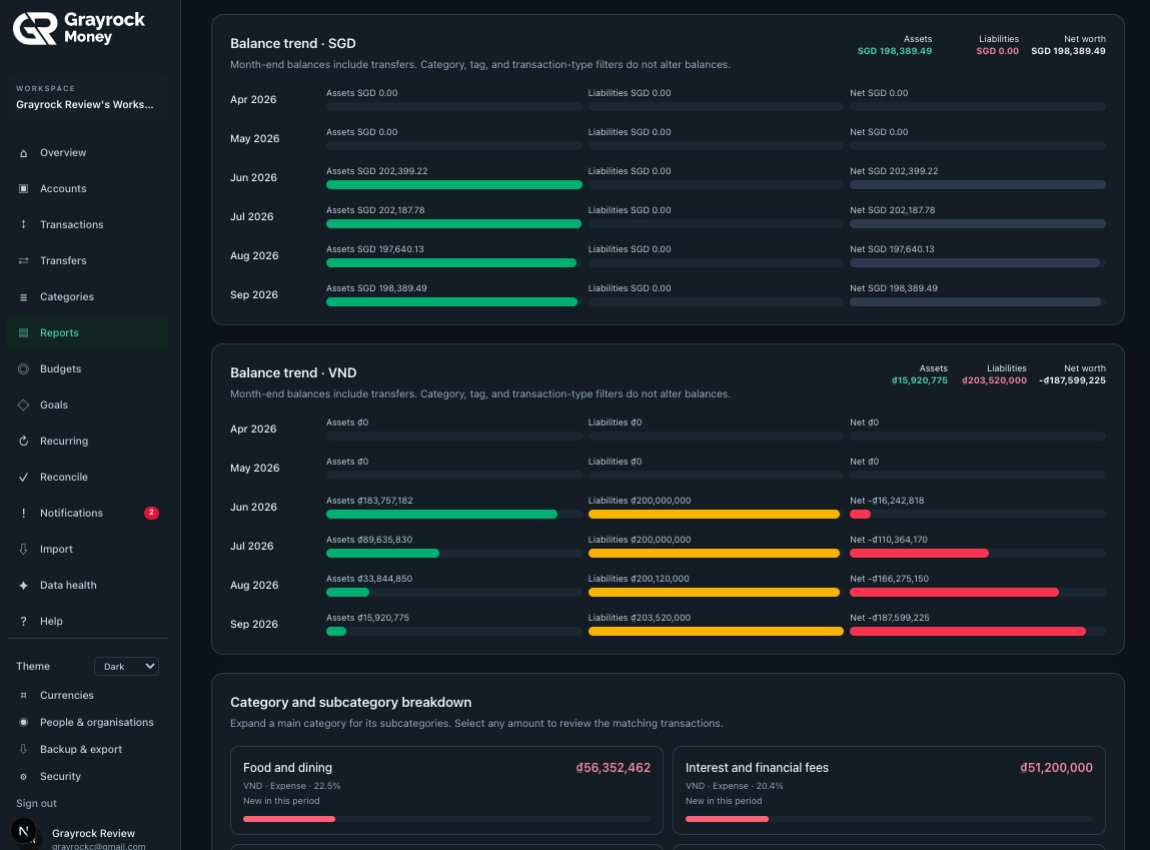
Grayrock Money balance trend report showing assets, liabilities and net worth across multiple currencies.
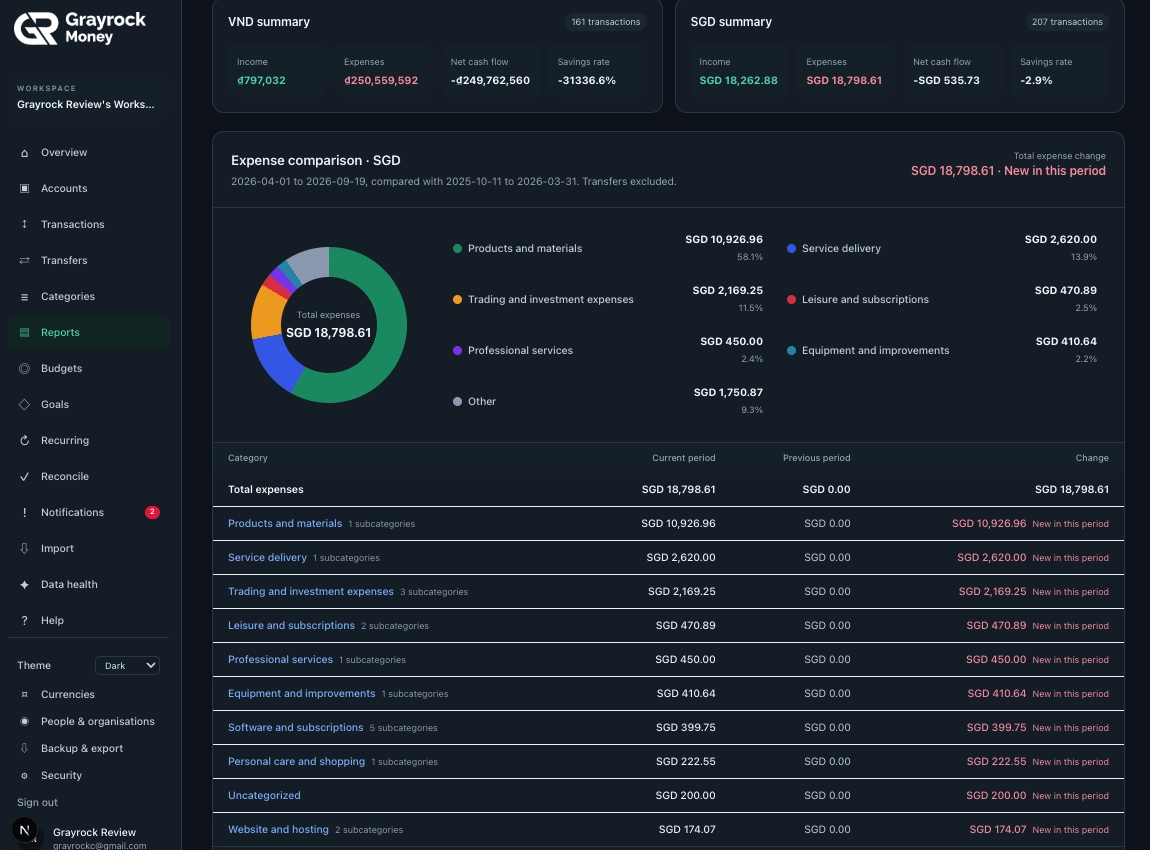
Grayrock Money expense report showing category breakdowns, spending comparisons and financial activity.
REPORTS & INSIGHTS

Turn Financial Activity into Clear Information.

Explore where income comes from and where spending goes. Compare periods, review category breakdowns and follow the totals back to the records behind them.

  • Income and expense breakdowns
  • Category and subcategory totals
  • Comparisons with the previous period
  • Transaction summaries
  • Original-currency amounts
GRAYROCK MONEY PRICING

Simple Pricing. No Accounting Complexity.

Choose the plan that fits the way you manage your money, with clear features and straightforward pricing.

FAQs

Frequently Asked Questions

We know choosing the right software can raise a lot of questions. That’s why we’ve put together answers to the most common ones

What is Grayrock Money?

Grayrock Money is a personal and small-business money-management platform designed to help you understand what you have, what you earn, what you spend and what is coming next.

It brings accounts, transactions, budgets, goals, recurring commitments and financial insights together in one clear system — without the complexity of traditional accounting software.

Is Grayrock Money accounting software?

No. Grayrock Money is designed for money management, not accounting.

It focuses on helping you track, understand, plan and control your money. It does not provide traditional accounting functions such as general ledgers, journal entries, GST or tax filing, accounts receivable/payable, payroll or inventory management.

Can I manage both personal and business money?

Yes. Grayrock Money is designed to support Personal, Business and Mixed financial activity within the same workspace.

You can view everything together for an overall picture or focus specifically on Personal or Business activity when needed.

What is a Mixed account?

A Mixed account is an account that you use for both personal and business purposes.

The account maintains one real balance, while individual transactions can be classified as Personal or Business. This gives you a clearer understanding of how the account is being used without creating artificial separate balances.

Can I import data from another money-management app?

Yes. Grayrock Money is being designed to make moving from another money-management system easier.

Rather than requiring a specific integration for every application, you can import supported transaction files, map your existing data to Grayrock Money fields, review the information and confirm it before importing.

Does Grayrock Money support CSV and Excel files?

Yes. Grayrock Money is designed to support both CSV (.csv) and Excel (.xlsx) files for data import.

The import process allows you to map relevant columns, validate the information and preview your data before completing the import.

How are transfers between my accounts handled?

Transfers move money from one of your accounts to another.

Grayrock Money treats them as transfers rather than income or expenses. This means moving your own money between accounts does not artificially increase your income, expenses, cash flow, saving rate or budget usage.

Can I track budgets and financial goals?

Yes. You can use budgets to monitor spending and goals to track progress toward financial targets.

These features are designed to work alongside your accounts and transactions, giving you a clearer picture of both your current financial activity and what you are working toward.

Is Grayrock Money suitable for a small business?

Yes. Grayrock Money is designed for individuals and small businesses that need a practical way to understand and manage money without requiring a full accounting system.

It can help organise business accounts, income, expenses, budgets, upcoming commitments and financial activity. However, it does not replace accounting, bookkeeping or tax software where those functions are required.

How is my financial information protected?

Grayrock Money is being designed with security, privacy and responsible data handling as core considerations.

Security measures will include protected authentication, server-side access controls, workspace isolation, secure handling of uploaded files and appropriate safeguards for stored data.

We should keep this wording intentionally measured until the production infrastructure is finalized, rather than making claims such as “100% secure” or naming encryption/security standards that haven't yet been verified.

GRAYROCK MONEY MOBILE

Your Money. Within Reach.

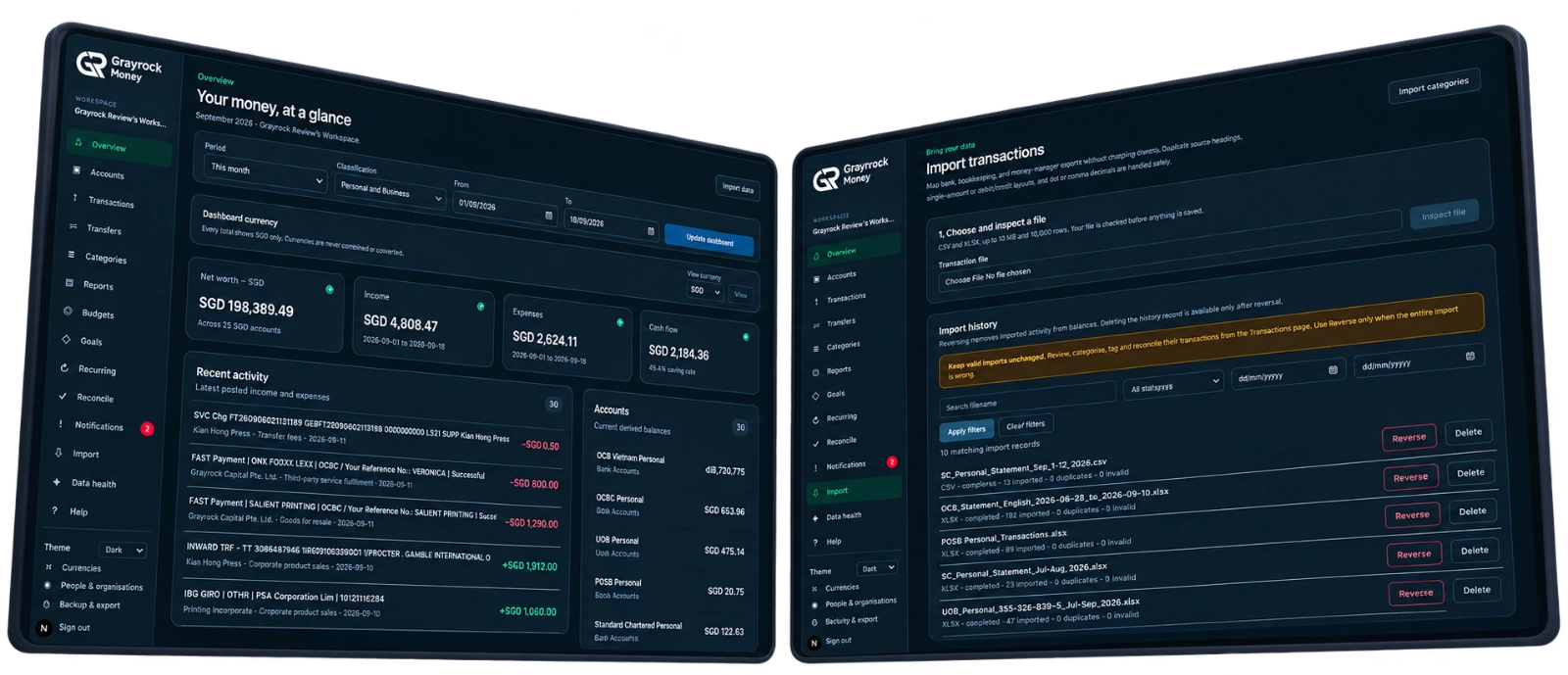
Review your accounts, record transactions and keep your financial records close from your phone. Add Grayrock Money to your home screen for convenient access.