

Give Your Trades Consistent Context.
Build a reusable library of trade tags, strategies, mistakes, timeframes, R:R labels and sessions. Keep your journal classifications organised so you can describe trades consistently and review recorded groups more clearly.
- Reusable names and colours
- Custom trading sessions
- CSV and JSON import
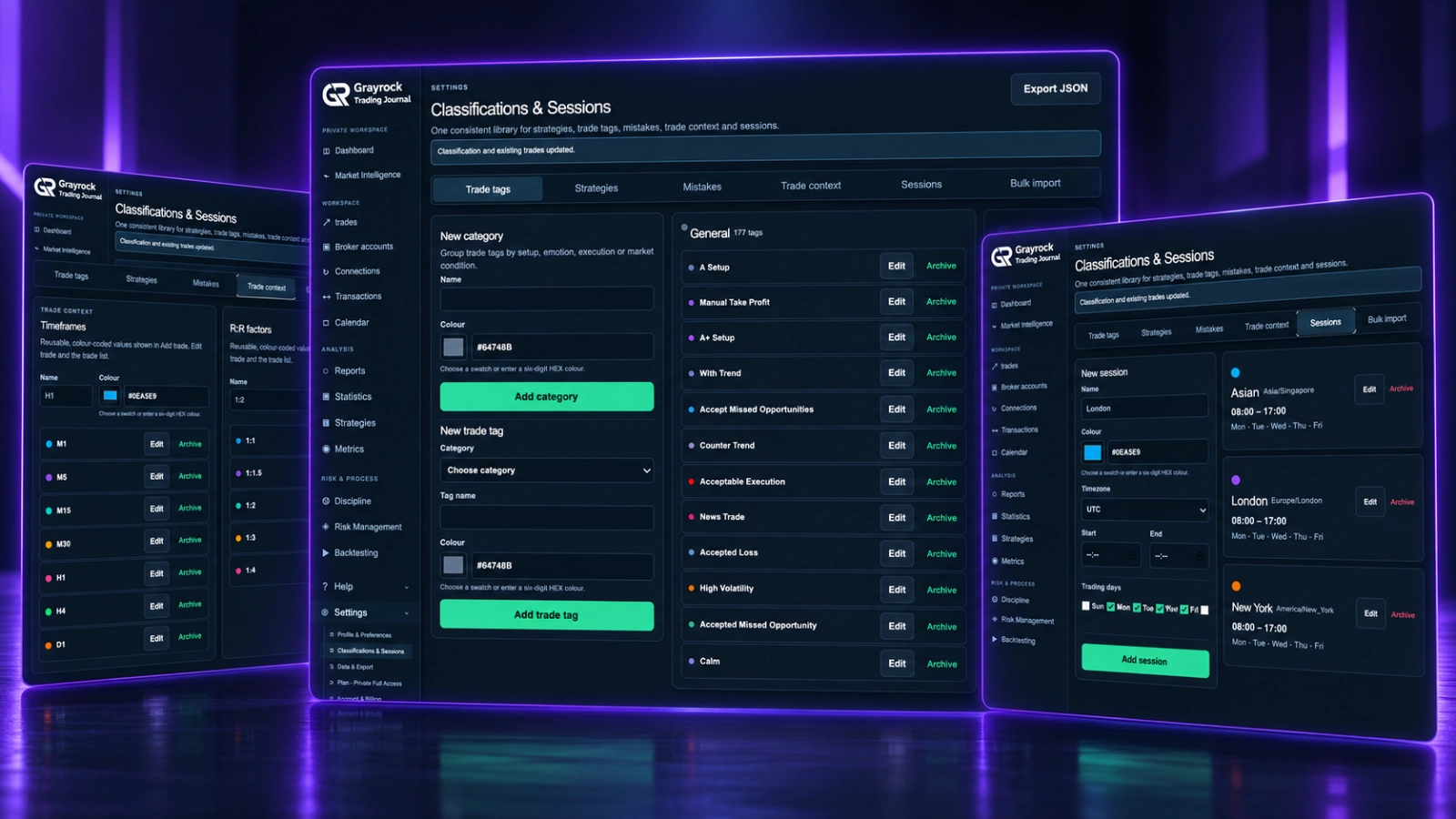
Build the Classifications That Fit Your Review.
Define reusable choices for the context you want to record. Keep descriptive tags, strategy names and execution mistakes organised in their own groups.
Organise the Details Beyond the Result.
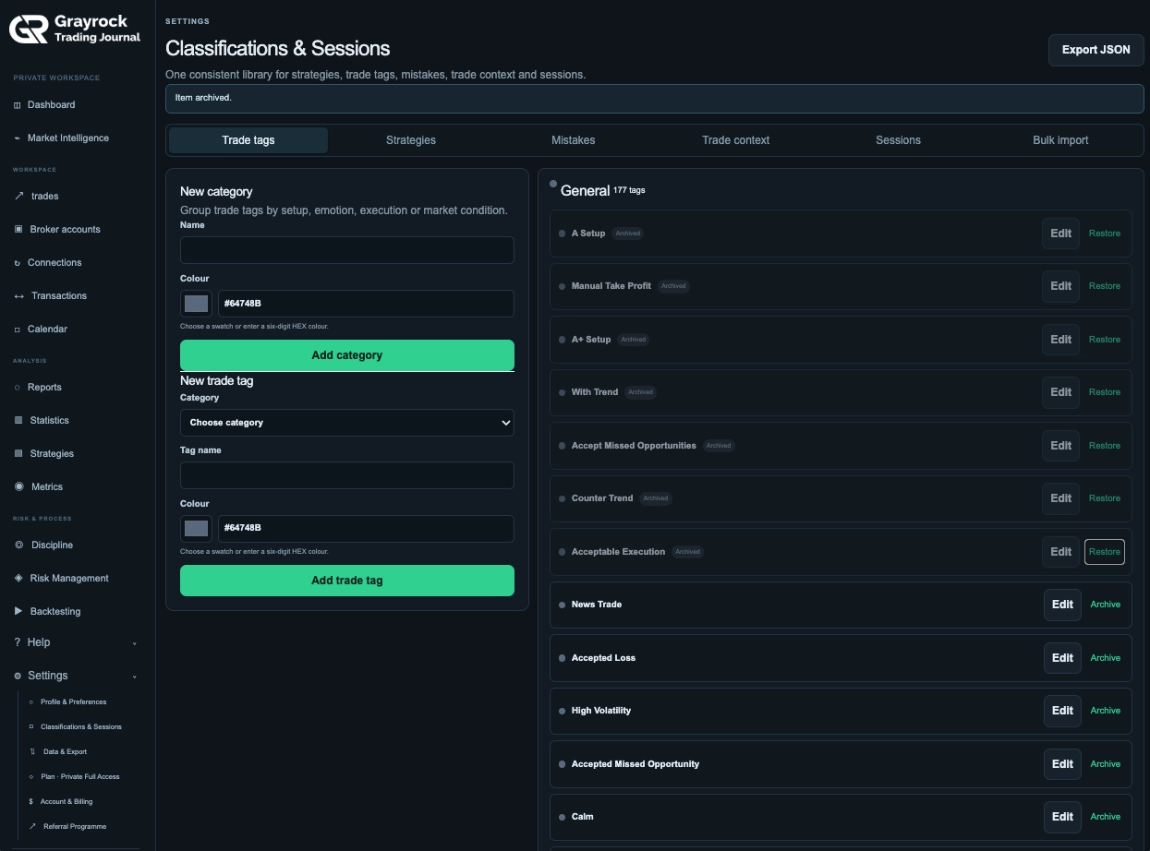
Create categories for setups, emotions, execution or market conditions, then add the trade tags you want to use. Assign names and colours that make your classifications easier to recognise across your journal.
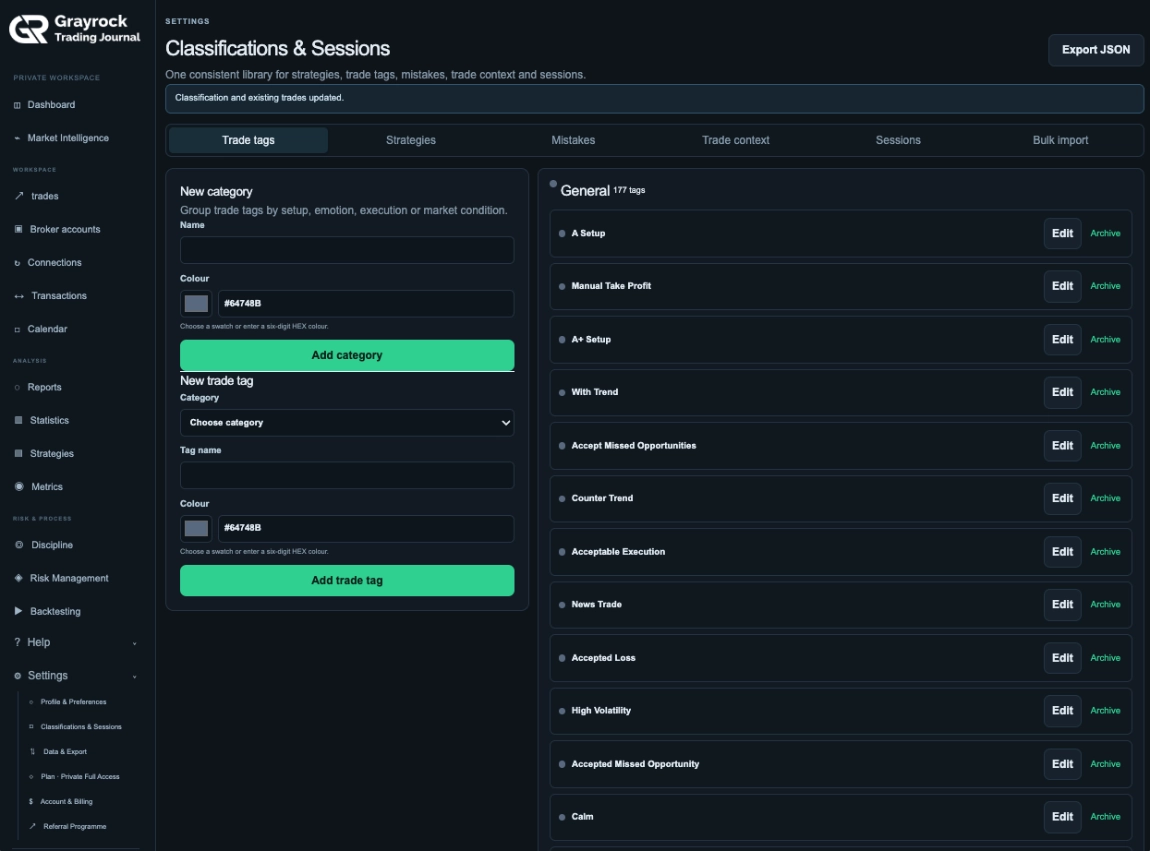
Keep Your Strategy Names Consistent.
Create a reusable list of strategy names and colours. Choose from the same library when adding or editing trades, helping you keep records grouped under consistent strategy labels.
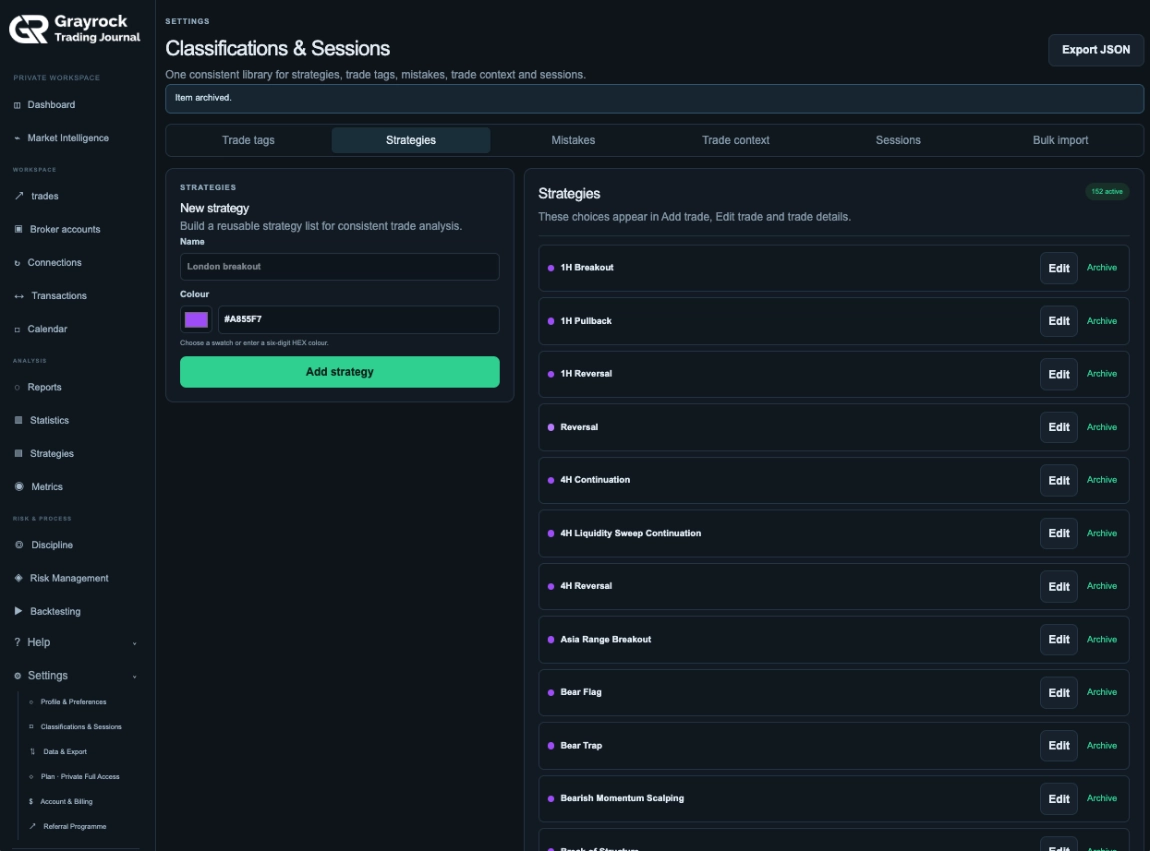
Record Execution Mistakes Separately.
Maintain a dedicated list of mistakes you want to track, such as early entries, moved stops or revenge trading. Apply consistent labels when reviewing your trades so recurring issues are easier to examine.
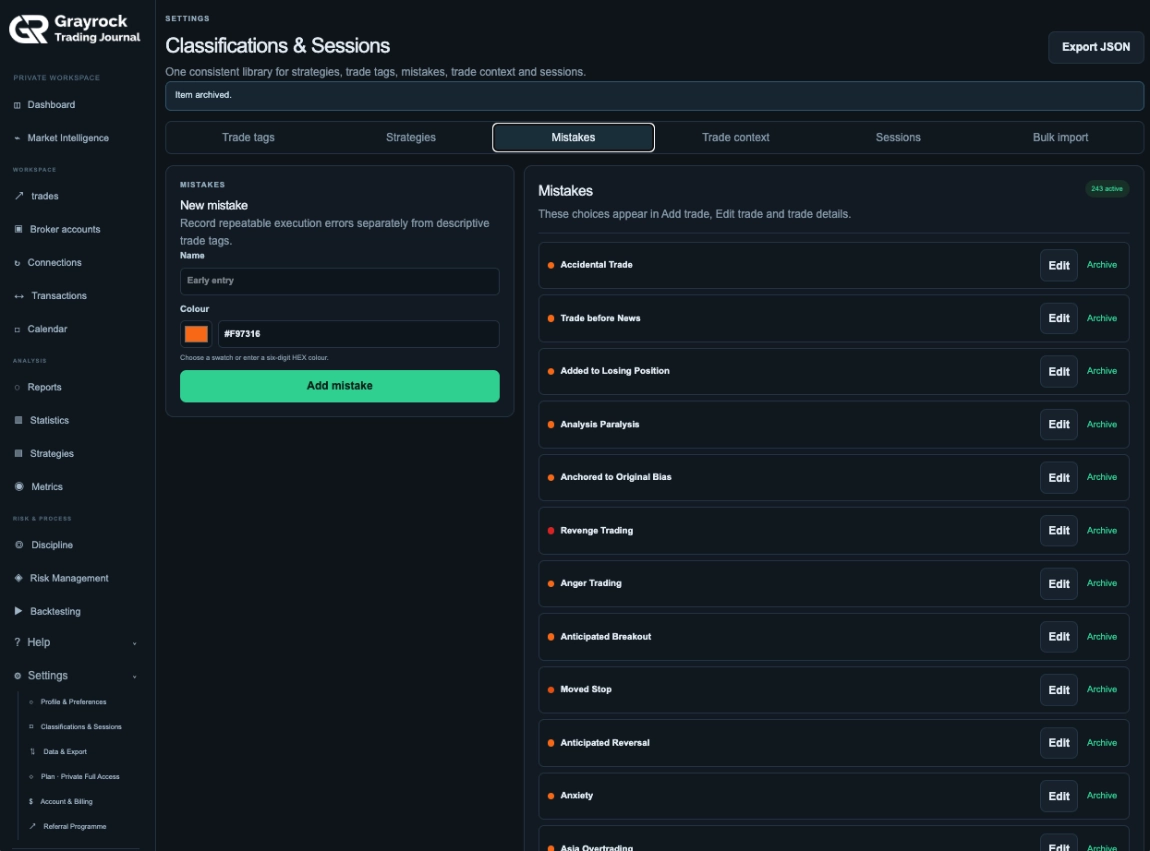
Archive Tags You No Longer Use. Restore Them When Needed.
Keep track of retired trade tags through their Archived status. Use Restore when you want to bring an archived tag back into use.
Keep Timeframes and R:R Labels Consistent.
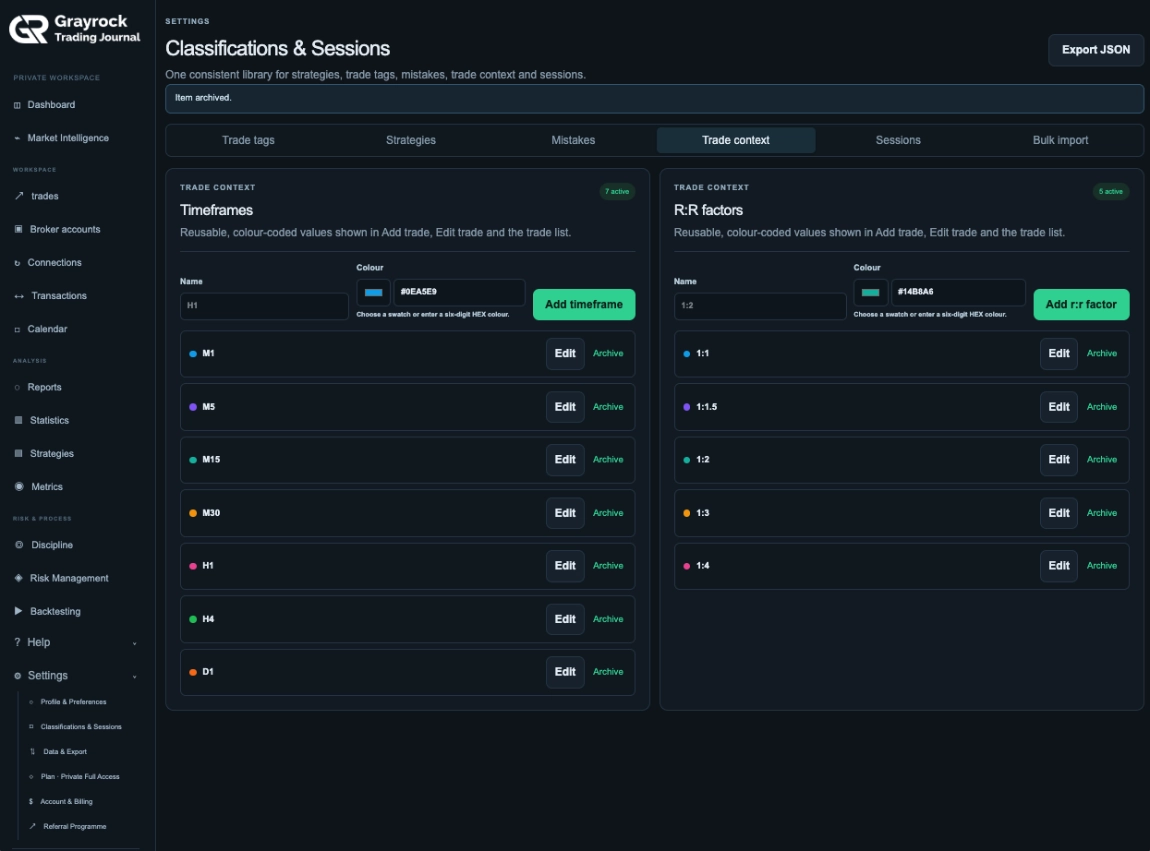
Create the timeframe and R:R labels you use in your journal. Give each value a name and colour, then reuse those choices when adding, editing and reviewing trades.
Organise Sessions Around Your Trading Routine.
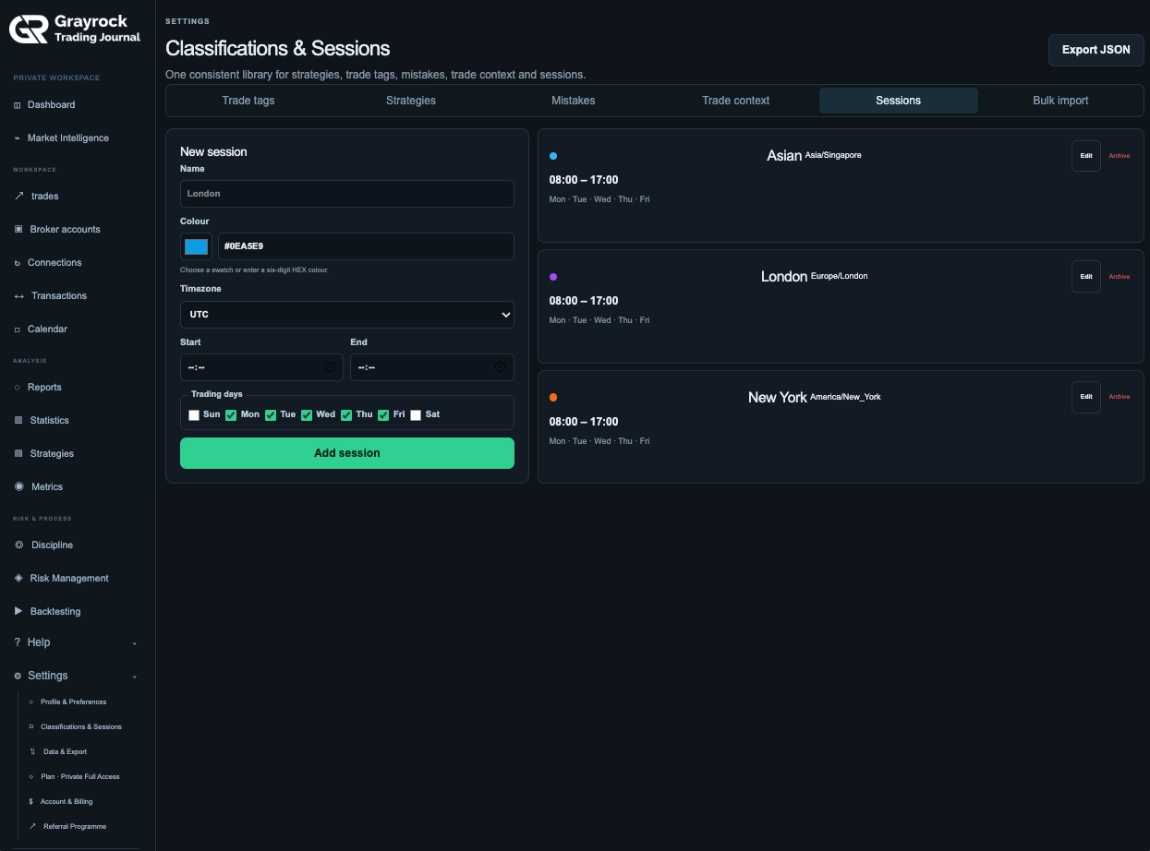
Create session definitions with a name, colour, timezone, start and end times, and selected trading days. Use these reusable sessions when classifying your journal records.
Import Classifications. Keep an Export of Your Library.
Bring tags, strategies, mistakes, timeframes, R:R factors and sessions into your library through CSV or JSON. Use the downloadable CSV templates to prepare your entries, and Export JSON to retain a copy of your classification library.
Use the Same Context Throughout Your Journal.
Consistent classifications help connect the way you record trades with the way you review them. Define your library, apply the relevant choices and examine the resulting groups.
Define Your Library
Create reusable names, colours and session definitions that fit your journaling process.
Apply to Trades
Add classifications when recording or editing trades, or assign them to selected records from the trade list.
Review Recorded Groups
Use the available report breakdowns to examine results by strategy, session, timeframe, tags and mistakes.
About Classifications & Sessions
Understand how to organise your library, define sessions and keep trade context consistent.
What can I manage in this library?
You can manage trade-tag categories, trade tags, strategy names, mistakes, timeframes, R:R factors and trading sessions. These provide reusable choices for classifying your journal records.
What is the difference between trade tags, strategies and mistakes?
Trade tags describe context such as a setup, emotion, execution detail or market condition. Strategies identify the approach associated with a trade. Mistakes record execution issues you want to review separately.
Can I customise names and colours?
Yes. The library provides name and colour controls for its classification entries. You can choose a colour swatch or enter a six-digit HEX colour.
Can I restore an archived trade tag?
Yes. Archived trade tags are marked with an Archived status and have a Restore control.
Do R:R factors calculate risk/reward?
No. R:R factors in this library are classification tags. They record the label you assign and do not calculate planned or realised risk/reward.
Can I define my own trading sessions?
Yes. Set a session name, colour, timezone, start and end times, and trading days.
Are sessions assigned automatically?
No. Session assignment is manual. Use the trade classification controls to assign the relevant session to your records.
Can I import classifications in bulk?
Yes. The Bulk Import area accepts CSV or JSON and provides downloadable CSV templates for classifications, trade context and sessions. The import workflow validates the file before showing a preview.
Will a classification import replace my trade history?
No. Classification imports merge library entries by name and do not remove trading history. Importing actual trading records is a separate workflow.
Can I export my classification library?
Yes. Use Export JSON to download the library. This is separate from a full journal backup.
Where can I apply these classifications?
Use them when adding or editing trades, or assign classifications to selected records from the Trade Journal list. Recorded classifications also support the relevant group breakdowns in Reports.
Build a Clearer Language for Your Trading Journal.
Keep your tags, strategies, mistakes and sessions organised, then use that shared context throughout your trade review.