

Track Where Your Money Moves.
Keep a clear record of transfers between your own accounts. Match withdrawals with deposits, review the details and keep internal money movements separate from income and expenses.
- Account-to-account records
- Withdrawal & deposit matching
- Separate from income & expenses
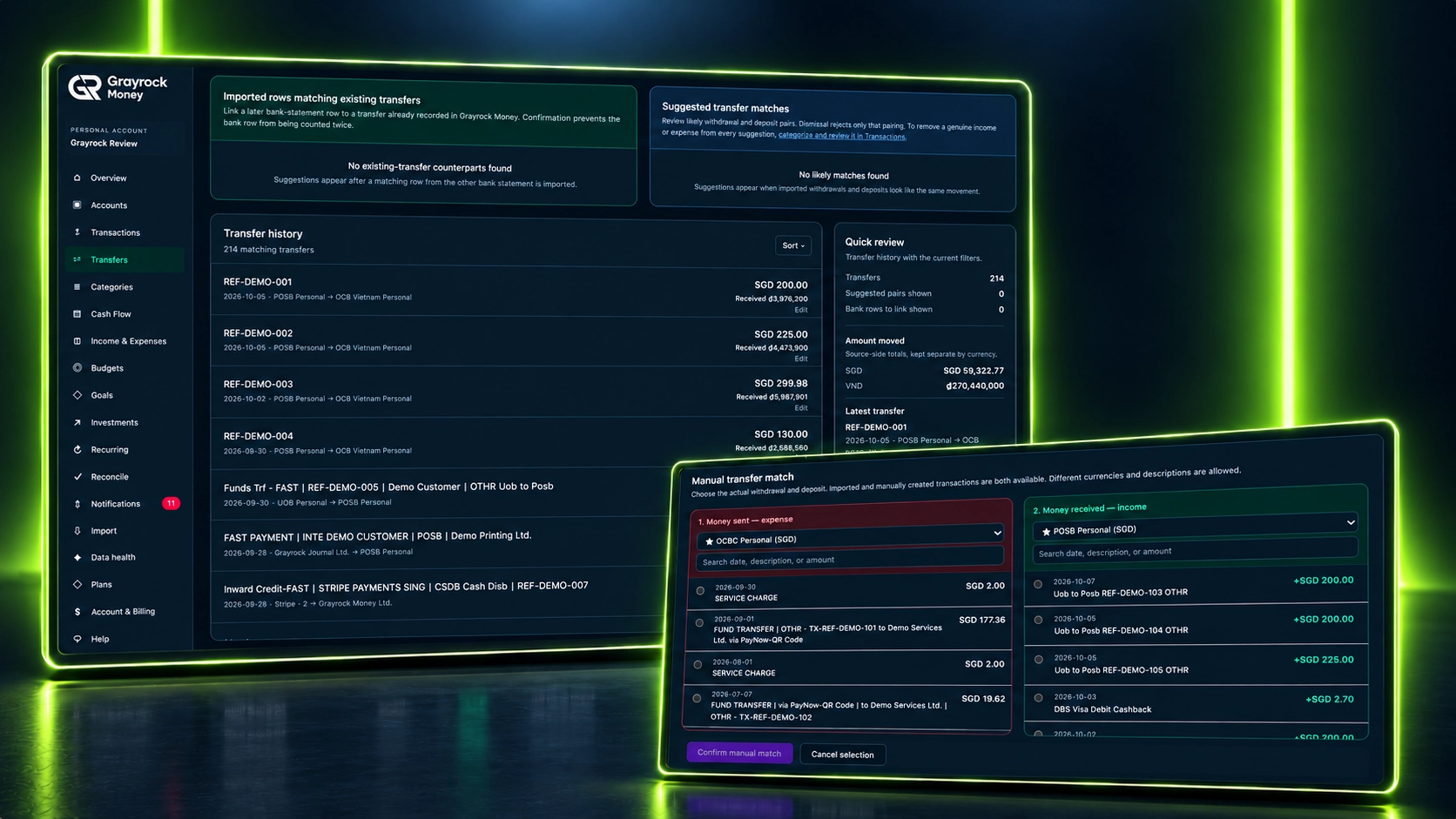
Keep Both Sides of a Transfer Together.
Connect the account money leaves with the account that receives it, so internal movements have their own clear record.
Record Account Transfers
Keep the source account, destination account, date and amount together in a transfer record.
Match Existing Records
Select the withdrawal and deposit that represent the same movement, then confirm the match.
Review Transfer History
Find recorded transfers and review their accounts, amounts and supporting details.
Keep Reports Clear
Transfers between your own accounts are kept separate from income and expenses, avoiding inflated earning and spending figures.
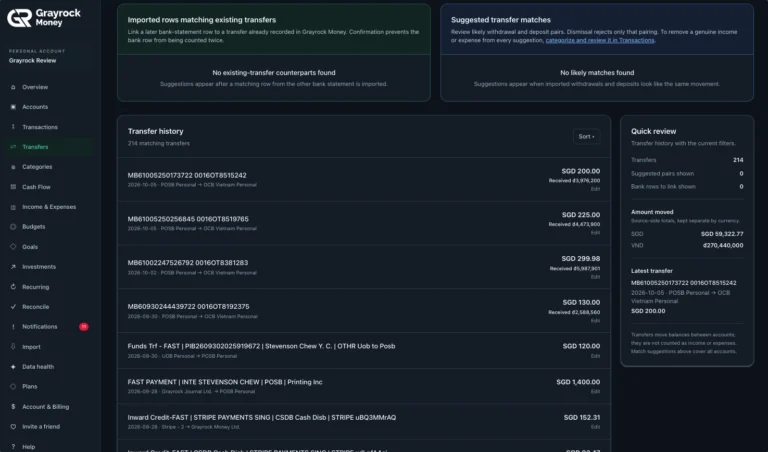
Transfer History
Review recorded transfers and the accounts involved.
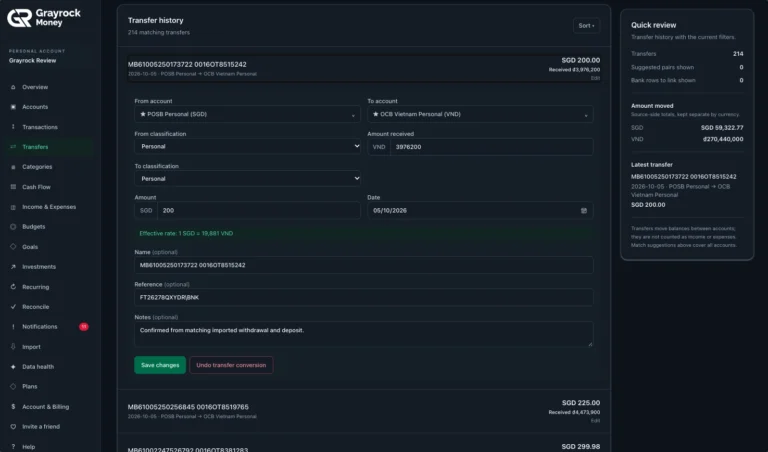
Review Transfer Details
Keep both sides of a transfer and their supporting details together.
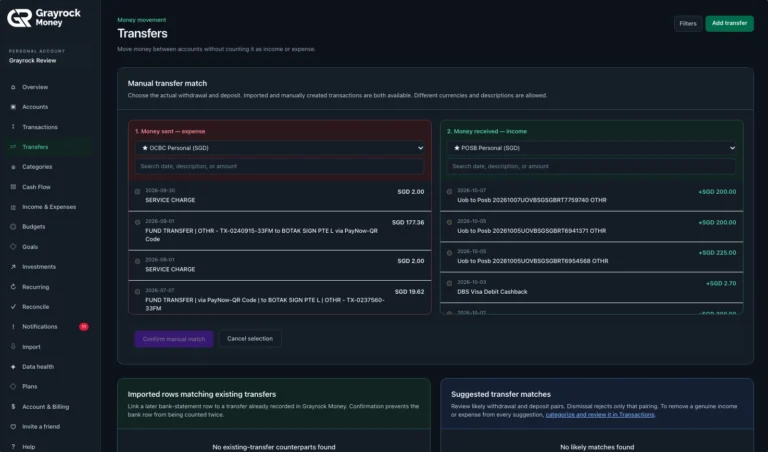
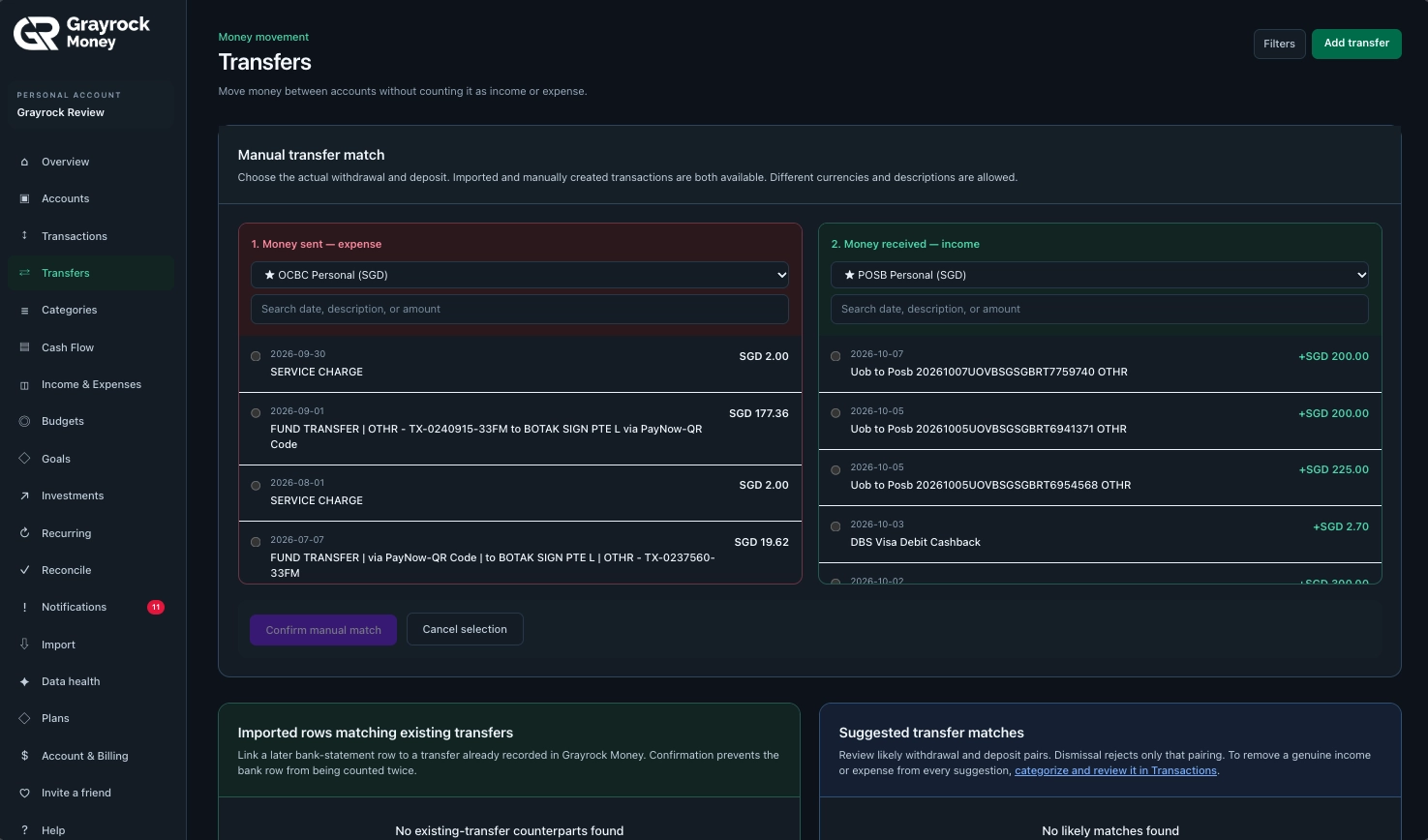
Match Transfer Transactions
Select the withdrawal and deposit that belong to the same transfer.
See Where It Left. See Where It Arrived.
Review both sides of a transfer in one place. Keep the source and destination accounts visible, with the recorded amounts and details that explain the movement.
Review the History
Keep the Details
Preserve Currency Context
Match the Records Behind the Movement.
Bank statements can describe the same transfer differently. Use the available matching tools to review the withdrawal, deposit and any transfer already recorded.
Manual Matching
Choose the actual withdrawal and deposit from existing transactions. Review the accounts and amounts before confirming.
Suggested Matches
Review likely withdrawal and deposit pairs when suggestions are available. Confirm the pair only when it represents the same movement.
Link to an Existing Transfer
Review imported rows that may belong to a transfer already recorded, helping prevent the same movement from being counted twice.
Moving Money Is Not Earning or Spending It.
For example, transferring SGD 200 from your bank account to your savings account changes where the money sits.
About Transfers
Understand how Grayrock Money records movements between accounts and helps you review the transactions behind them.
What counts as a transfer?
A transfer is money moving between accounts you own, such as moving funds from a bank account to savings. It changes where your money is held rather than creating new income or an expense.
Does Grayrock Money send money between my bank accounts?
No. Grayrock Money records transfers for your financial review. You carry out the actual movement through your bank or payment provider.
Are transfers counted as income or expenses?
Transfers between your own accounts are kept separate from income and expenses, so moving the same money does not inflate your earning or spending figures.
Can I match transactions that are already recorded?
Yes. Manual matching lets you select an existing withdrawal and deposit and confirm that they represent the same movement. Both imported and manually entered transactions can be available for matching.
Are transfer matches confirmed automatically?
Suggested matches are presented for review. Check the withdrawal, deposit and accounts before confirming that they belong together. Not every transfer will necessarily have a suggestion.
What if I import a statement after recording a transfer?
The matching area can show imported rows that may belong to an existing transfer. Review and confirm the relationship so the same movement is not counted twice.
Can matched transfers involve different currencies?
Yes. The matching screen allows records in different currencies. A matched transfer can retain the source amount and the amount received separately. This records the actual movement; it does not execute an exchange or provide a live exchange-rate quote.
Can I review or update transfer details?
Yes. Open a transfer from its history to review and edit the available details, including accounts, classifications, amounts, date, reference and notes.
Know Where Your Money Went.
Bring account movements, matching records and transfer history together for a clearer view of your money.