

Give Your Money Records a Clear Structure.
Organise income and expenses with categories and subcategories. Add coloured tags for projects, customers or everyday context, so related transactions are easier to recognise and review.
- Categories & subcategories
- Coloured tags
- Future import rules
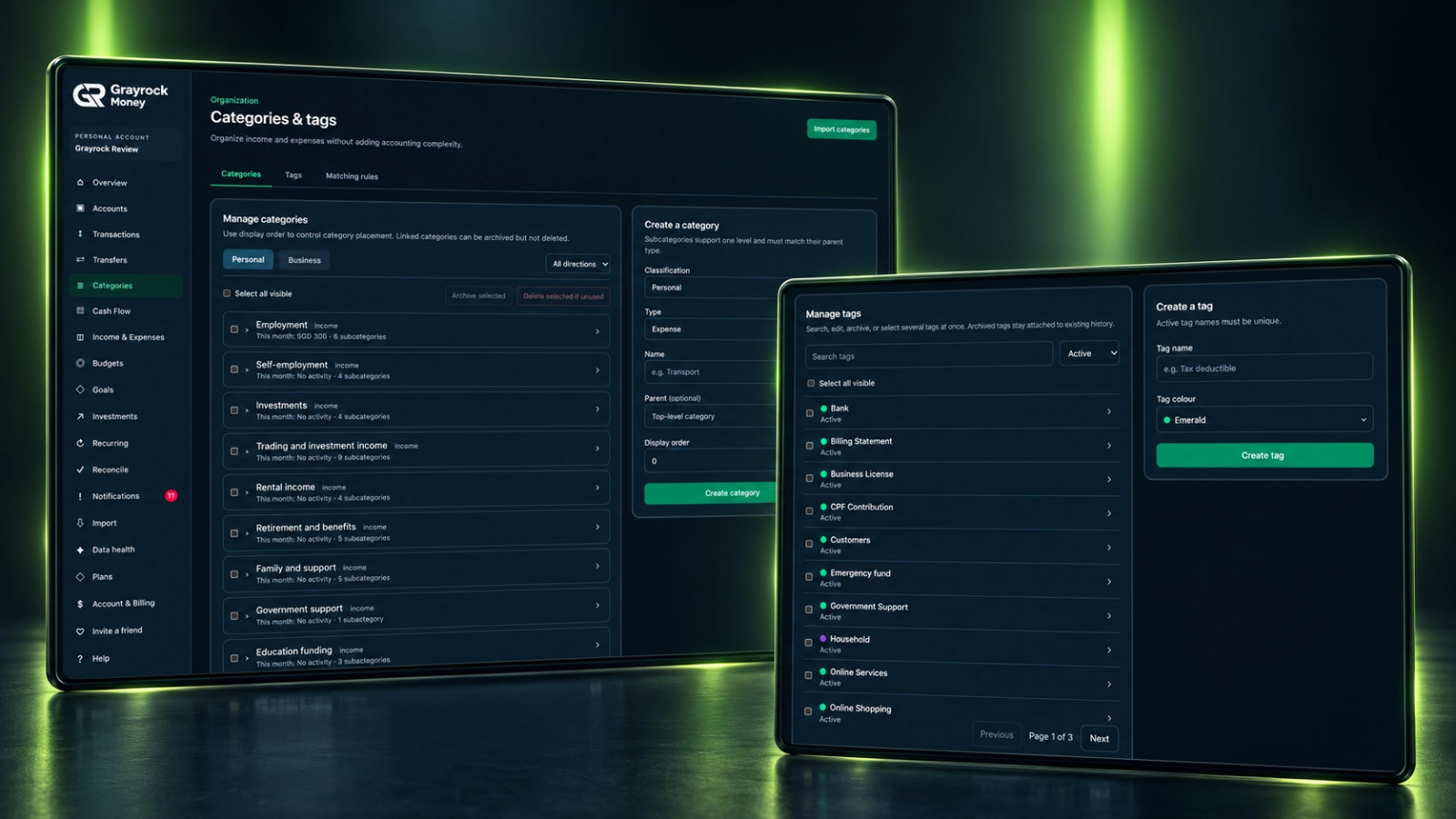
Organise the Details That Matter.
Build a useful structure for your financial activity, with categories for the type of transaction and tags for the context around it.
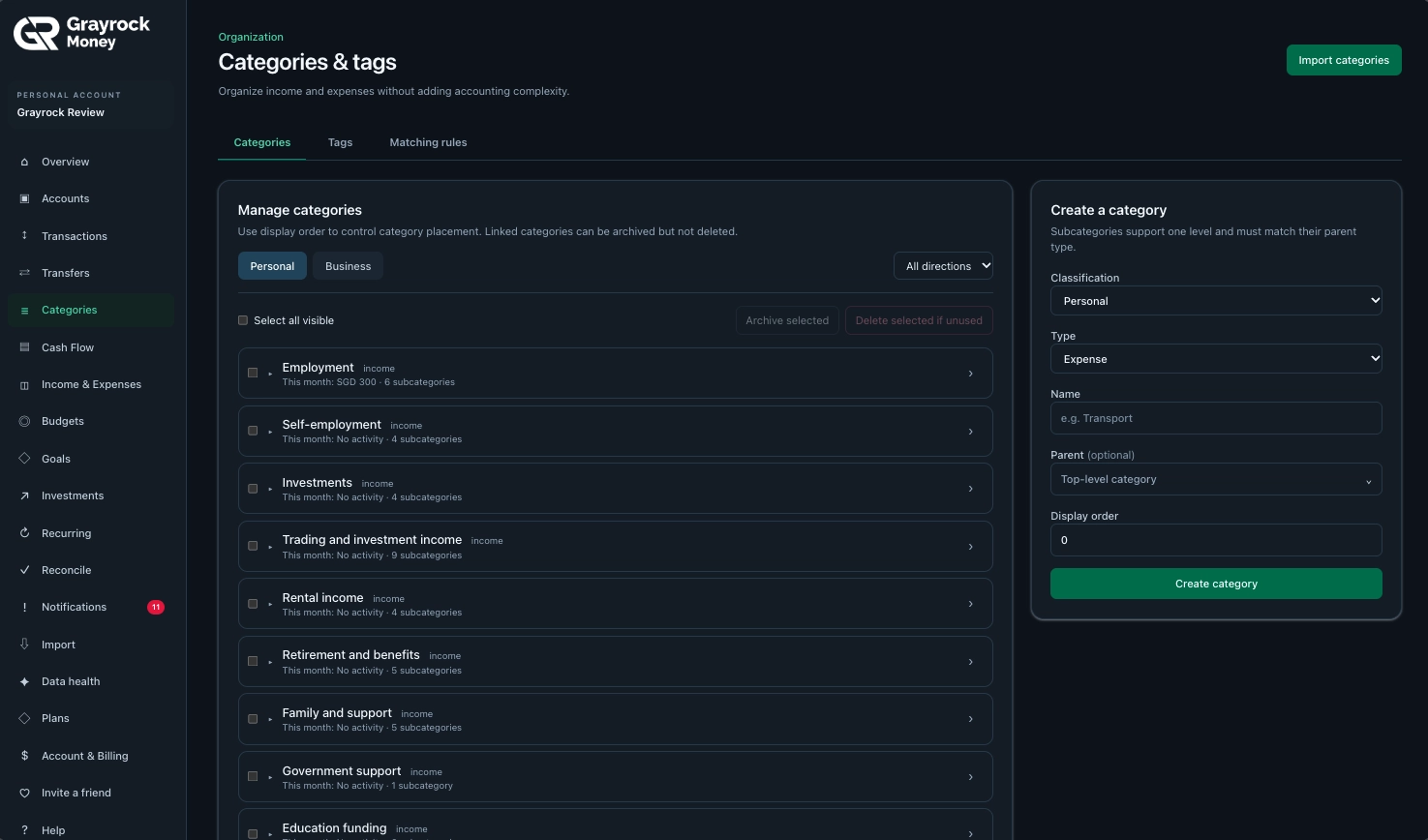
Create Your Categories
Set up income and expense categories within your personal or business category lists.
Add Subcategories
Break a broad category into one level of subcategories for more specific organisation.
Use Coloured Tags
Create named tags with colours to identify projects, customers, trips or other context across categories.
Bring Your Structure
Import supported CSV or XLSX category files instead of recreating each category individually.
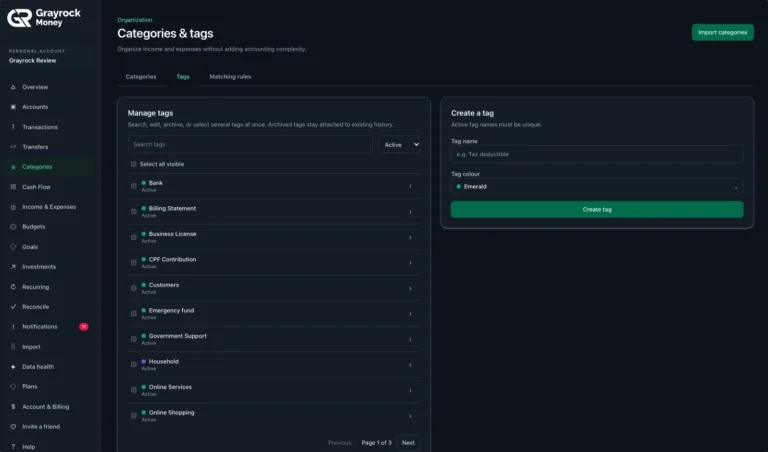
Manage Coloured Tags
Create coloured tags for the context that matters to you.
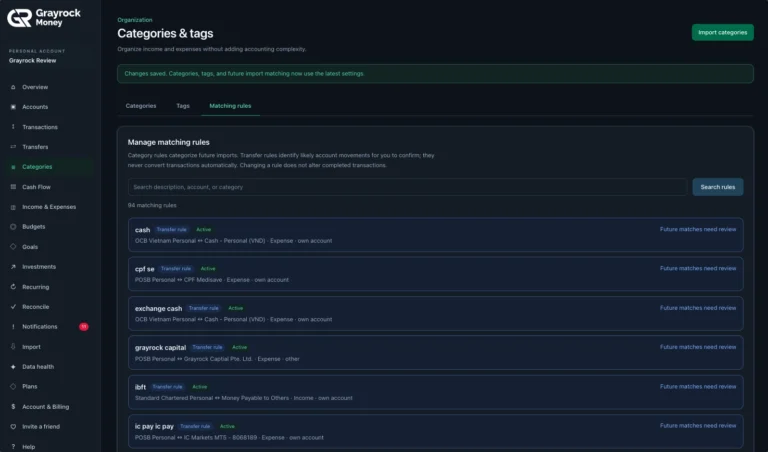
Review Matching Rules
Review the rules used to identify and organise future imported activity.
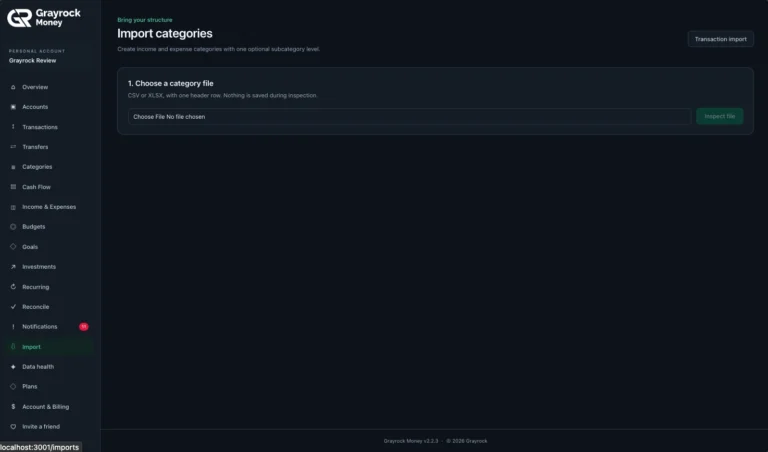
Import Categories
Bring an existing category structure into Grayrock Money.
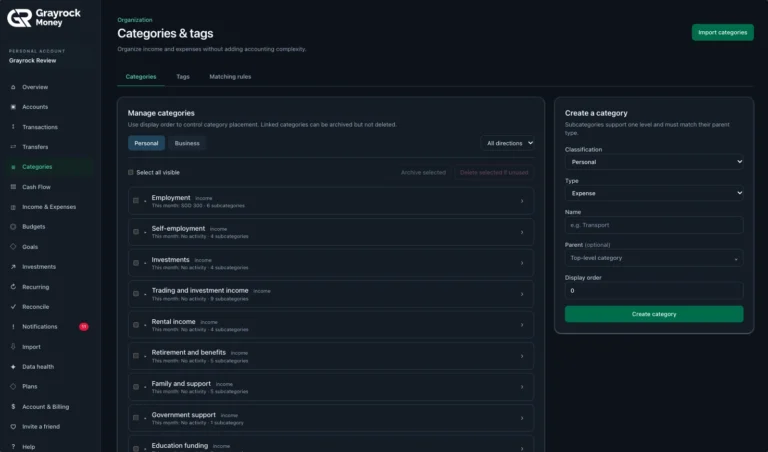
Manage Categories
Organise income and expenses with categories and subcategories.
Manage the Labels Behind Your Records.
Keep categories and tags organised as your needs change. Control category placement, find existing tags and archive labels that no longer belong in your active workflow.
Arrange Your Categories
Find and Update Tags
Preserve Existing Context
Keep Your Matching Rules in View.
Review the rules used for future imports. Category rules help organise incoming records, while transfer rules identify possible account movements for your confirmation.
Category Rules
Use saved category rules to categorise matching transactions in future imports.
Transfer Rules
Identify likely account movements for review. A transfer rule does not automatically convert transactions into a transfer.
Search Your Rules
Find existing rules by description, account or category to review how future matches are handled.
Describe the Transaction from Three Angles.
For example, a train ticket for a client visit can have a category, a business classification and a project tag—each explaining something different.
About Categories & Tags
Understand how categories, tags and matching rules help organise your financial records.
What is the difference between a category and a tag?
A category describes the type of income or expense, such as salary, groceries or transport. Tags add context across categories, such as a project, customer or trip. You can use both on the same transaction.
Can I create my own categories?
Yes. Create a category with its classification, income or expense type, name and display order. You can also assign an optional parent category.
How many subcategory levels are supported?
Categories support one level of subcategories. A subcategory must use the same income or expense type as its parent.
Can I choose colours for tags?
Yes. Give a tag a name and select its colour. Active tag names must be unique.
Does a category decide whether a transaction is Personal or Business?
Transaction classification is a separate field. Categories are organised into Personal and Business lists, but you should still check the classification on the transaction itself.
What happens when I archive a tag or category?
Archived tags remain attached to existing history. Categories already linked to records can be archived but cannot be deleted. This helps preserve the context of earlier activity.
Can I import categories from a file?
Yes. The category import workflow accepts CSV or XLSX files with a header row and supports one optional subcategory level. Inspecting a file does not save its contents.
Do matching rules change my existing transactions?
Changing a rule does not alter completed transactions. Category rules categorise future imports, while transfer rules identify possible movements that still require your confirmation.
Can I add categories or tags while recording a transaction?
Yes. The transaction workflow provides options to add categories and create tags while you organise the record.
Build a Structure That Makes Sense to You.
Organise income and expenses, add meaningful context and keep your financial records easier to navigate with Grayrock Money.