

Market Context, Connected to Your Trading Journal.
Follow cross-asset reference prices, browse market news and check upcoming economic releases. Bring the markets you follow together with the trading history you have recorded—all in one workspace.
- Five asset classes
- Personal favourites
- Connected journal insights
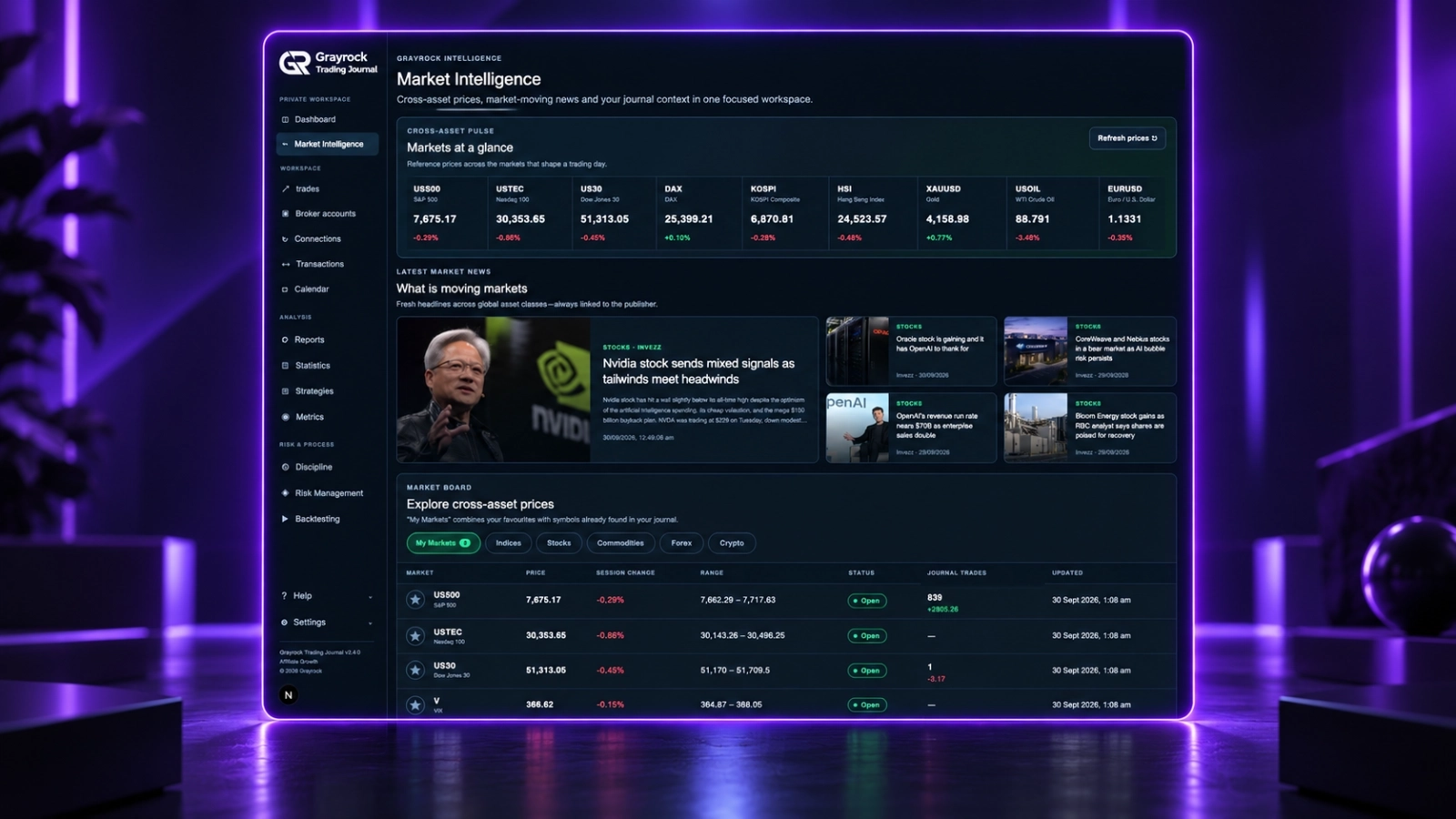
Follow the Markets That Matter to You.
Star the instruments you follow and see supported markets from your journal alongside them. Compare reference prices, session changes, available ranges and market status, with recorded trading activity shown where available.
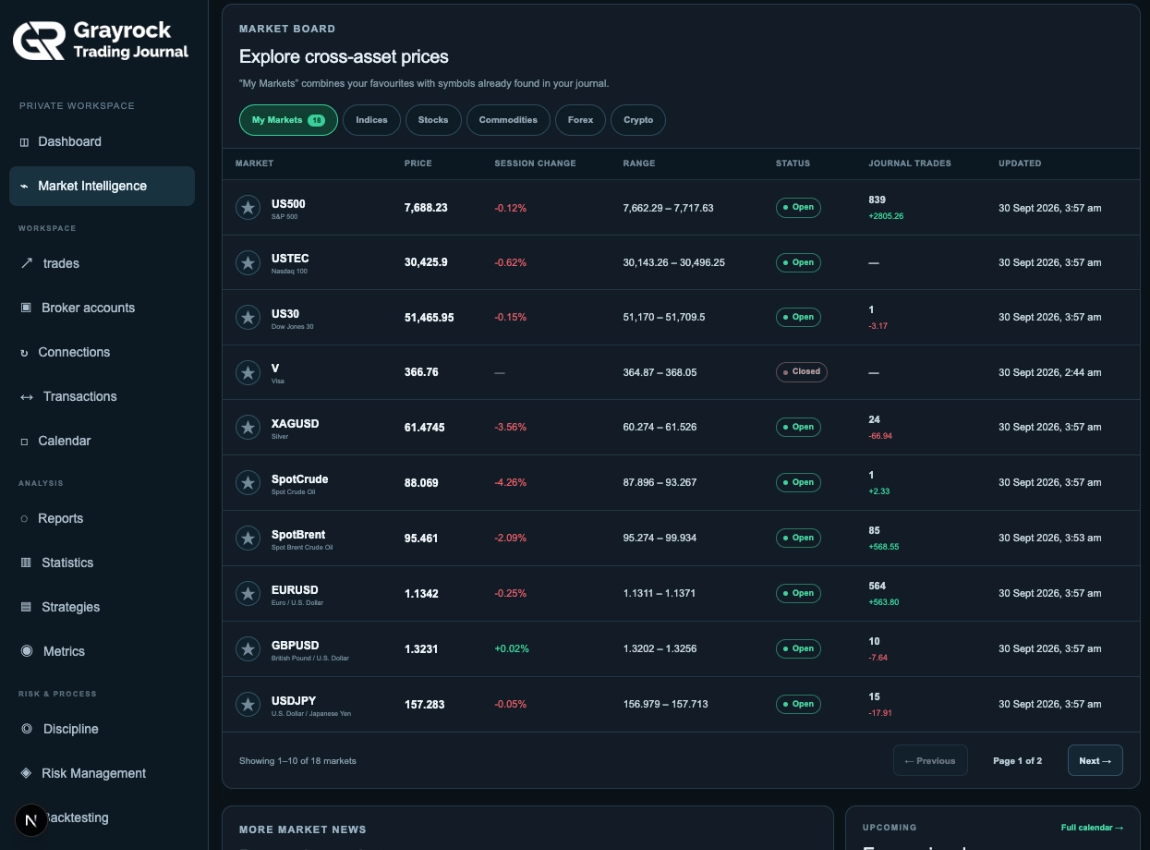
Your Favourites and Trading History, Together.
Build a personal market list with favourites that stay saved in your workspace. My Markets also includes supported symbols found in your journal, bringing reference prices together with your recorded trade counts and Net P/L.
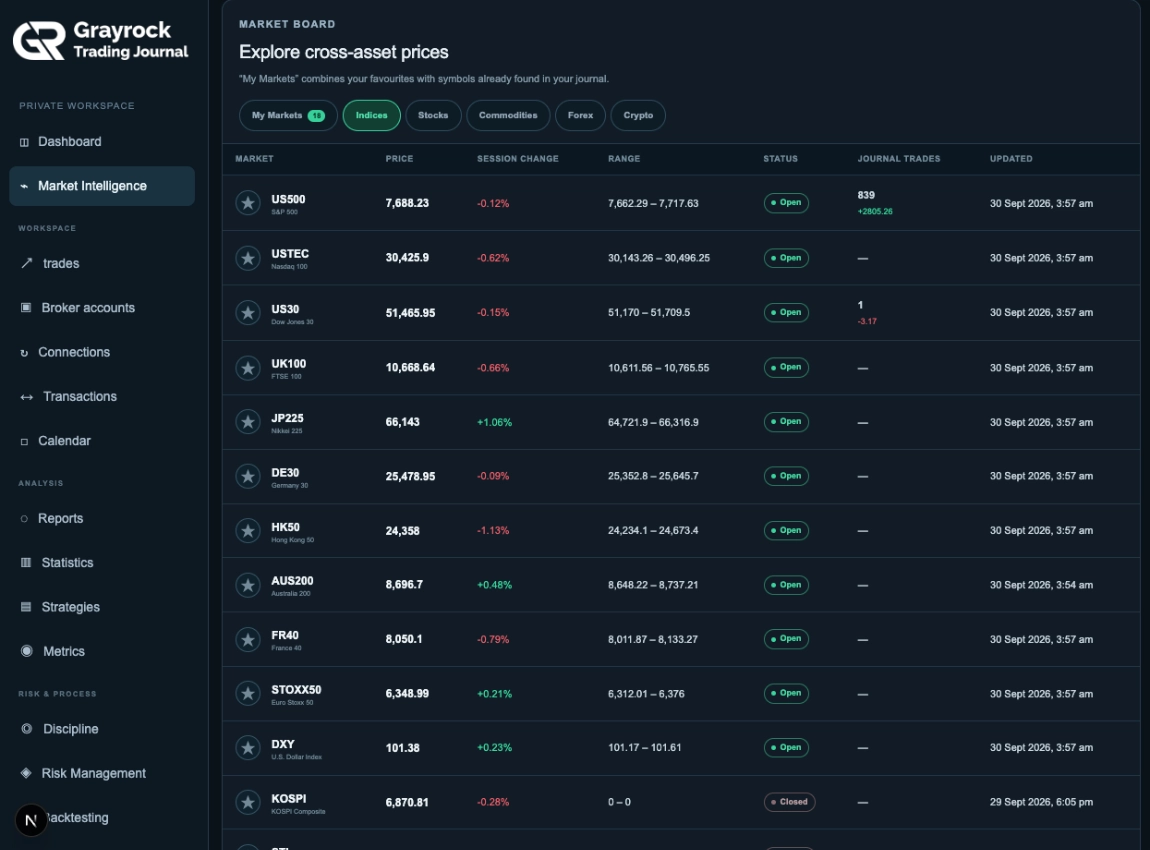
A View Across Global Indices.
Review supported global and regional indices with session changes, available ranges, open or closed status and update times.
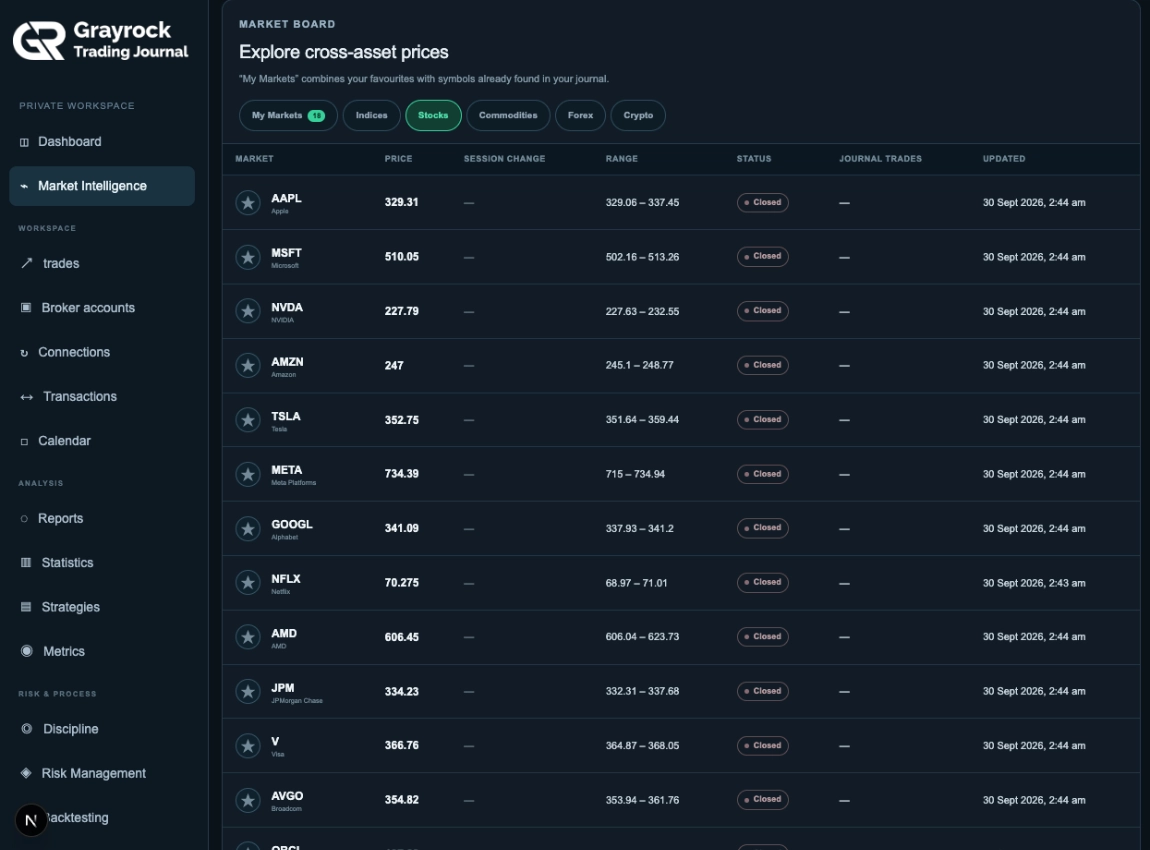
Follow Supported Stocks in One View.
Check reference prices and session changes for supported stocks. Add favourites to keep the companies you follow within easy reach.
Keep Metals and Energy in View.
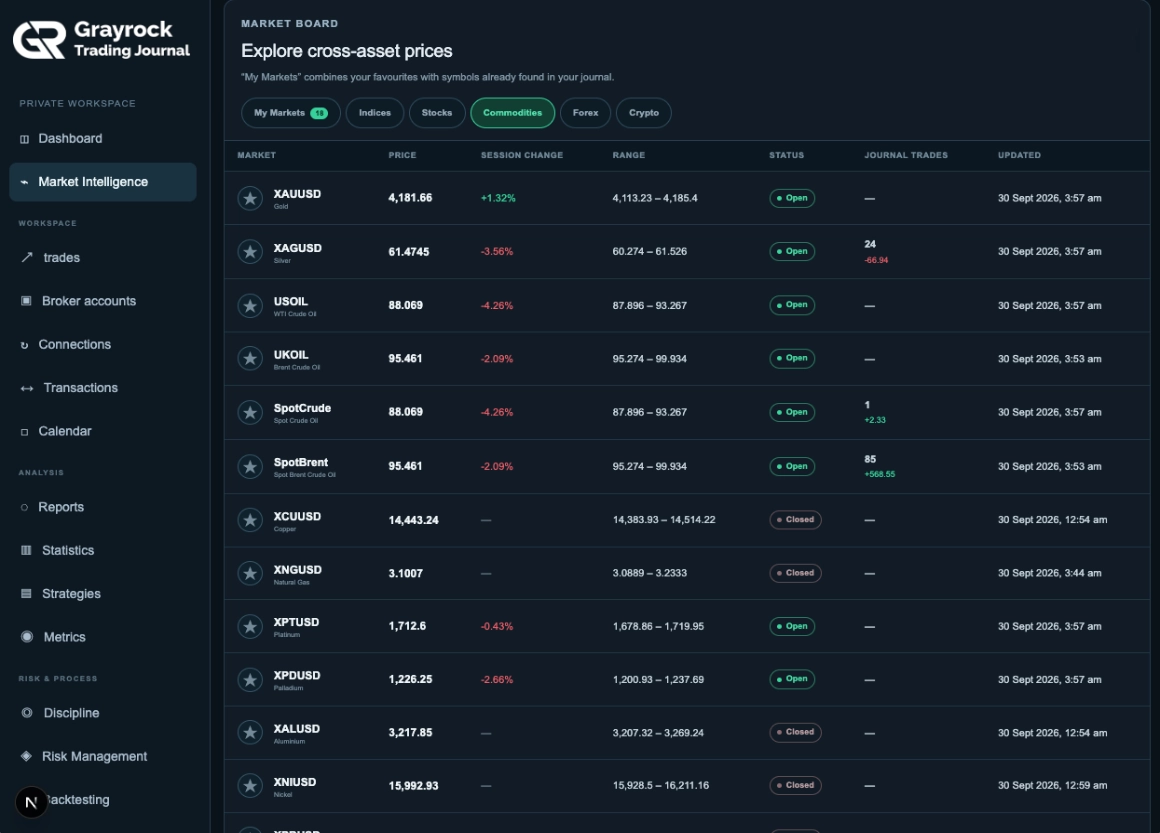
Explore supported commodities, including precious metals, oil and other markets. See recorded journal activity alongside matching instruments where available.
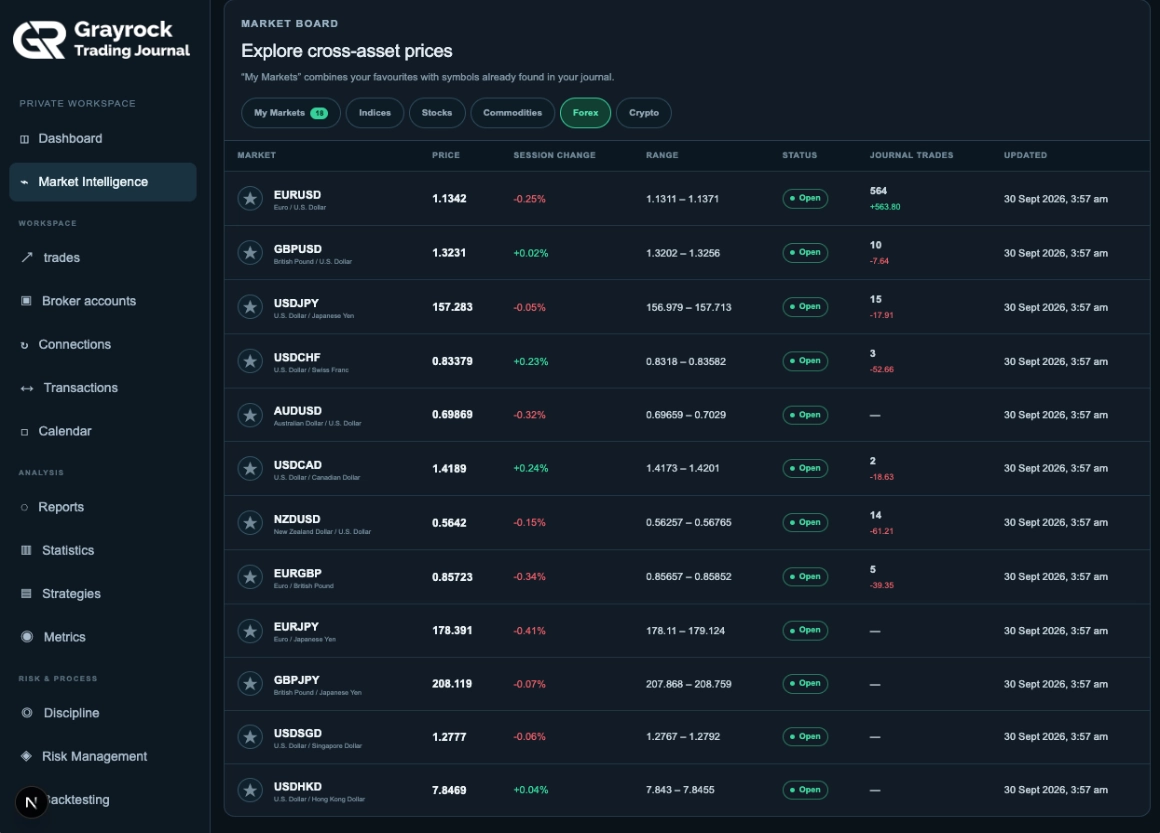
Review Currency Markets Alongside Your Records.
Follow supported currency pairs with reference prices, session changes and available ranges. Connect that market overview with the trades already recorded in your journal.
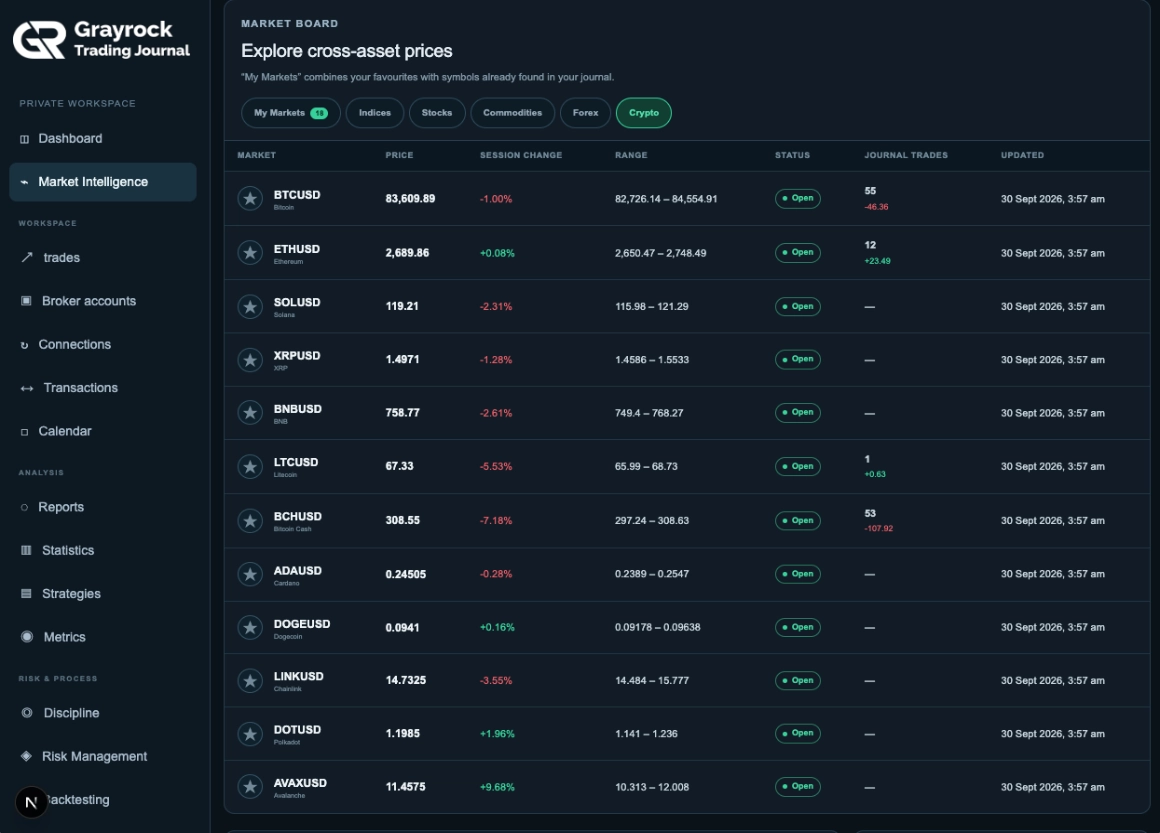
Follow Supported Cryptocurrency Markets.
Review cryptocurrency reference prices and session changes, save favourites and see journal evidence beside supported instruments you have traded.
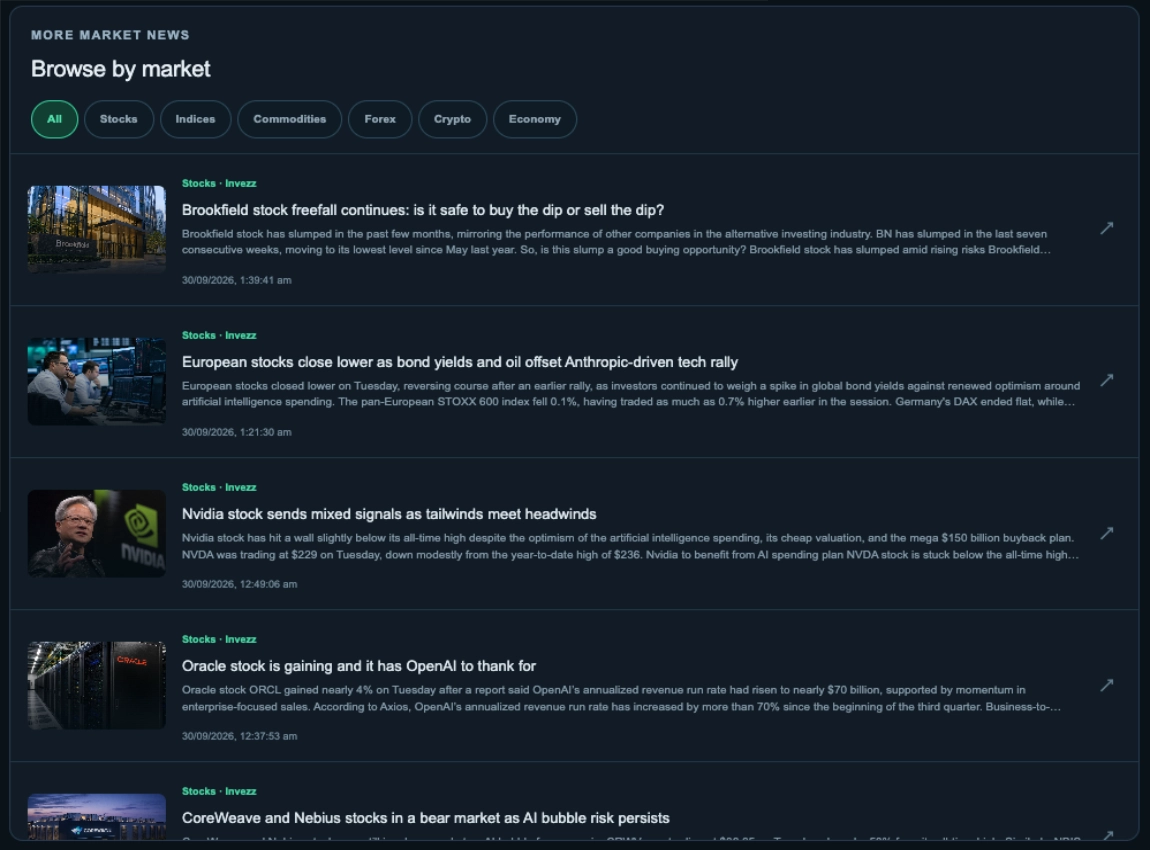
Browse the Stories Behind the Markets.
Scan featured headlines, then browse news across Stocks, Indices, Commodities, Forex, Crypto and Economy. Image previews, publisher attribution and publication times help you choose what to read.
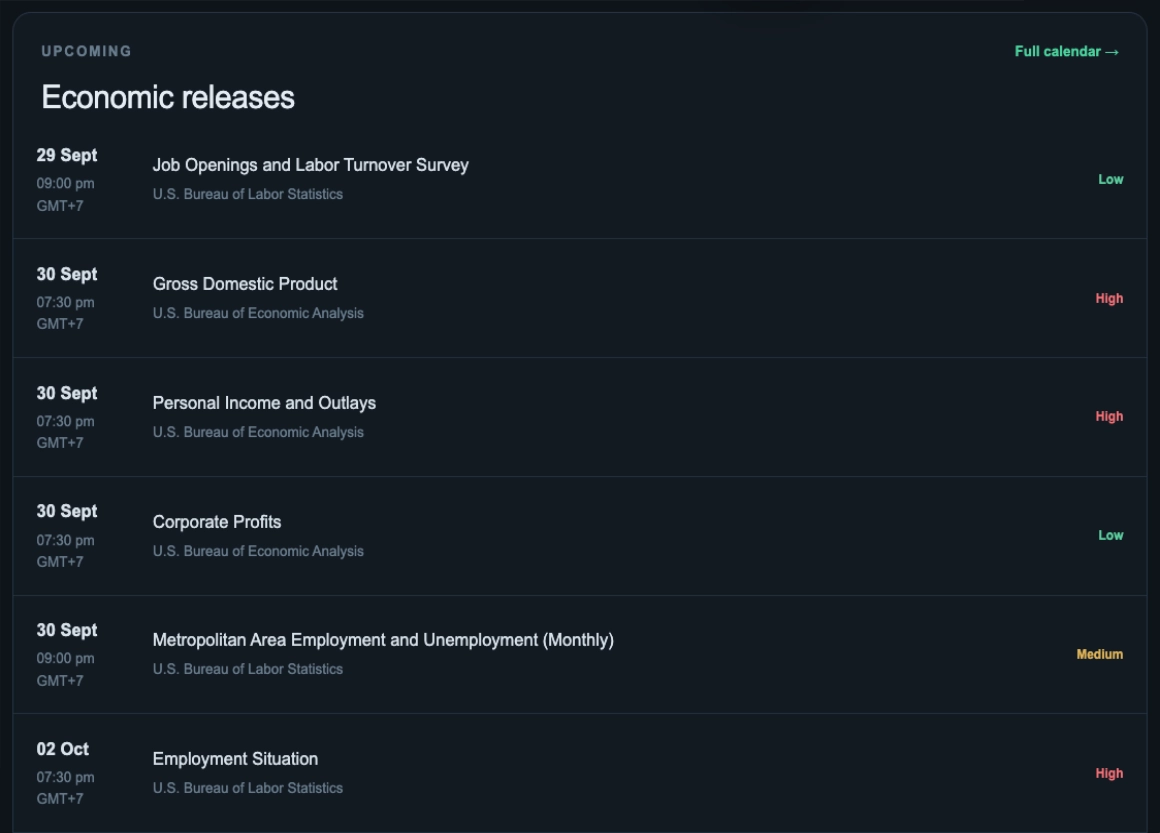
Keep Upcoming Economic Releases in View.
Review upcoming releases with scheduled times displayed in your local timezone. Grayrock combines its licensed calendar feed with official schedules from the U.S. Bureau of Labor Statistics and Bureau of Economic Analysis.
Connect Market Context With Your Recorded Results.
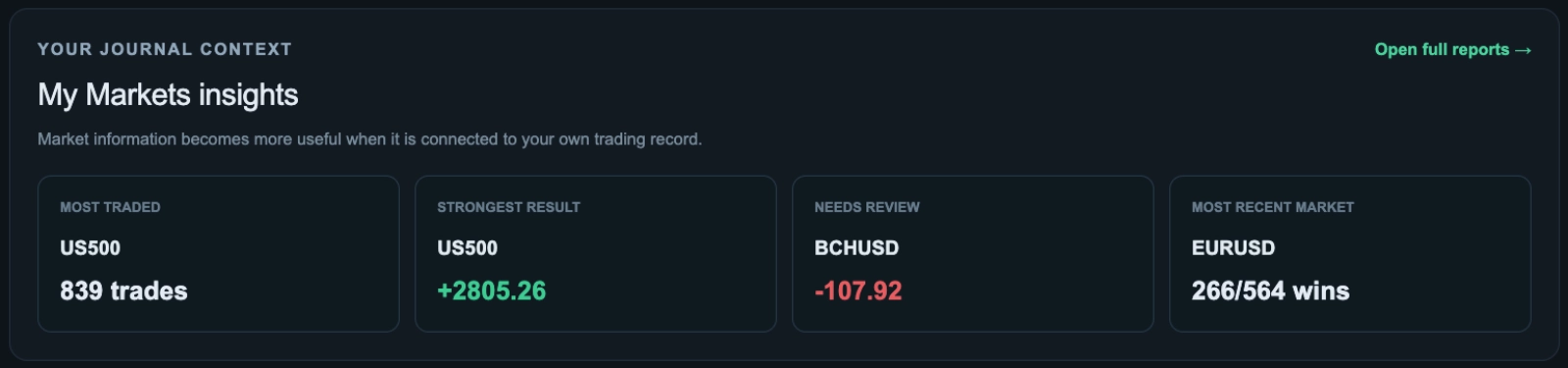
When your journal contains trades, My Markets insights highlights your most traded market, strongest recorded result, a market needing review and your most recent market activity.
Market Context for Your Review.
Market prices are reference information and may be delayed. News articles and calendar items link to their original sources, while journal insights reflect your recorded trades.
Grayrock does not execute trades or provide financial advice. Verify executable prices with your broker or trading venue and critical economic releases with the official source.
About Market Intelligence
Understand how favourites, market information and your journal records work together.
How does My Markets choose which instruments to show?
My Markets combines instruments you have starred with supported symbols found in your trading journal. Longer lists include pagination so you can browse ten markets at a time.
Are my favourites private?
Yes. Favourites belong to your signed-in workspace and remain saved for future visits. Adding or removing a favourite does not change your trade records.
Can I use Market Intelligence before recording trades?
Yes. Market Intelligence provides market information before you have recorded trades. When there are no matching journal symbols, the market board can show a general selection. Journal insights become available when records exist.
Are the prices live execution quotes?
No. The displayed prices are reference information and may be delayed. Check your broker or trading venue for executable prices.
Where do the news and economic releases come from?
Market news is supplied by Invezz and links to the original articles. Economic releases combine a licensed calendar feed with official BLS and BEA schedules, with source links available for verification.
Do I need to connect a broker or buy a separate market-data package?
A broker connection is not required to view the market reference feeds, and they do not require a separate market-data package. Access to Grayrock itself remains subject to its subscription terms.
Does Market Intelligence provide trading signals?
No. It provides market information and context from your recorded journal. Headlines and journal insights should not be treated as recommendations to enter or exit a trade.
Bring Market Context Into Your Trading Routine.
Follow the markets you care about, review the latest headlines and economic releases, and keep your recorded trading evidence close at hand.