

Plan What Repeats. Review What Comes Next.
Keep repeating income, bills and subscriptions organised in one schedule. Review upcoming and overdue items, then choose when to post each occurrence to your records.
- Repeating income & expenses
- Upcoming & overdue items
- Review before posting
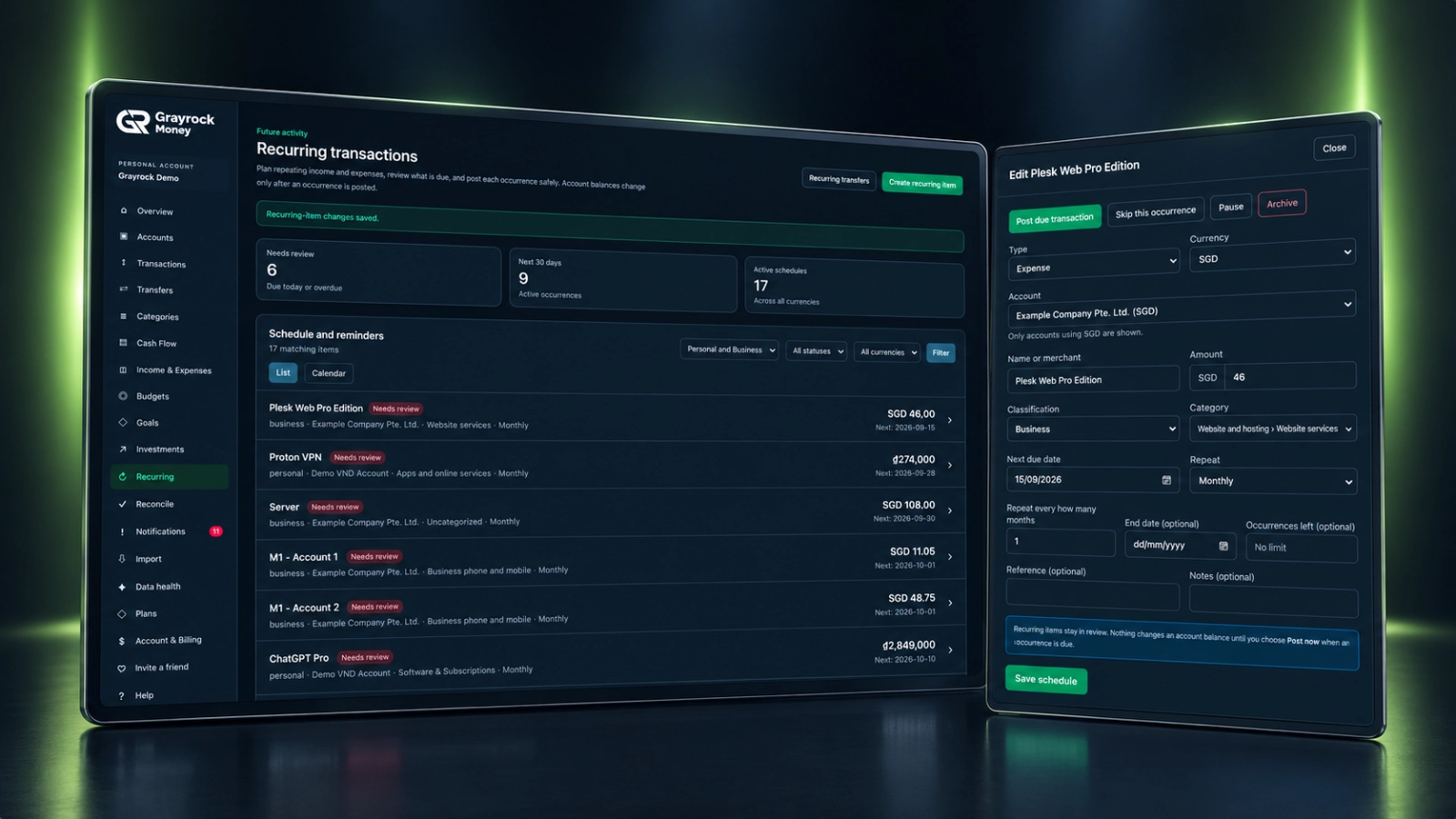
Give Regular Commitments a Clear Schedule.
Set up the details once, keep the next due date visible and review each occurrence before it becomes a posted record.
Schedule Income & Expenses
Record the account, amount, category and classification for regular income or repeating costs.
Set the Repeat Pattern
Choose the next due date and repeat interval, with an optional end date or remaining occurrence limit.
See What Needs Review
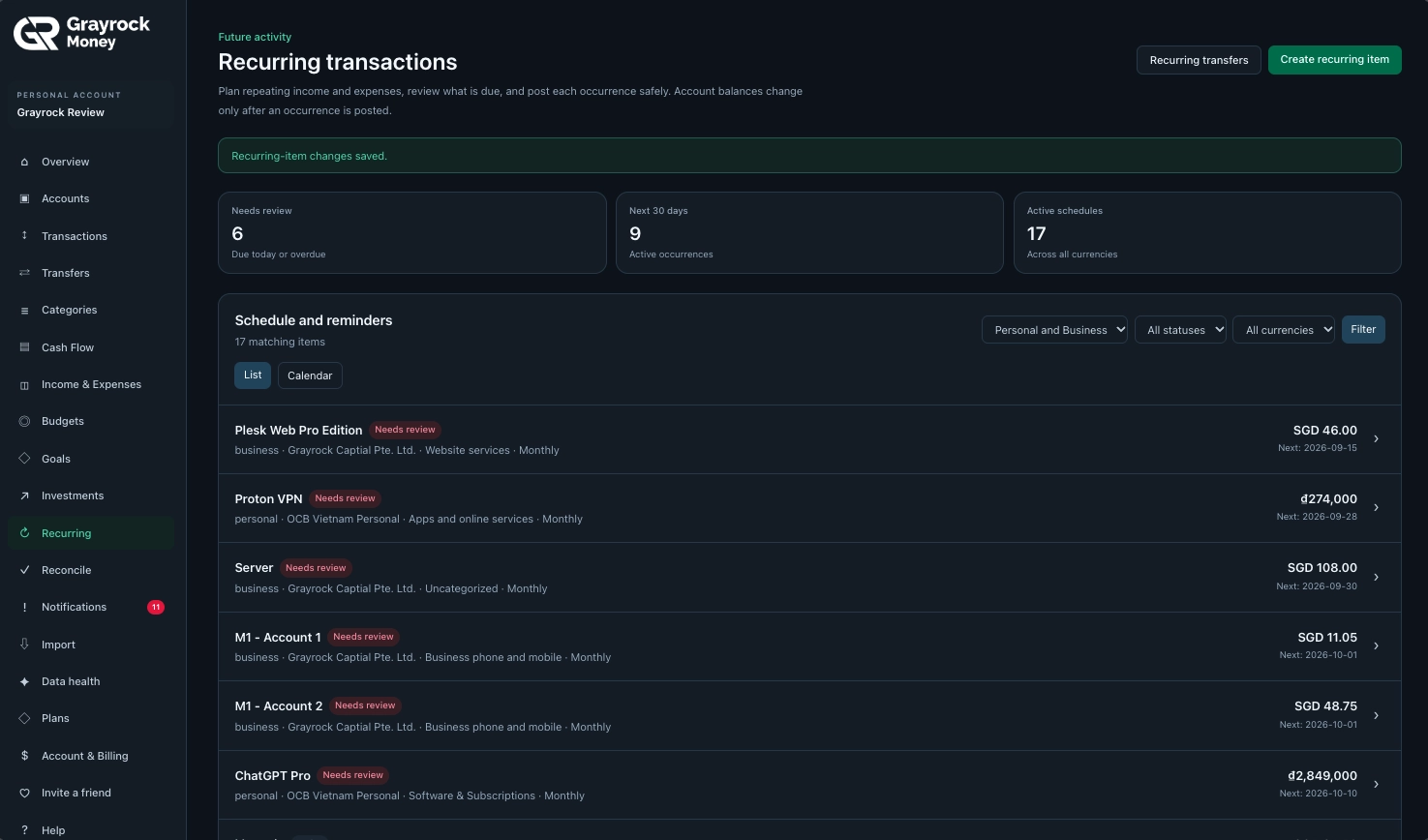
Review items due today or overdue, upcoming occurrences within the next 30 days and active schedules.
Stay in Control
Post a due transaction, skip an occurrence, pause a schedule or archive it when it is no longer needed.
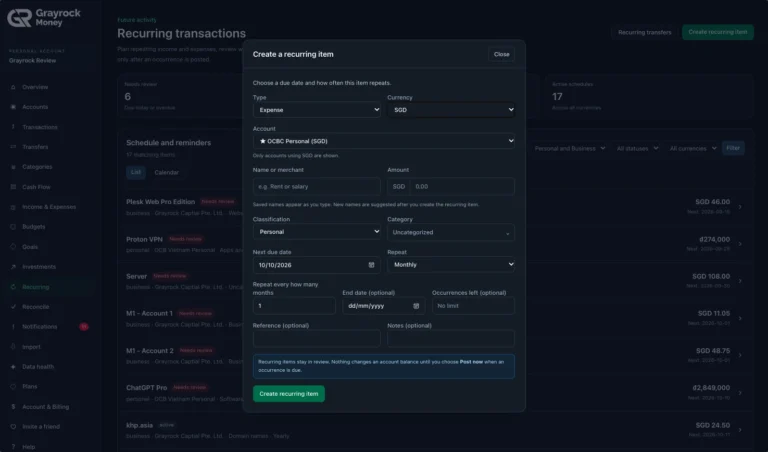
Create a Recurring Item
Set the details and repeat pattern for regular income or expenses.
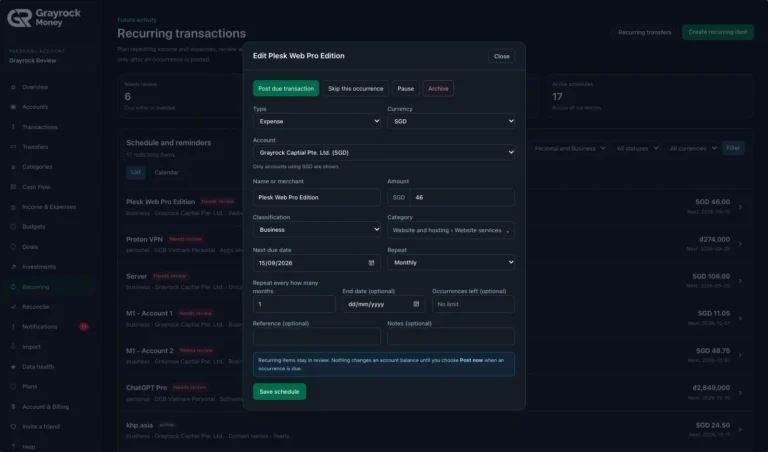
Review and Manage a Recurring Item
Review a due item and choose how to handle the occurrence.
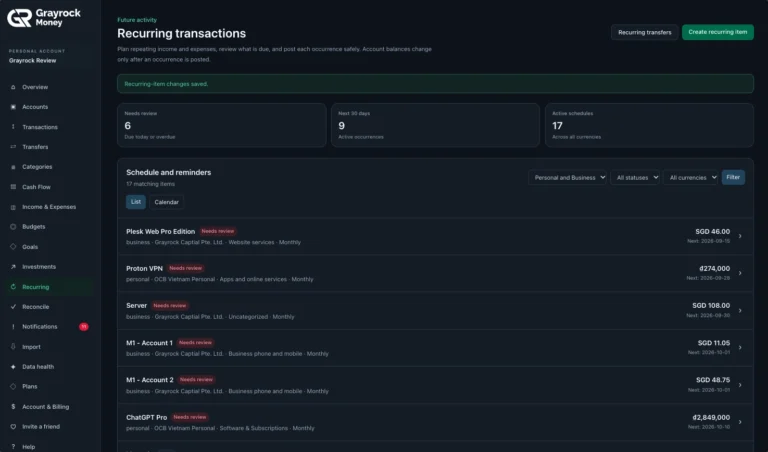
Recurring Income and Expense Schedule
Keep upcoming and overdue recurring activity in view.
Review Your Schedule. Adjust as Plans Change.
Keep regular personal and business activity together without losing its context. Filter the schedule and open an item to check its details before deciding what to do next.
Choose Your View
Focus the Schedule
Keep Details Current
Post, Skip or Pause.
A scheduled item is a plan for repeating activity. Review each occurrence and choose the action that reflects what actually happened.
Post the Due Transaction
Add the due occurrence to your transaction records when you are ready to record it.
Skip an Occurrence
Skip a particular occurrence when it should not be recorded as a transaction.
Pause or Archive
Pause a schedule when the routine stops temporarily, or archive it when it is no longer needed.
Set Up Recurring Activity in Three Steps.
About Recurring Items
Understand how schedules, due dates and posting work in Grayrock Money.
What can I schedule as a recurring item?
You can schedule repeating income and expenses, such as salary, rent, subscriptions or regular service costs. Each item keeps its account, amount, classification, category and repeat settings.
Does creating a schedule immediately change my account balance?
No. Creating or saving the schedule does not change a recorded account balance. An occurrence affects the account only after you choose to post it.
Are recurring transactions posted automatically when they are due?
No. Due occurrences remain available for review. You decide when to post the transaction or whether to skip it.
What does “Needs review” mean?
It identifies scheduled activity that is due today or overdue and needs your attention. Open the item to review its details and choose the appropriate action.
Can I limit how long an item repeats?
Yes. The schedule includes an optional end date and an optional remaining occurrence limit.
Can I change the amount or schedule later?
Yes. Open the recurring item to edit its amount, next due date, repeat settings and other available details, then save the schedule.
Can I skip an occurrence or pause the schedule?
Yes. You can skip an individual occurrence, pause the schedule or archive it when it is no longer needed.
Can I schedule items in different currencies?
Yes. Select the currency for each item and an account using that currency. The schedule can show items across currencies, with a currency filter to narrow the view.
Does Grayrock Money pay my bills or cancel subscriptions?
No. It helps you organise and record repeating activity. Payments, collections and subscription cancellations remain with your bank or service provider.
Bring More Order to What Repeats.
Organise your recurring income and expenses, review what is due and keep your records up to date with Grayrock Money.